
Feature available only for short-term rentals. Requires a Mapaprop Plus subscription or higher.
Mapaprop lets you create, edit, and delete reservations for short-term rentals. You can only manage reservations on properties with the Short-term rental operation type.
Global reservations console
From the side menu, go to Reservations to see the global console with all reservations for all your short-term properties.
Statistics panel
At the top you'll find four indicators:
- Total reservations - Total number of registered reservations
- Properties - Number of distinct properties with reservations
- Next 7 days - Reservations starting in the next 7 days
- Active today - Reservations currently active today
Search filters
You can filter reservations using the following criteria:
- Search - Search by property code, address, title, or contact name
- Date from / to - Filter reservations by date range
- Status - Active (default), Historical, or All
- Sorting - Newest first or oldest first (up/down arrows)
Creating a reservation
- Click "New Reservation"
- The property finder opens: search by code, address, area, or price
- Select the desired property
- Fill in the from and to dates (the system calculates the nights automatically)
- Optionally, search for and link an existing contact
- Click "Save"
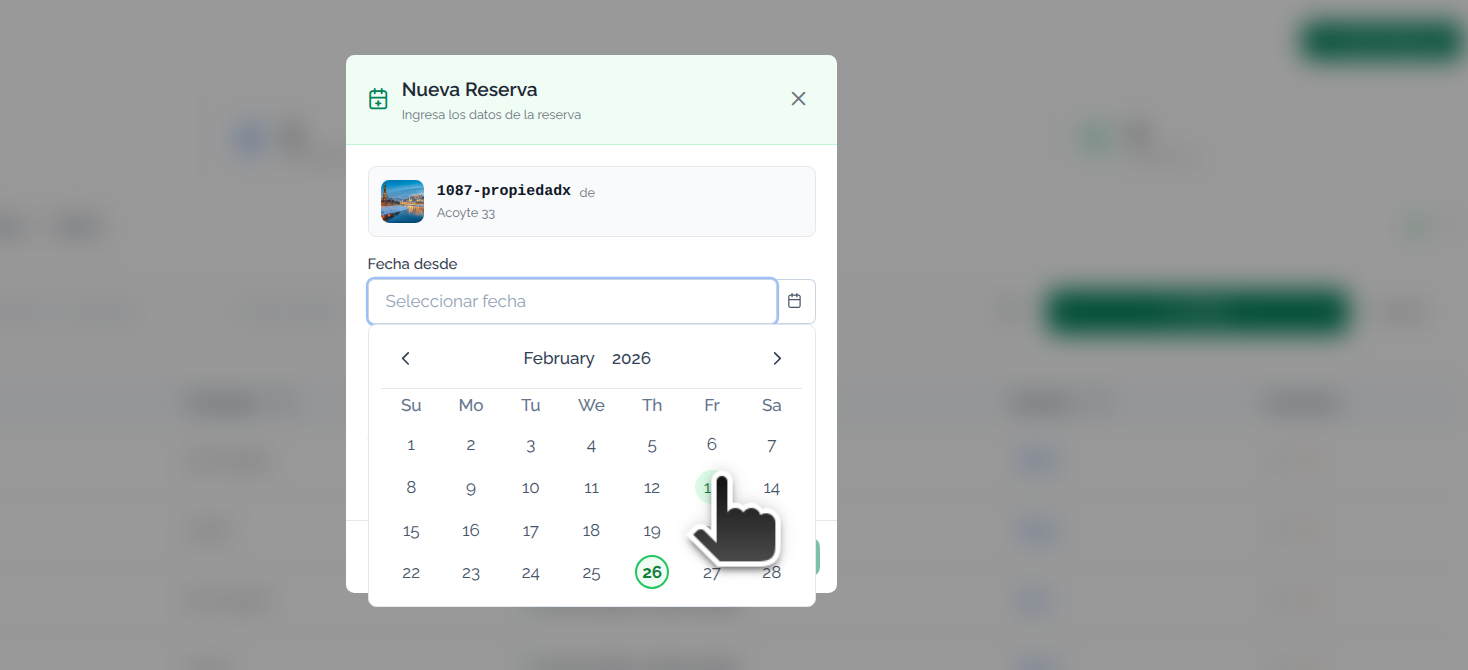
Editing a reservation
- Click the pencil icon in the Actions column
- Change the dates or the contact
- Click "Save"
Deleting a reservation
- Click the trash icon in the Actions column
- Confirm the deletion in the confirmation dialog
System features
- You can create past, present, and future reservations
- Reservations can overlap on the same date
- You can link an existing contact to each reservation (optional)
- Any contact linked to a reservation is automatically tagged as "short-term" in the Contacts CRM
- Reservation contacts are not linked to the property as a tenant
- The basic unit of measure is the night of stay
- Past reservations are shown with a dimmed visual style
- You can delete old reservations whenever you want
You can add past, present, and future reservations. Reservations can overlap on the same date
You can also manage reservations from each property's record, in the Reservations tab. There you'll see only that property's reservations, with the same options to create, edit, and delete.
Any contact added to a reservation automatically receives the "short-term" tag within the Contacts CRM
Short-term rental reservations are reflected on your Mapaprop website. Search widgets filter properties by availability based on the selected dates, showing only properties without reservations for the chosen period.
The system does not yet accept automatic reservations; you can only add them manually.