
This help article will guide you to pay your Subscription charges through
- Pay with Mercadopago (Argentina)
- Pay with Paypal (other countries)
Starting a payment
When you have an outstanding charge in Mapaprop, you have 3 days to pay it before payment is automatically requested.
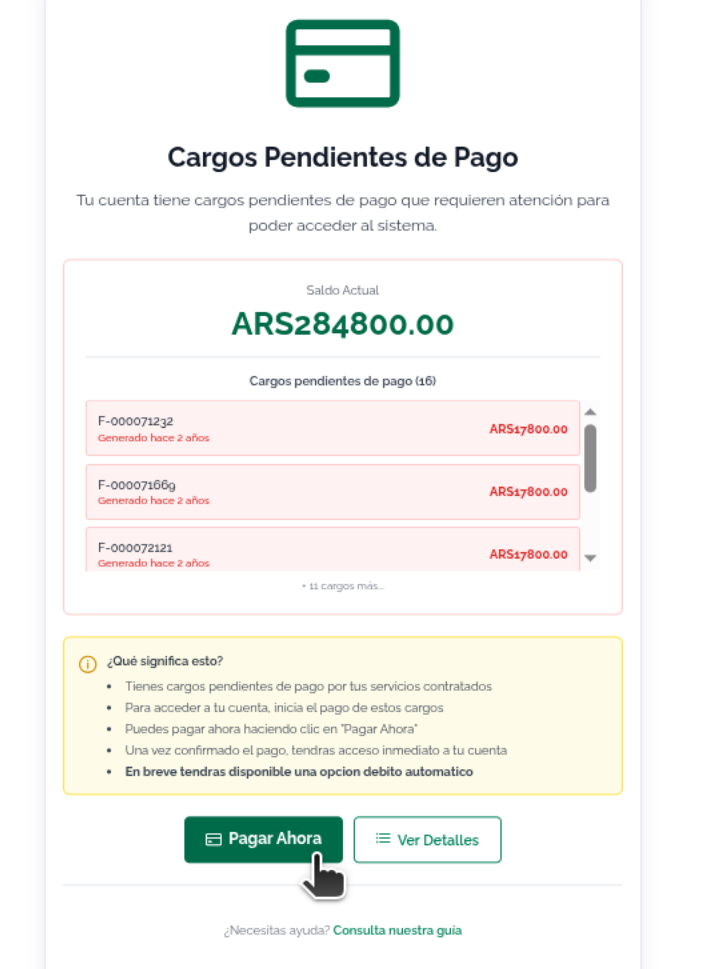
Overdue charge: Payment request
If the charge is overdue, the system will show you this screen. Click PAY NOW to start the payment. You'll be taken to the Account Summary.
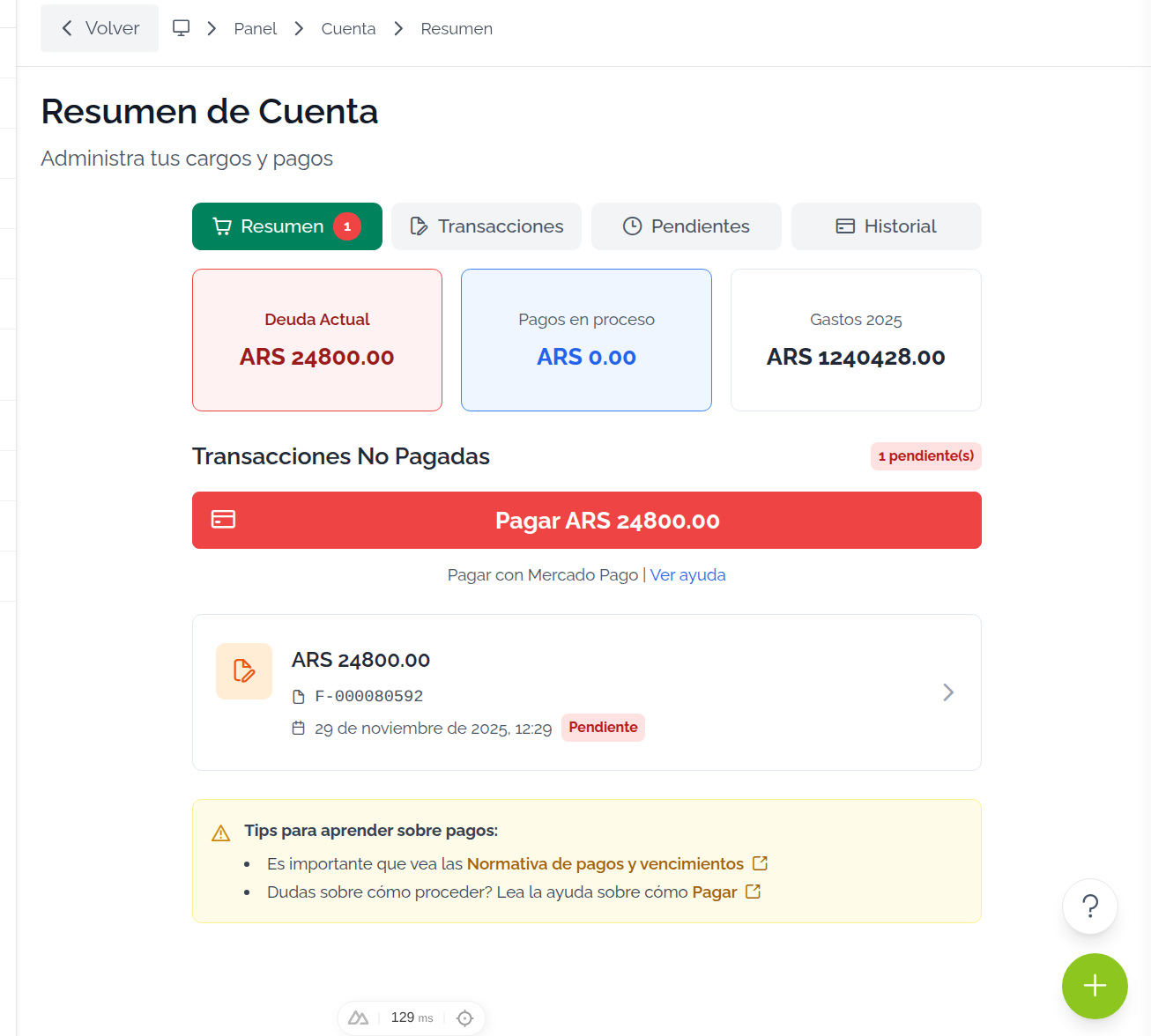
Account summary: Click Pay to start the payment
When you go to Account Summary, click the Pay button.
When you click the button, the following notice will be shown, which you must accept to continue:
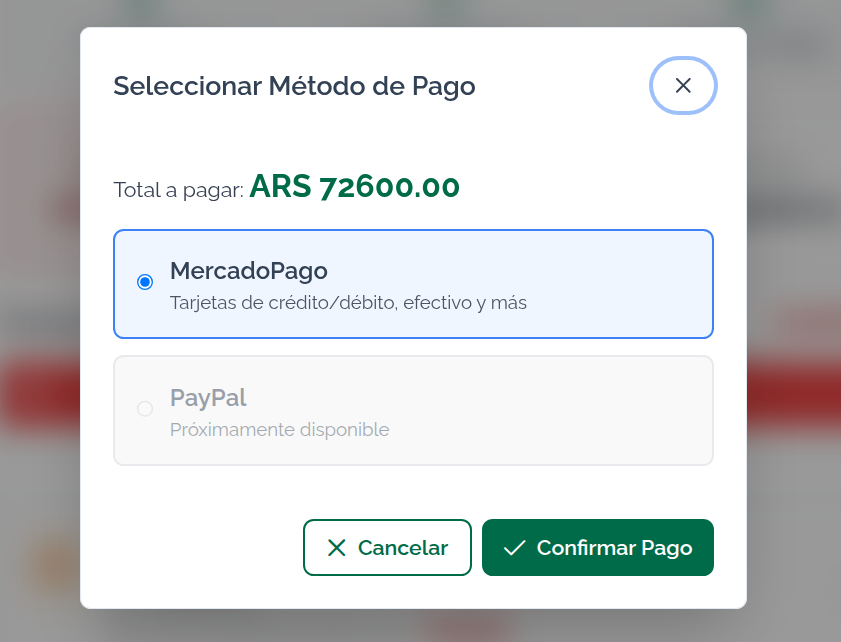
Depending on your country of residence, the payment method will be enabled, which will automatically redirect you when you click the Pay button
To Pay with Mercadopago (Argentina) click the red Pay with Mercadopago button
To Pay with Paypal (other countries) click the red Pay with Paypal button
Keep in mind that in Mapaprop you pay several charges together, so the best way to see how a payment was made is the Payment history tab