
Service linked to Express API
- A website developed by you or your team
- A custom application developed for your real estate agency.
Available with the Mapaprop Pro+ plan or higher. The token is self-service (you activate it from your account) and does not expire.
Activate Token
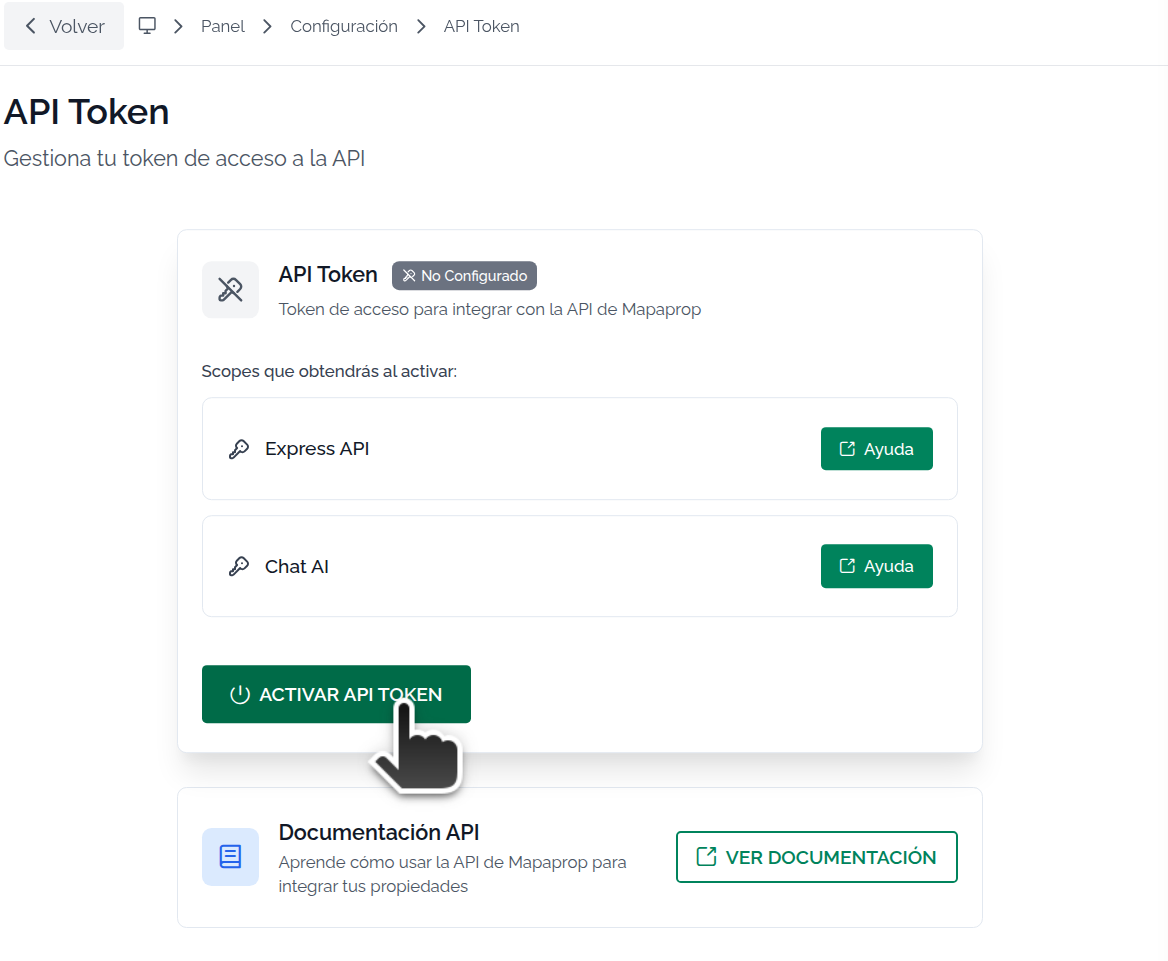
When you access the screen you just need to press the ACTIVATE button
Click to activate Token
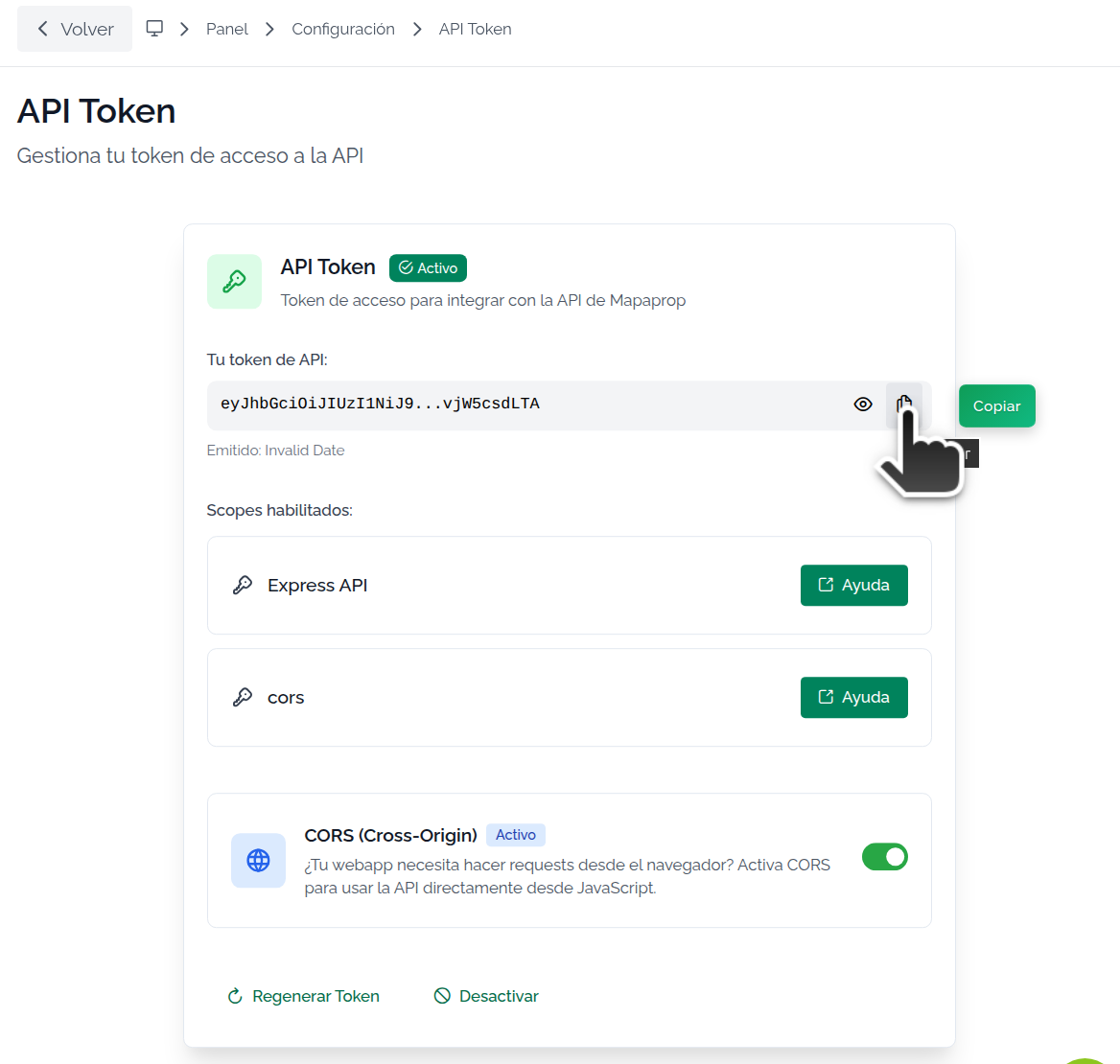
Once activated, you can copy the token in a single step
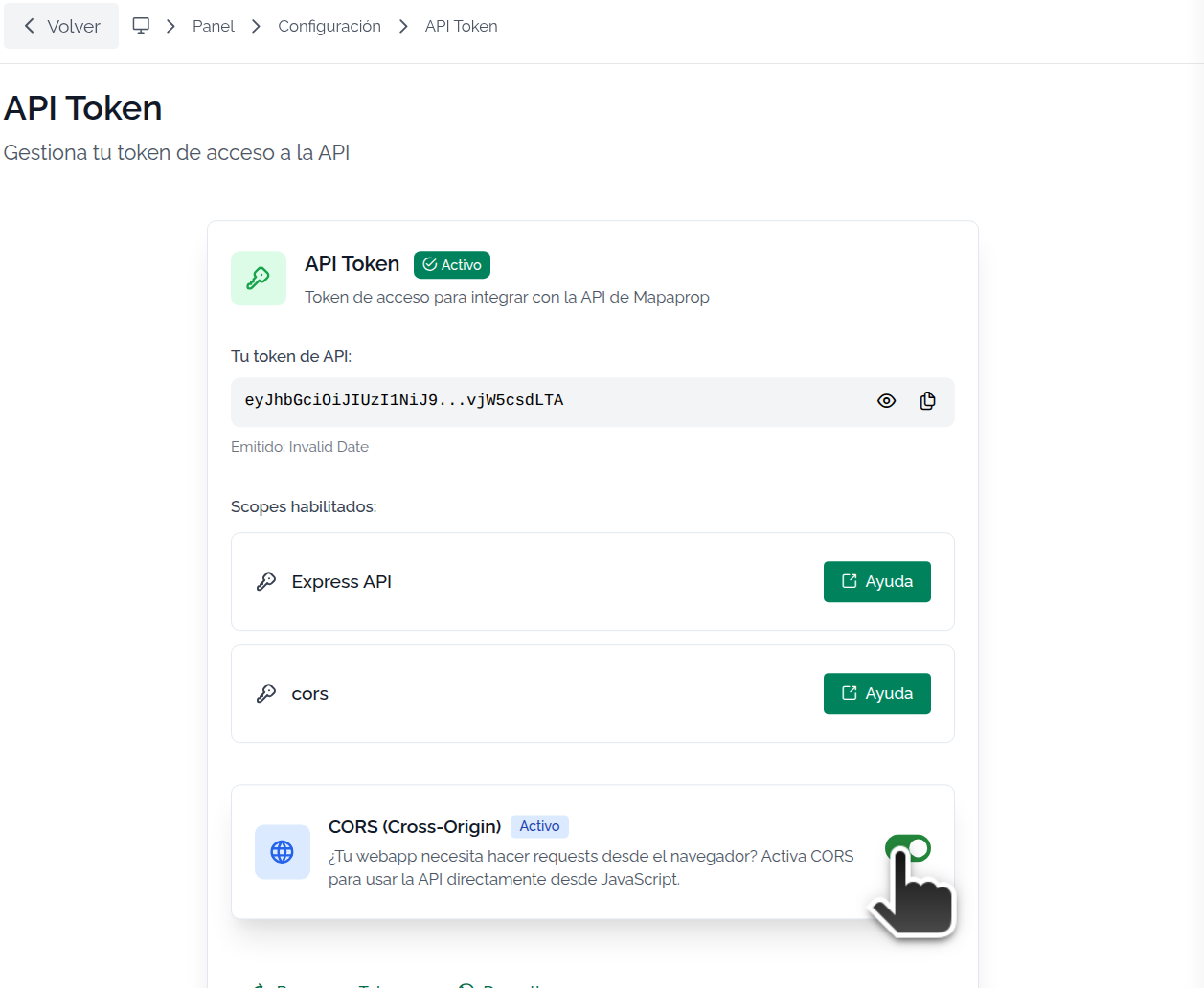
Cors (Cross-Origin)
If you have a serverless webapp, this may be your option. You should carefully read the doc to use this method. Cors (cross-origin)
Website Function
Express API is a developer API: with it you can build your own system, or build a website on your own server and manage it from Mapaprop. The Website Function connects this token to that website so the API serves and queries your properties and its content (configuration, design, pages and news).
The website is always yours: you build it and host it yourself (with your web and your design). The Website Function does not create a website hosted by Mapaprop; it only connects the token to the website you manage on your own server.
With the token active, the Website Function section appears, with this description: "One of the Express API functions: build your website on your own server and manage it from Mapaprop. Choose which website this token connects to, to publish and query properties."
Depending on your situation, you will see one of these options:
- You have one or more websites and none attached to the token yet: two buttons appear (each with a What is this? link):
- Activate for my current websites: when you press it, a selector unfolds so you can choose which of your websites the token connects to, plus the Attach website button. Even if you have a single website, the selector still appears and you have to choose it: it no longer connects on its own automatically.
- Activate Website+: to activate an additional website, with independent configuration (see below).
- You don't have any active website yet: a notice appears —"This function connects the token to a website you manage on your own server. You don't have any active one in your account yet."— along with the Create a website for the token button.
Once connected, the section shows which website the function became active for. If that website does not have a domain configured yet, you will see the notice the website's domain needs to be configured.
Website+ (additional websites)
If you need more than one website, each with its own configuration, you can activate Website+. If you already purchased Website+ but haven't activated that new website yet, the button changes to Activate your new website: with one click the new website is activated and gets connected to your token.
For now, once you connect the Website Function it can't be disconnected from this screen. The removal option is being developed separately.
The token does not expire, unless you regenerate it or Deactivate and reactivate it.