
Mapaprop Mapaprop Help
Mapaprop.com
Mapaprop Help Wiki (es)
  • Account summary
  • API Token
  • Beta Features Feedback
  • Closing Deals (Operations)
  • Create an account on Mapaprop
  • CRM / Contacts
  • Developments / Real Estate Projects
  • FAQs
  • Help and support
  • Mapaprop AI
  • Mapaprop App
  • Mapaprop Chat AI
  • Mapaprop Panel
    • Blocked Account
    • QR code for your website
  • Message Inbox / Leads
  • My real estate agency
  • partners mapaprop
  • Pay
  • Policies
  • Properties
  • Real Estate Networks / MLS
  • Rentals
  • Reservations
  • Signing in to Mapaprop
  • Signs
  • Statistics
  • Subscription
  • System Versions
  • Tutorials
  • User Name
  • Website
Home/help/panel de mapaprop/codigo qr para su sitio web

From the Mapaprop Panel you can access the Generate QR code for your website feature.
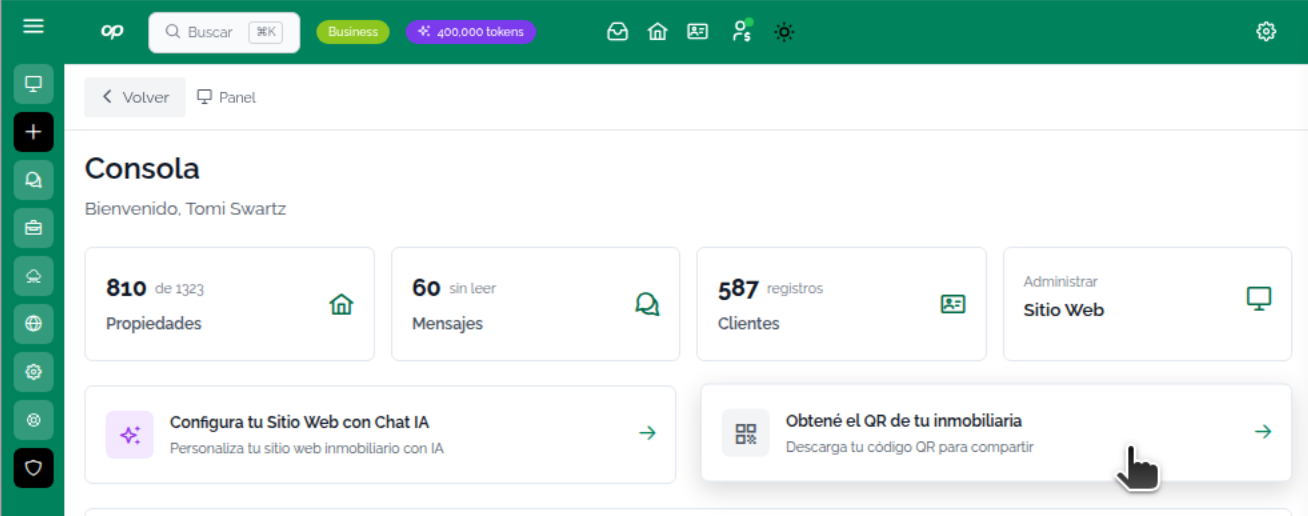
image.png

By pressing the button you can

  • Get a QR code for your Mapaprop Website
  • Generate a QR code for another website that isn't a Mapaprop one.
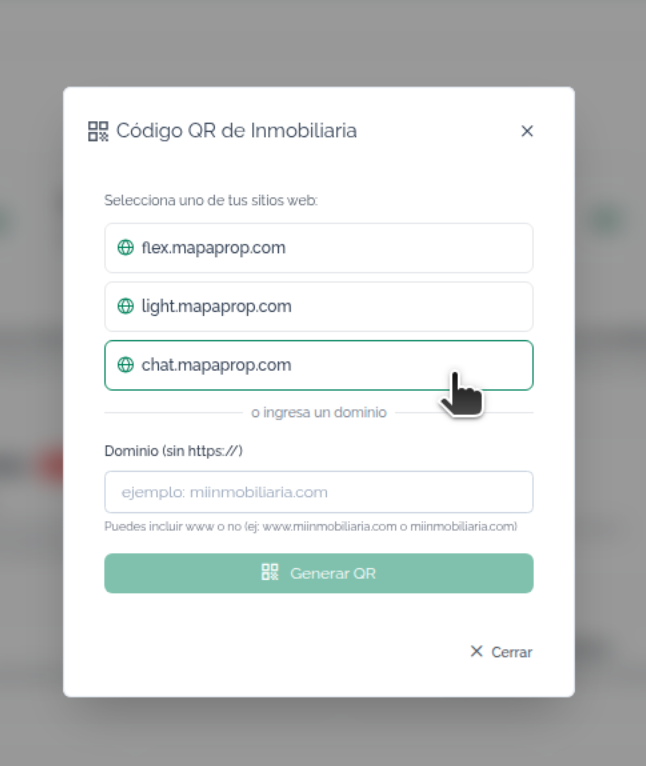
image.png

Whichever other option you choose, you'll be able to use your QR code for general purposes in any type of publication / sign, property listing, sign at your office, etc.
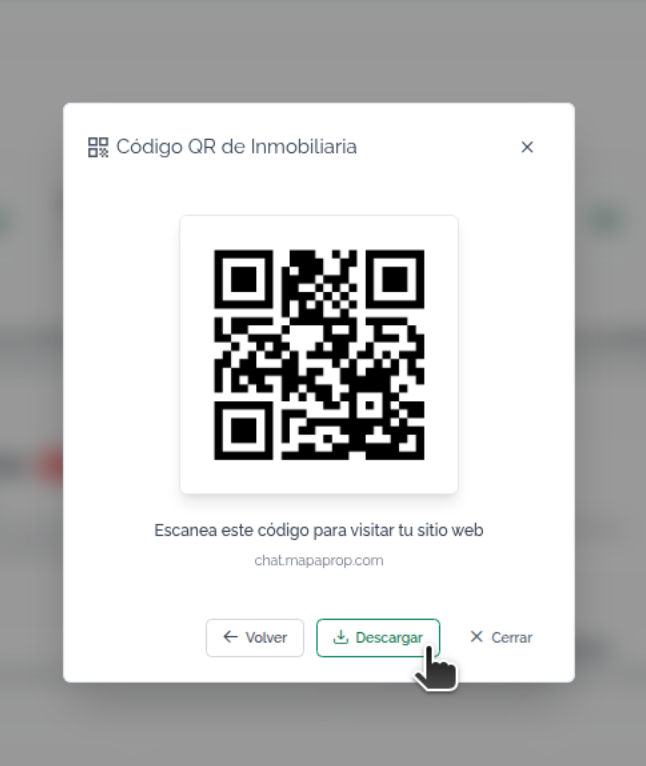
image.png

Also available from Website Console

On this page

  • Unified search: code or text in the same field
  • Search by code
  • General property search tool
  • Search by words
  • How does it work?
  • Why isn't it offered by default?
  • Recommendation
  • Search by address / street
  • How does it work?
  • Advantages over the search by words