
This help article will teach you how to understand the information for each of your paid charges.
Getting to know the payment history of each of your receipts
This screen, located at Menu > User > Account Summary > Receipt History, lets you see the exact information for each of the receipts generated by Mapaprop, whether or not they have been paid.
Each item in the list is a generated charge. The list shows the amount, a receipt number, the issue date, and the status (paid or unpaid).
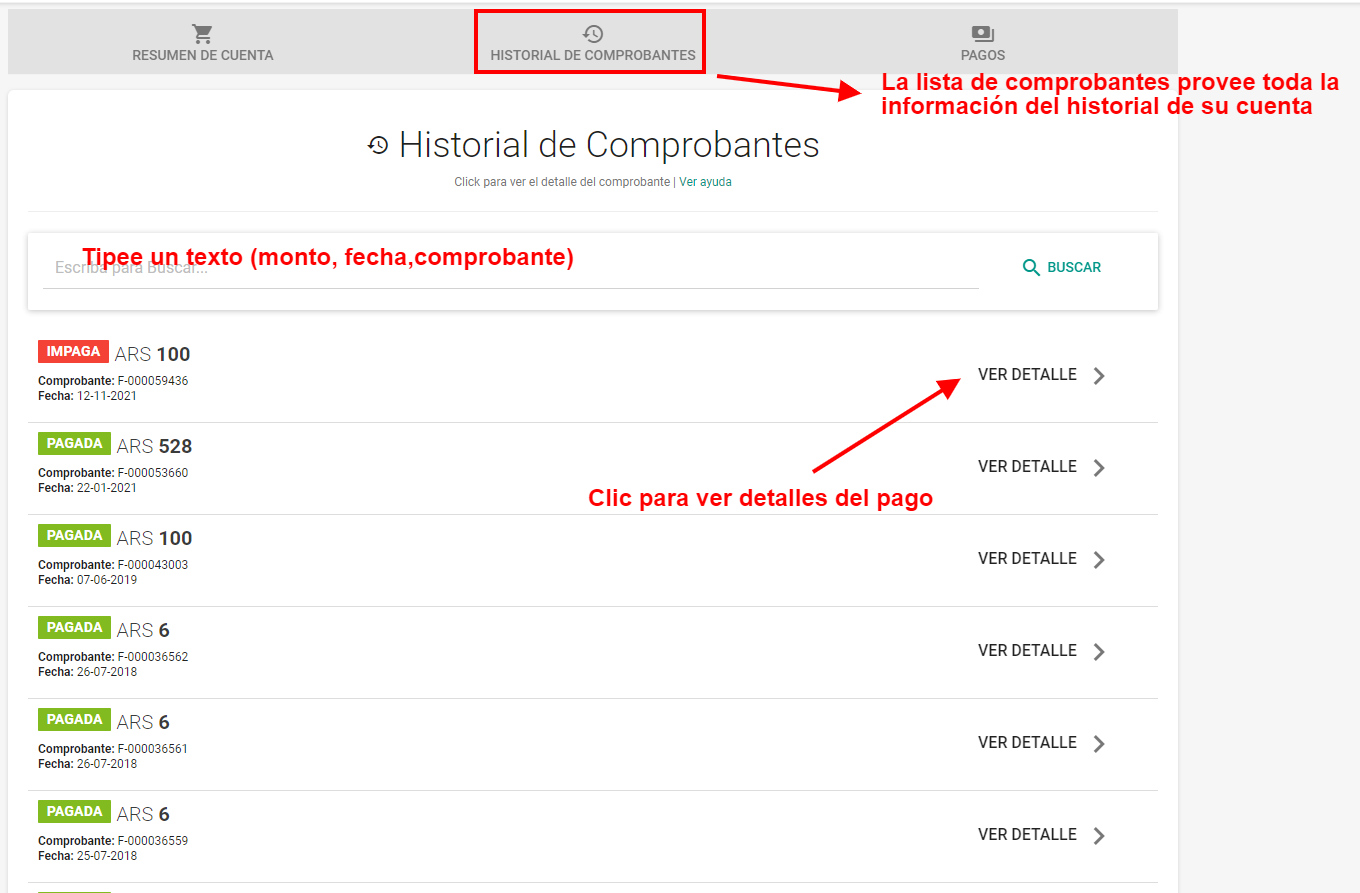
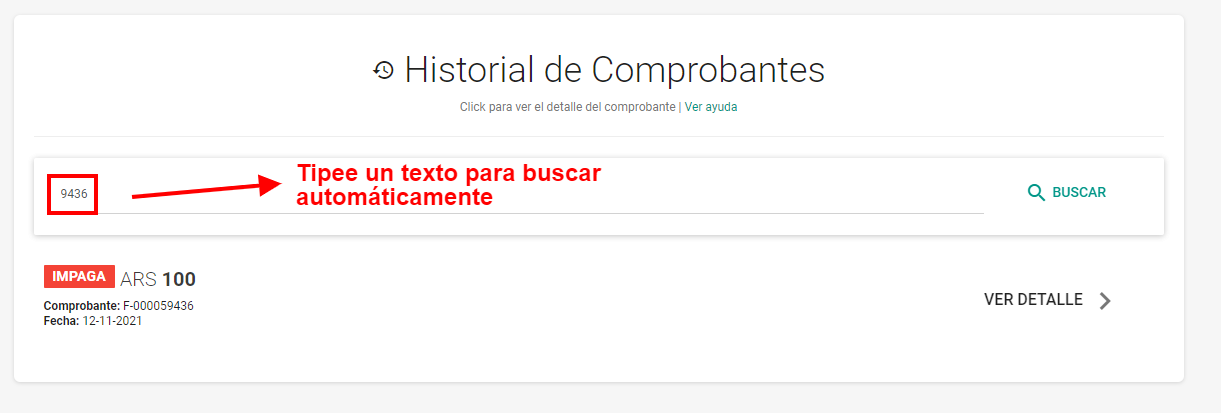
The screen allows you to search receipts simply by typing in the search field:
By clicking on the receipt, you can see its details:
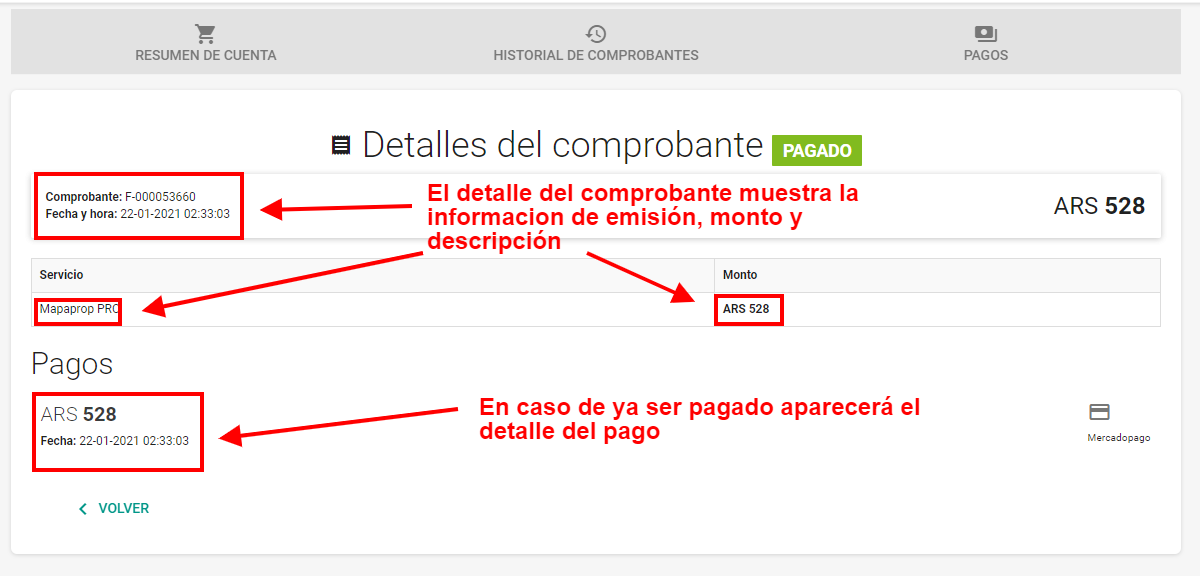
The detail contains the issue date of the charge, and the date the payment started. Keep in mind that the payment start date may differ from the settlement date in cases where you do not pay with a credit card.
If it is an unpaid receipt, the view will be as follows:
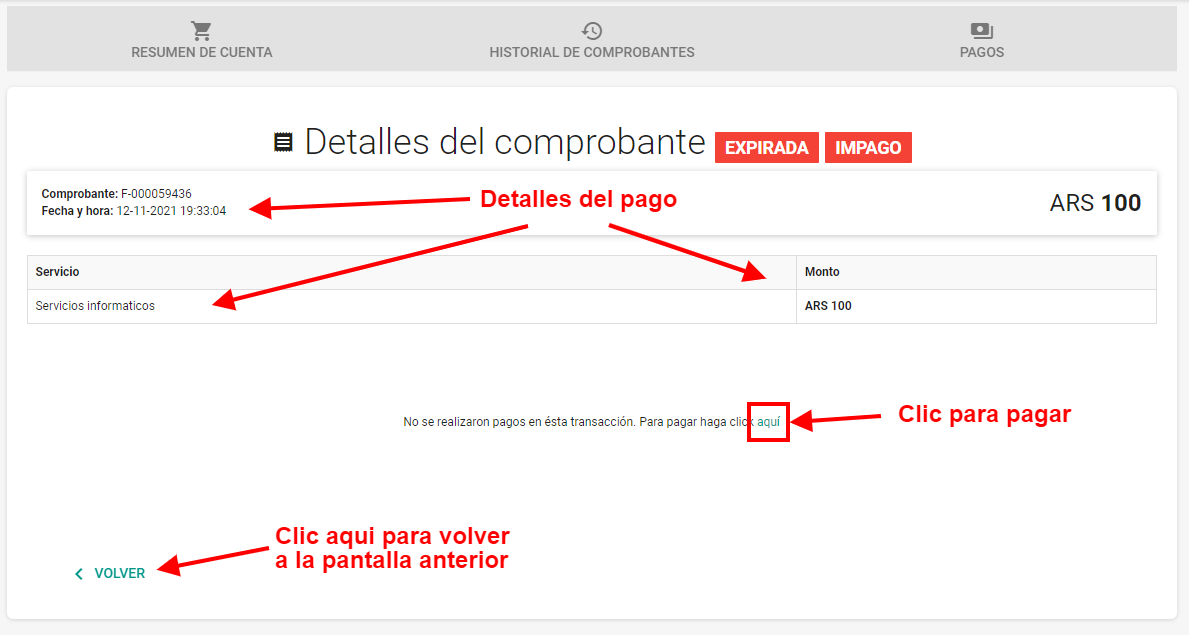
An unpaid receipt will offer the option to pay it.
Keep in mind that if there is more than one unpaid receipt in Mapaprop, you can Pay several charges together, so the best way to know how the payment was made is the Payment history tab