
Mercadopago: Want to know when your payment will be credited? Click here
Account Summary > Pending Payments tab
If you have generated a payment, it moves to the PENDING PAYMENT status until it is credited. The system displays alerts about this.
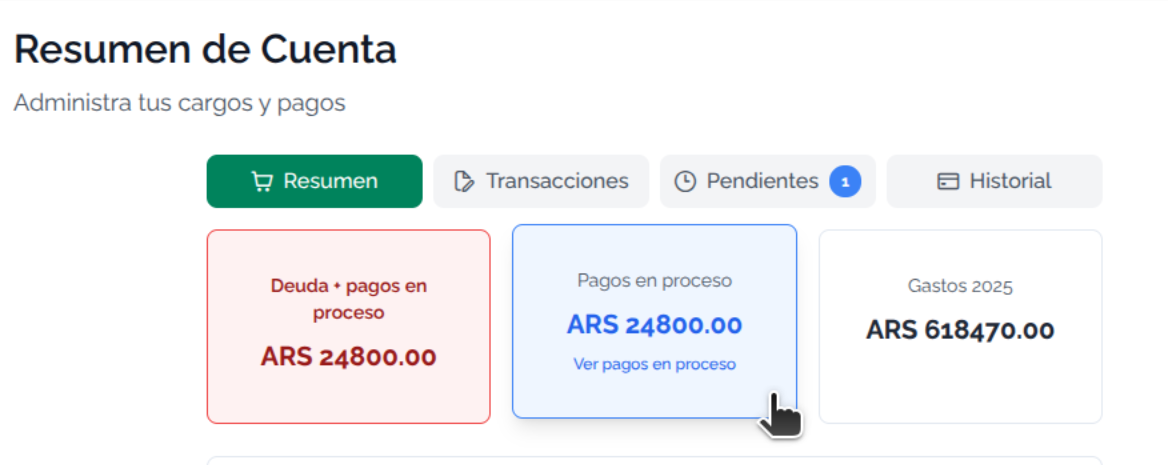
When you go into pending payments, you'll see the following screen:
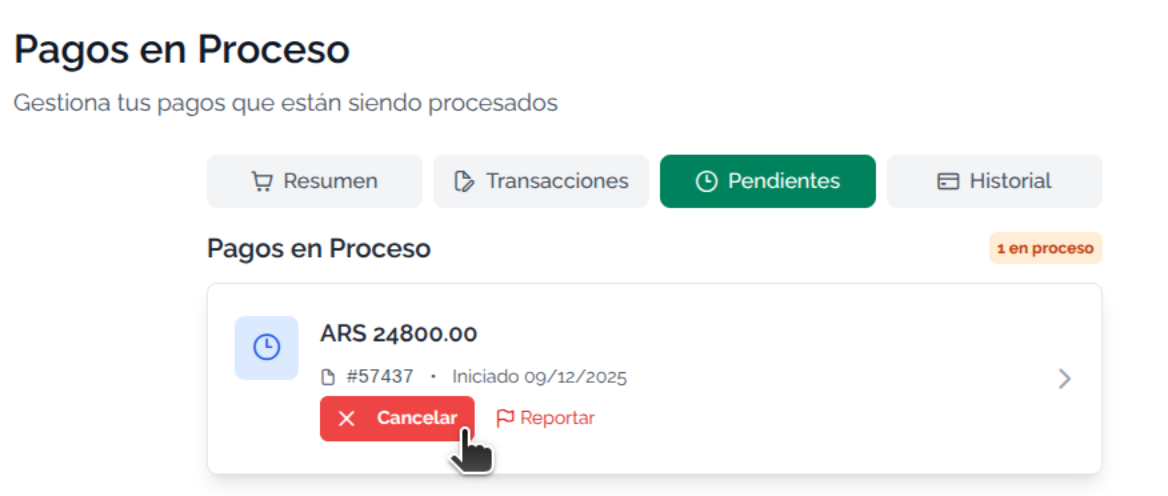
The pending payments list lets you:
- View payment information (amount, start date, payment code #xxxx)
- View payment details (which receipts make it up)
- Check payment status directly on mercadopago
- If you couldn't pay or you're having issues, a claim link
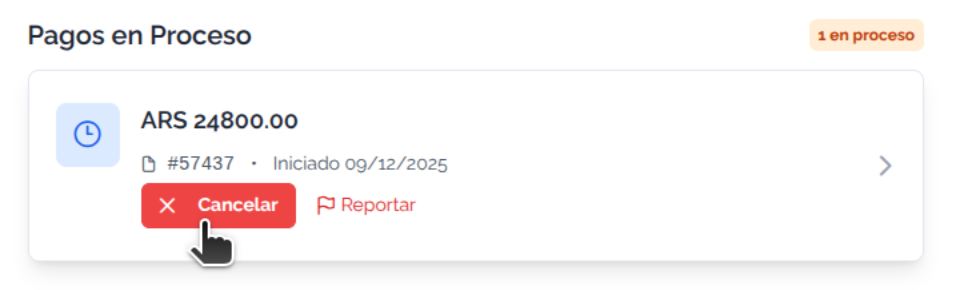
- Cancel a payment (not generated or a pending payment)
General Information
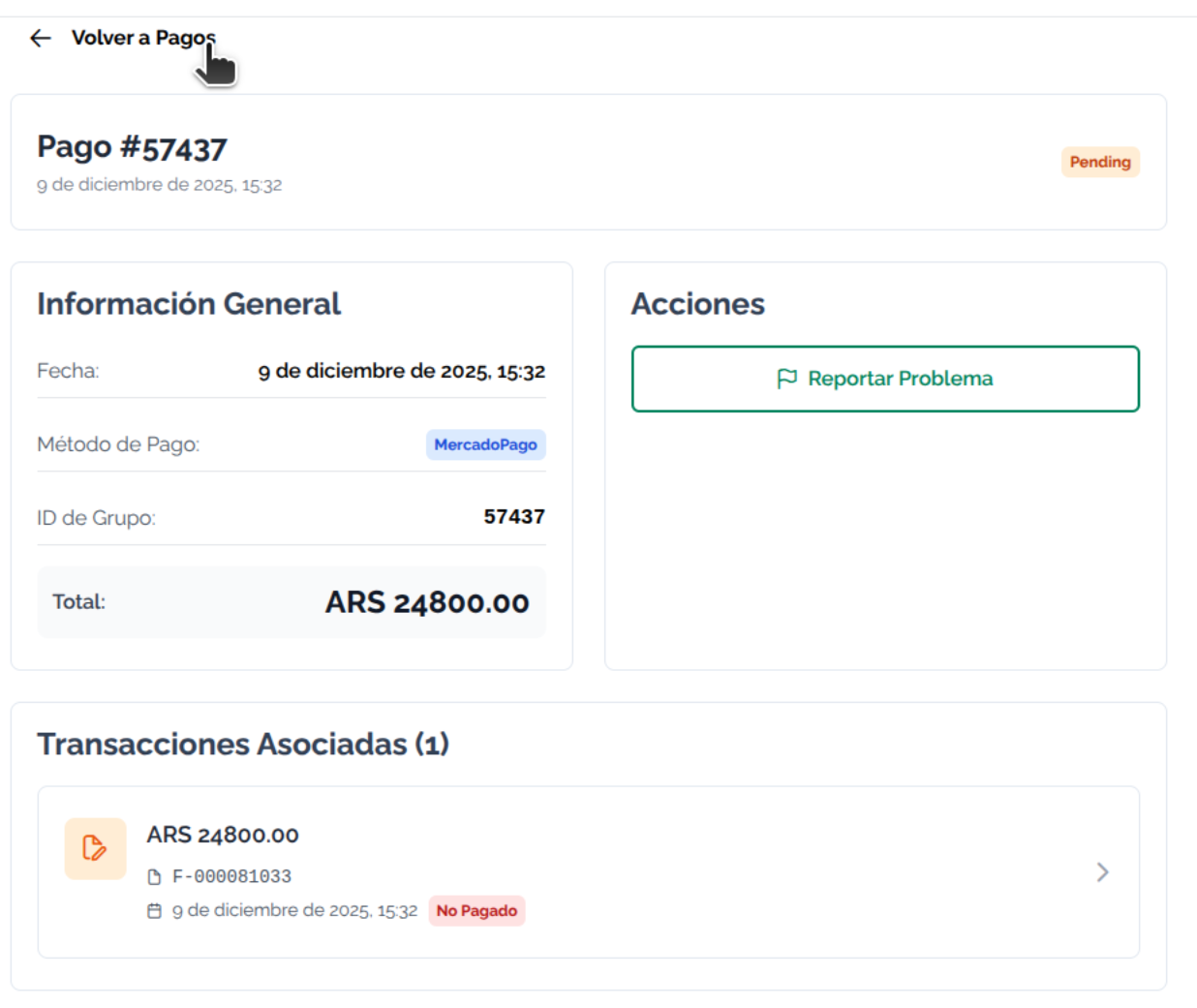
Each payment has information that lets you know the amounts, the receipts that make up the payment, and more
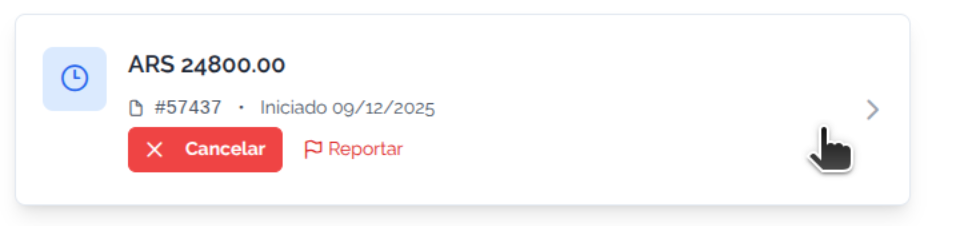
A pending payment stays in this status until the payment is credited. Once it is credited, it moves to Payment History
By clicking on a payment, you can see the detail of the charges that make it up. Each PAYMENT can have one or more receipts:
Payment Cancellations
You can manage the cancellation of pending payments yourself, using the CANCEL PAYMENT button:
When you generate a payment, there are generally two possible errors:
- "Payment sent" — I left the payment screen without paying: You can cancel your payment instantly from the moment you tried to generate it
- "Pending payment" — I generated my payment, but never paid it: (you lost the payment receipt, forgot to pay, the receipt expired, you didn't print the receipt, etc.) You can cancel it whenever you need to.
When you press the cancel button, you'll get the final cancellation option.
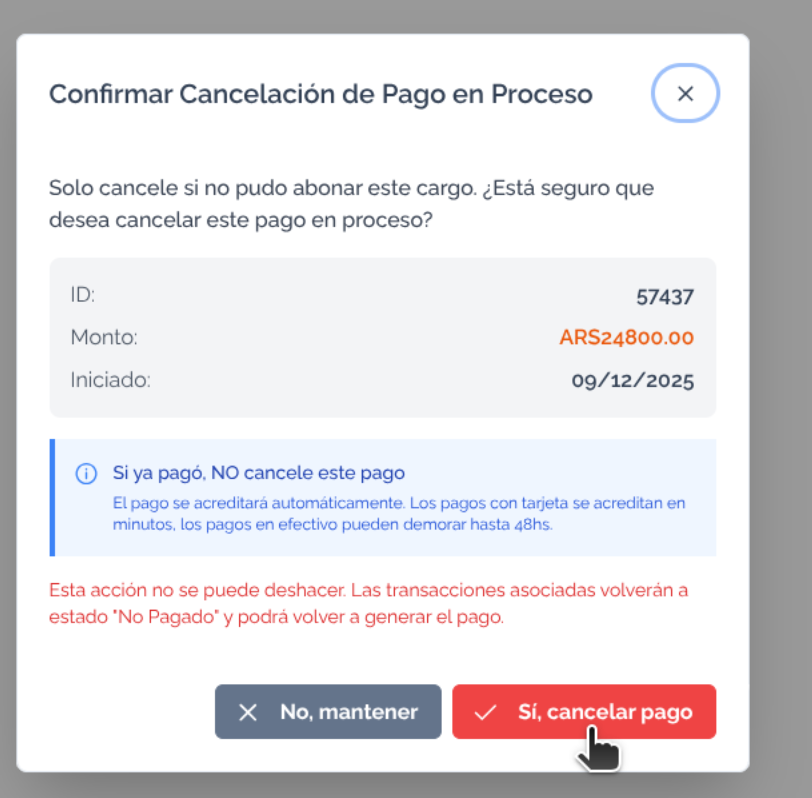
Once cancelled, the payment option will appear again from Account Summary
Only cancel the payment if you're sure you haven't paid it. Cancelling the payment is your responsibility.