This help article will teach you how to know which charge (receipt) has made up each of your payments
Invoices are generated between the 1st and 10th of each month. To obtain your invoice you must set up your taxes from My Company. If you cannot find an invoice, you can request it at facturacion@mapaprop.com
This is the most useful screen in Account Summary, since it lets you know precisely how you paid and which charges made up your payments. To access it, go to Menu > User > Account Summary > Payment History.
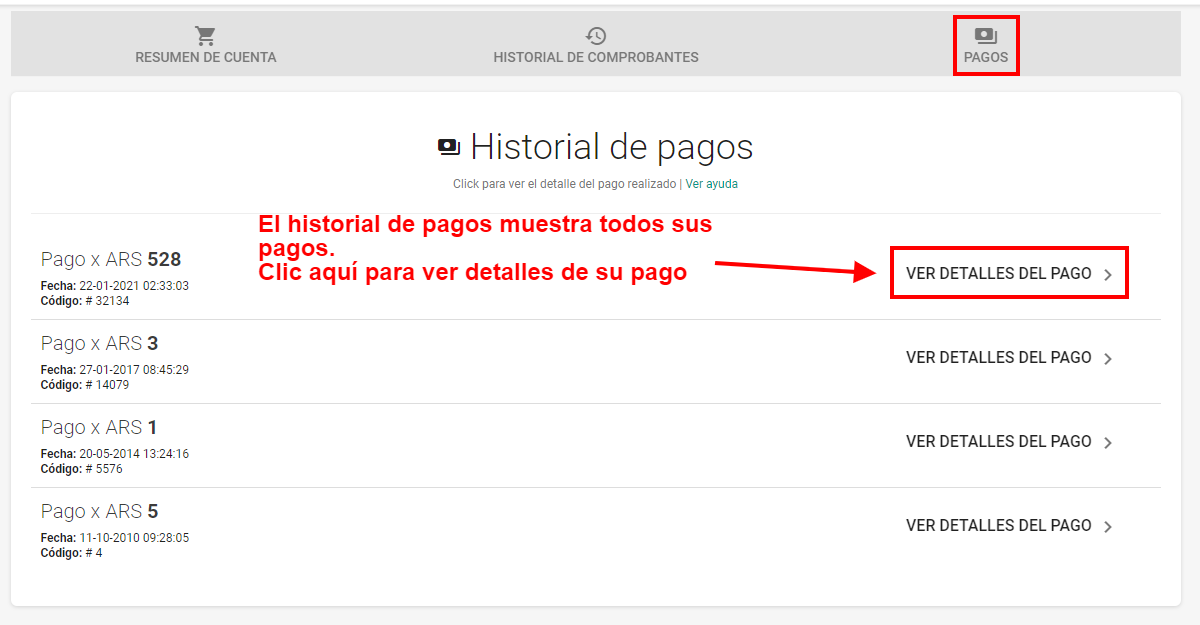
Each of the lines shown contains the information of the payment made on a given date. Keep in mind that the payment date is the date the payment started, which in cases of payments not made by credit card, may differ from the date the payment was settled.
Download receipt
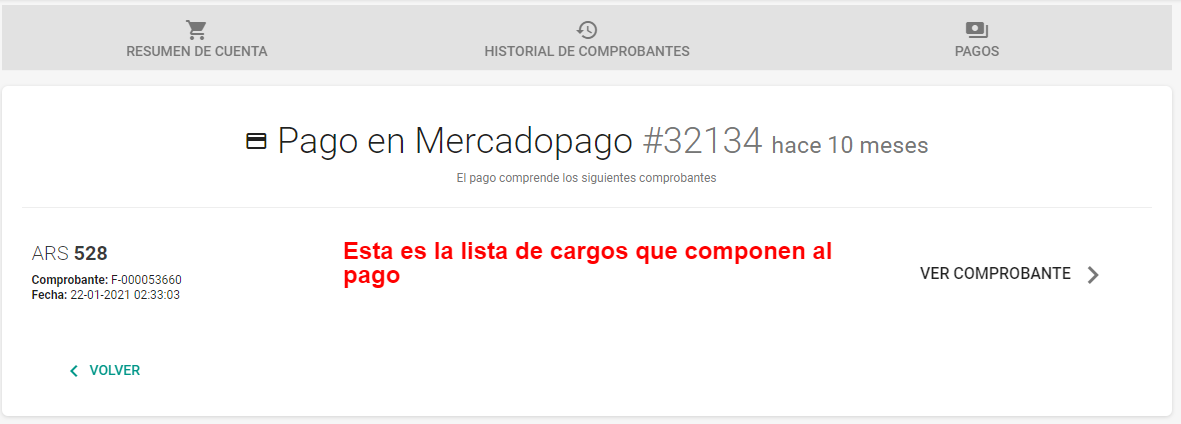
By clicking on one of the payments, its details will be shown, made up of a list of charges that composed the payment. The charges show the receipt number and the issue date.
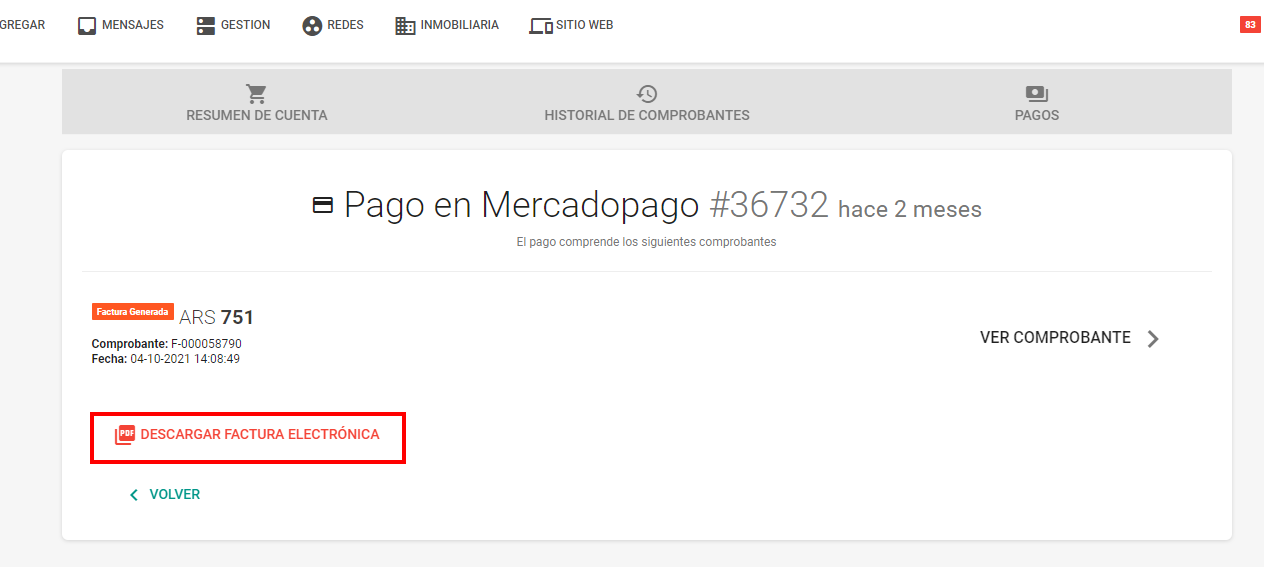
If you have configured the taxes section of My Company, you will be able to download your electronic invoice as shown in the following image: