
Cancel a Subscription from Manage Plan
To cancel a Subscription you need to perform an action in the system. This action is mandatory. Service cancellations are not accepted by email.
From the Manage Plan screen, view the list of services, and press cancel.
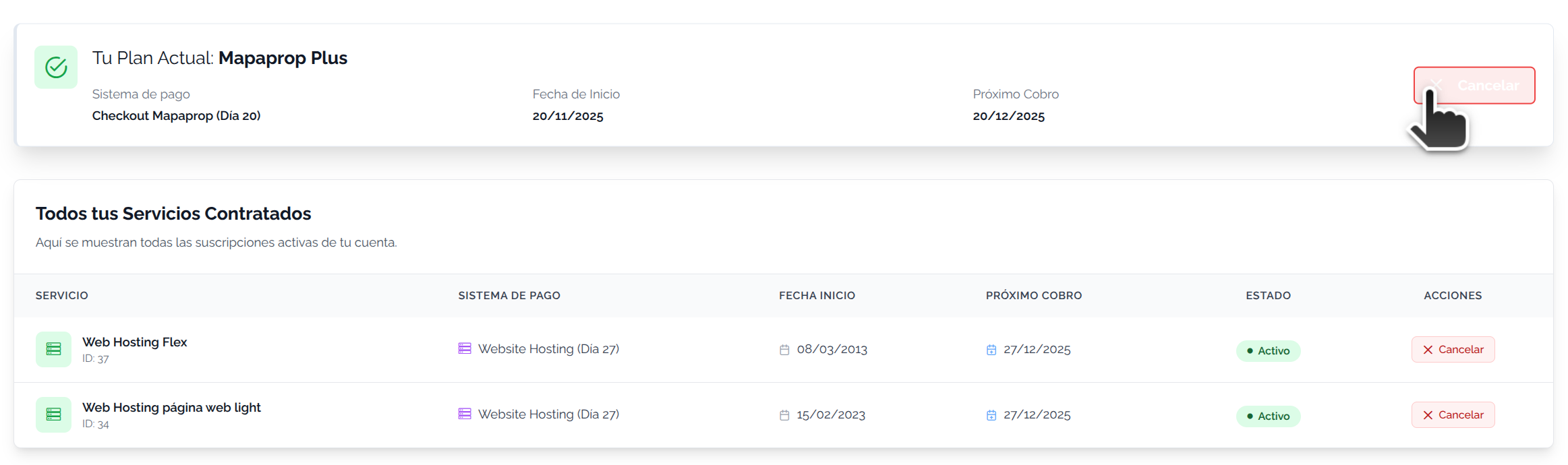
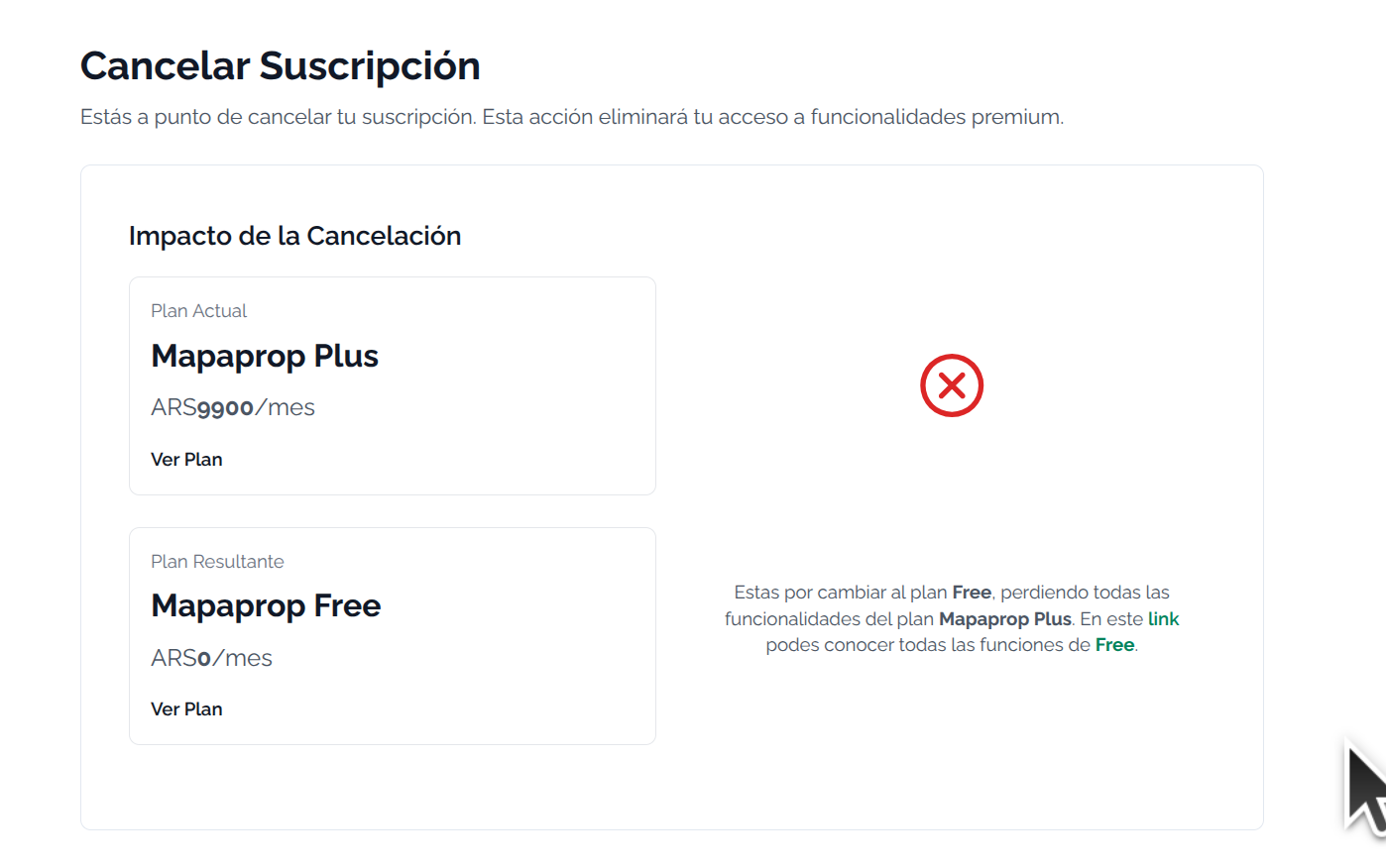
Cancellations can return your account to Free plan status
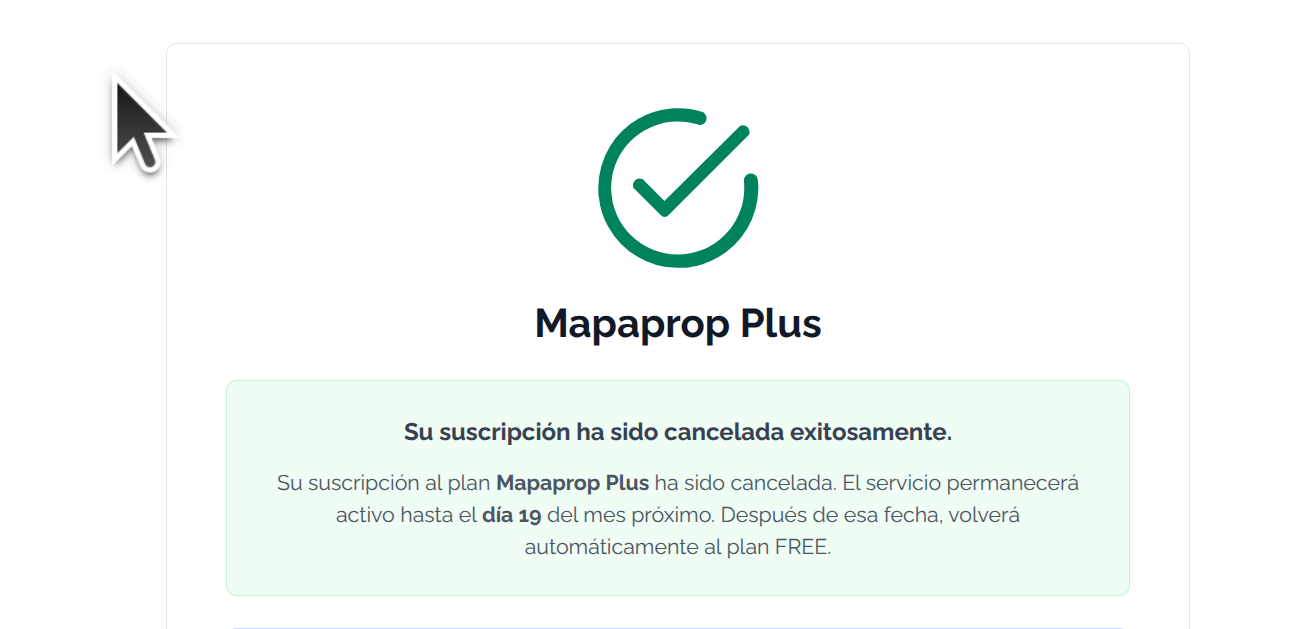
At the end of the process the cancellation has been processed.
You can eventually stop this process before the indicated date with the cancel button

The service management screens are not blocked by the payment request. Therefore you can manage your cancellations before paying.