
Note: You can click on the images at any time to view them enlarged
Close your Mapaprop account and delete all your published data
To cancel your Mapaprop account you must go to Menu > User > Profile.
From there you can cancel your account entirely by pressing the Cancel Account button.
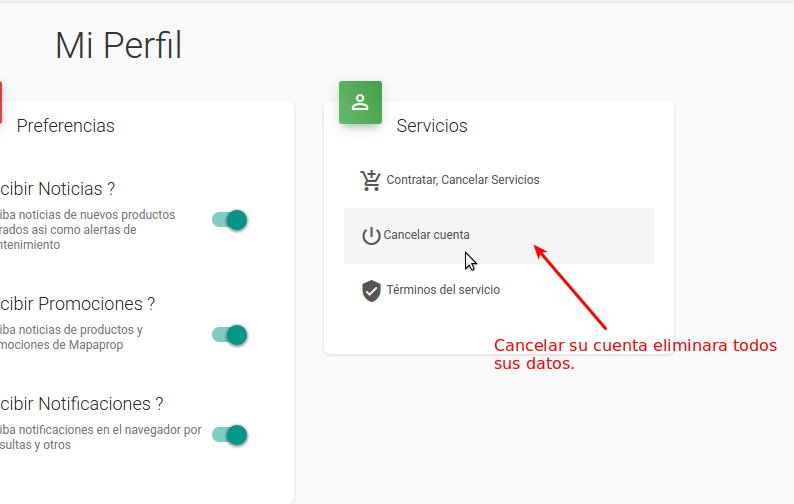
This is the only way to cancel an account.
Due to certain security policies, the only way to cancel a Mapaprop account is by logging into your account and requesting the service cancellation from Menu > User > Profile > Cancel Account