
Note: You can click on the images at any time to view them enlarged
It starts with the activation of a client from CRM / Clients (Activate Contact), so you have it available and can work with it in different sections of the system.
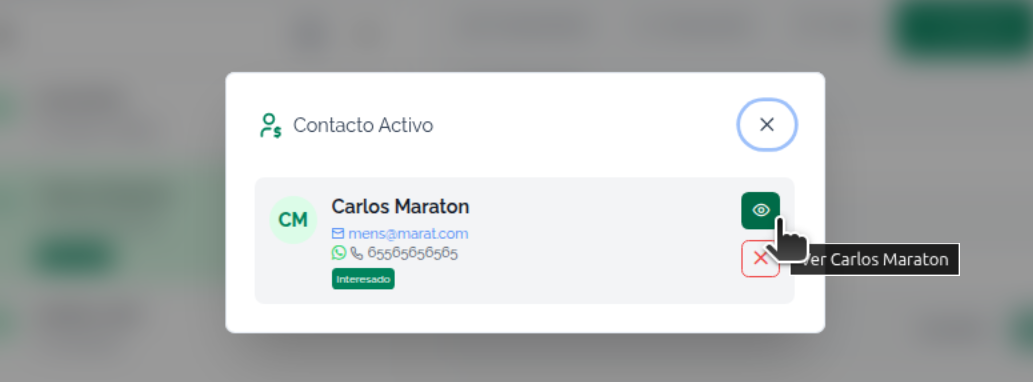
From Contact
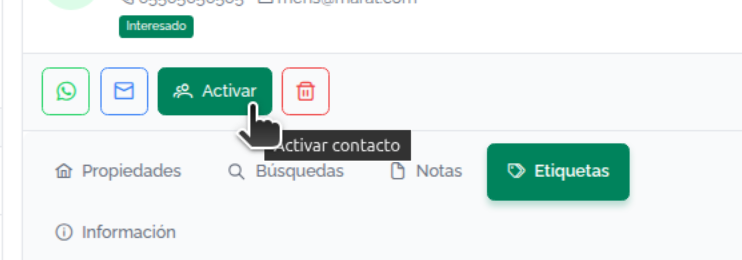
Use the activate option so the contact is available from any screen
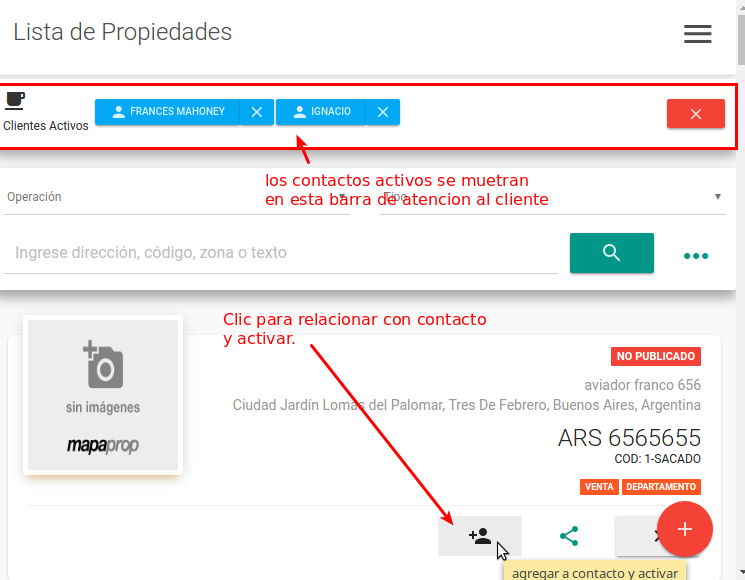
From Properties
From the Properties listing you can also activate contacts, by adding a contact to a specific property in the listing.
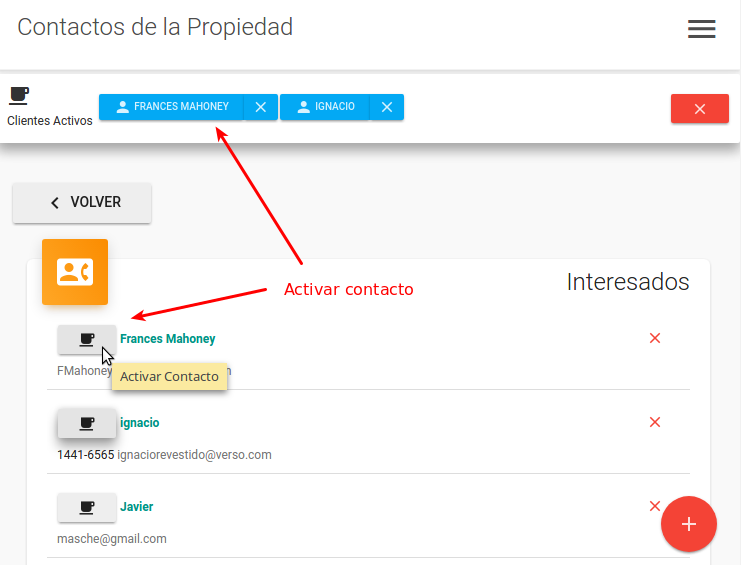
From Property Contacts
From Property Contacts you can activate contacts.
If you have difficulties with this help article, you can report an issue by clicking here