
Contents of this help article
Cancel Subscription from the Subscription screen
Cancelling the Subscription to a service will delete all information related to it.
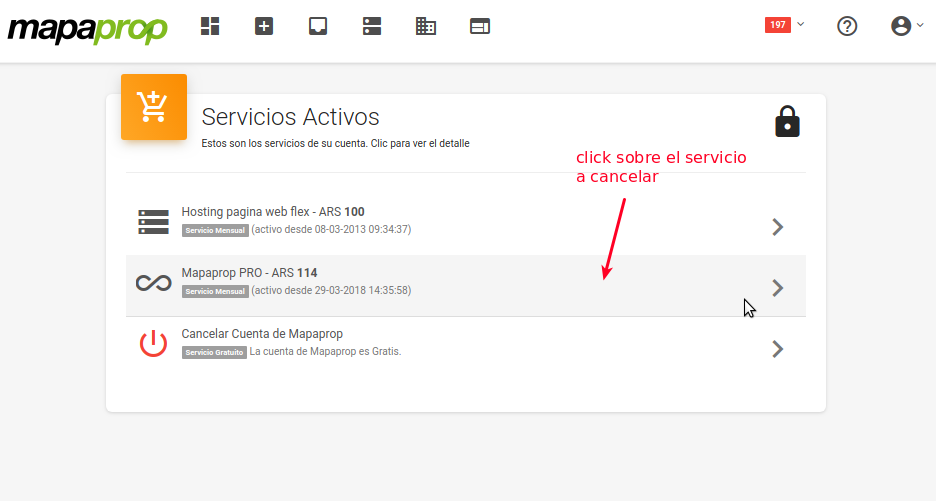
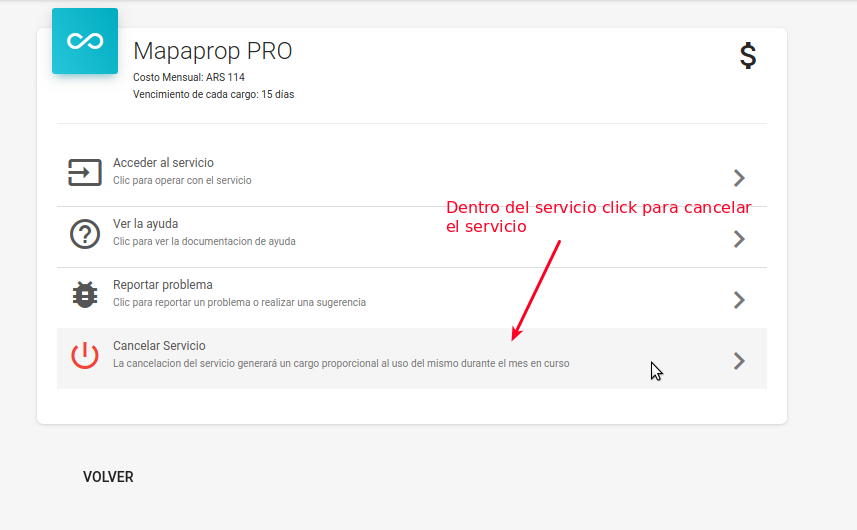
Now click the Cancel Service button:
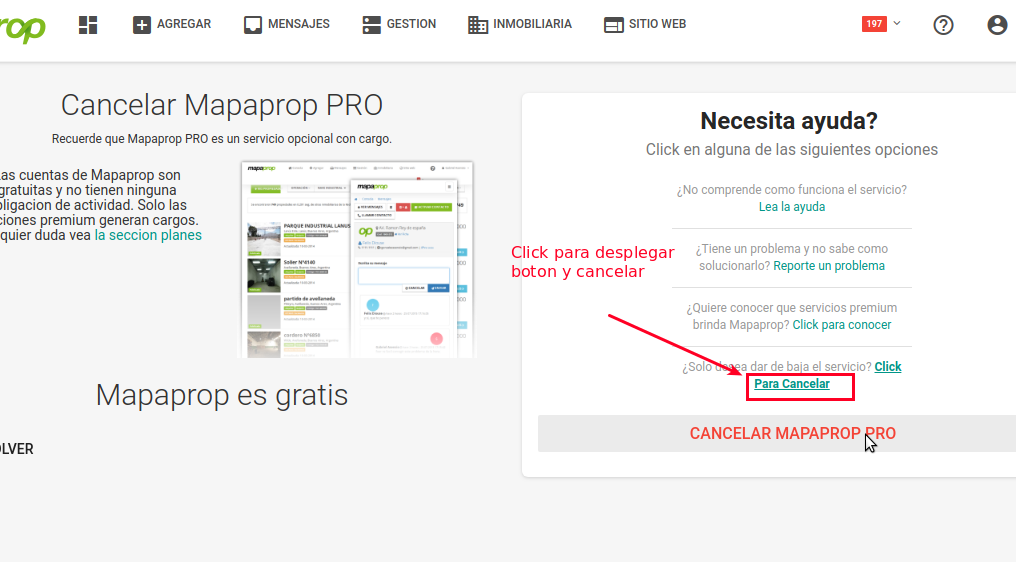
A final explanation screen will now give you the options. Click Click to cancel to cancel the service.
There are two types of cancellation, depending on your country.
- Mercadopago Cancellation
- Paypal Cancellation
Mercadopago Cancellation
Cancelling the subscription service with Mercadopago is instant. Click Click to cancel.
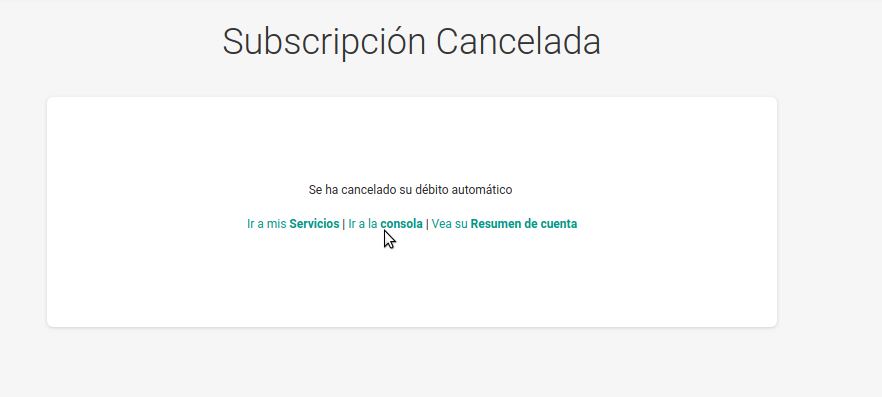
The subscription will be cancelled immediately.
Paypal Cancellation
Cancelling the subscription service with Mercadopago is instant. Click Cancel subscription.
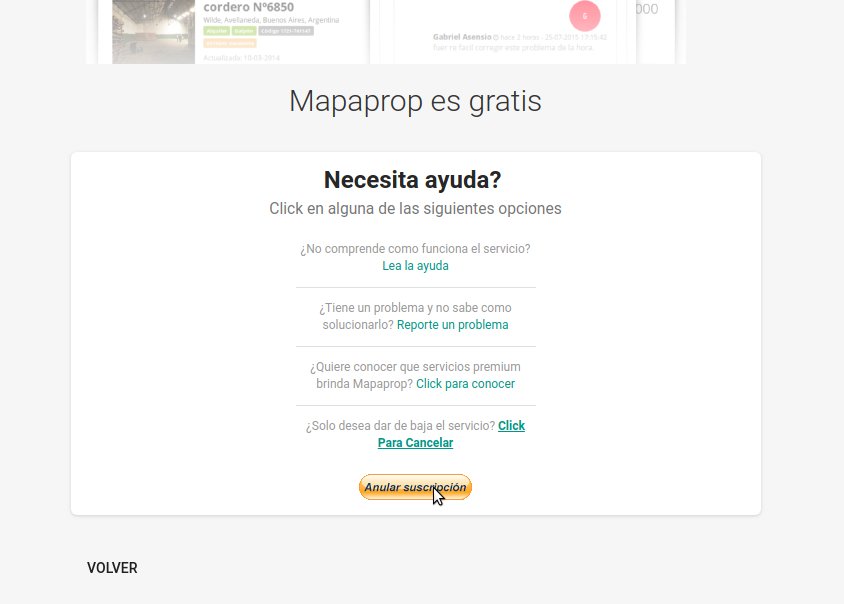
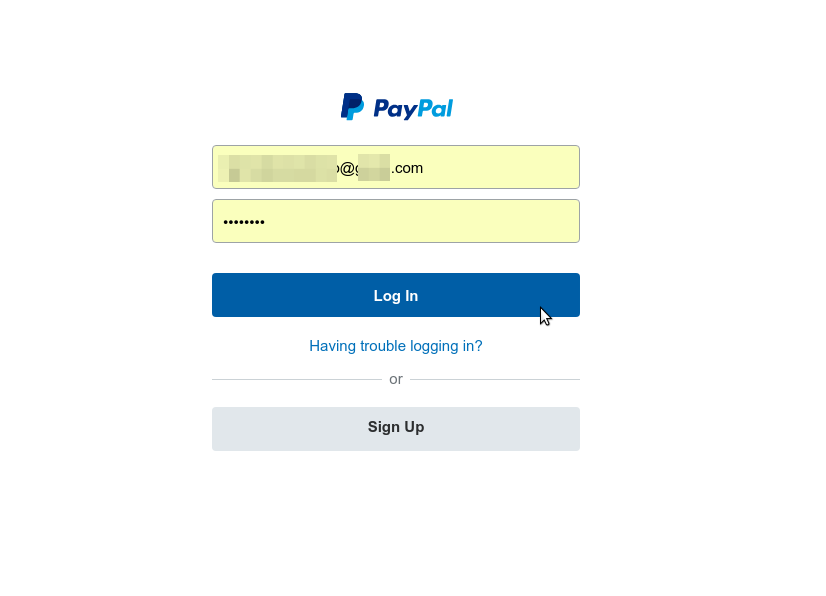
Then you must access your Paypal account:
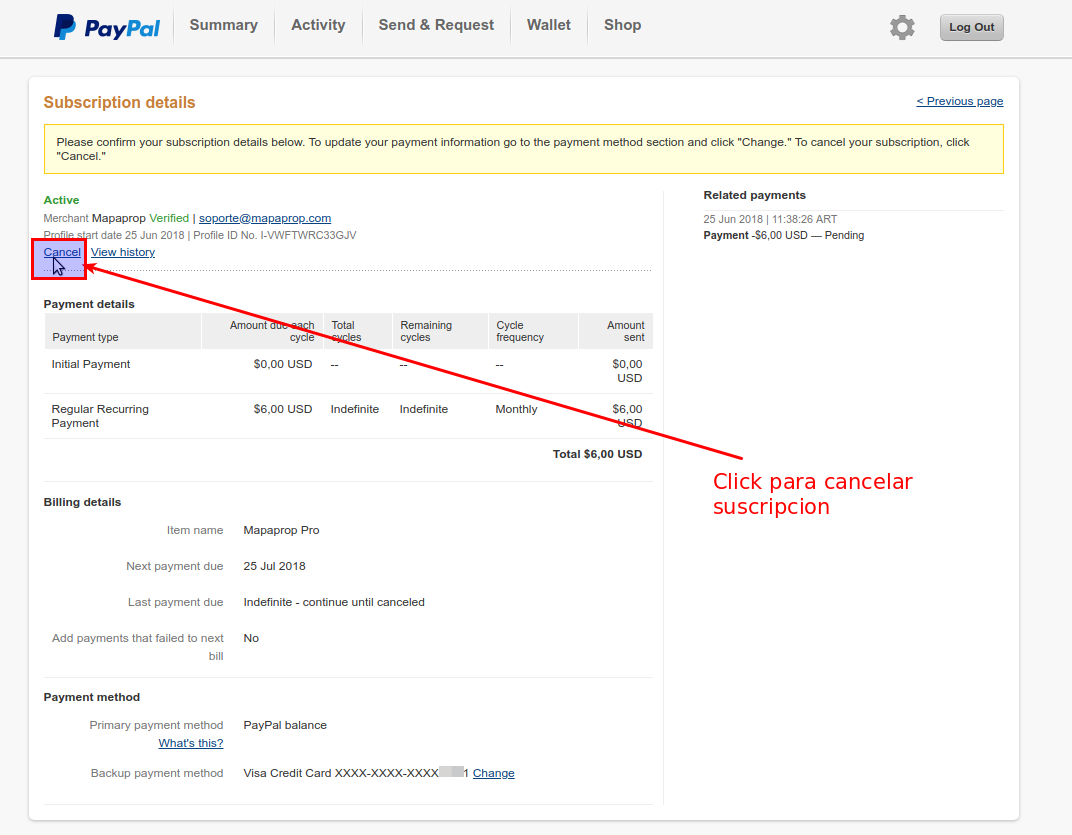
Now you can cancel the service from this link:
Finally, confirm using the corresponding button:
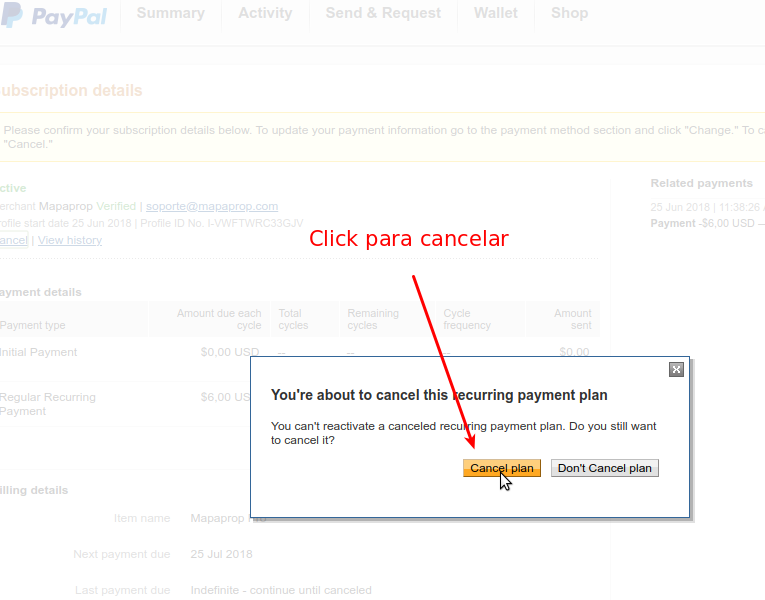
The cancellation is processed instantly. This window will not take you back to Mapaprop. You can leave Paypal or close the window.
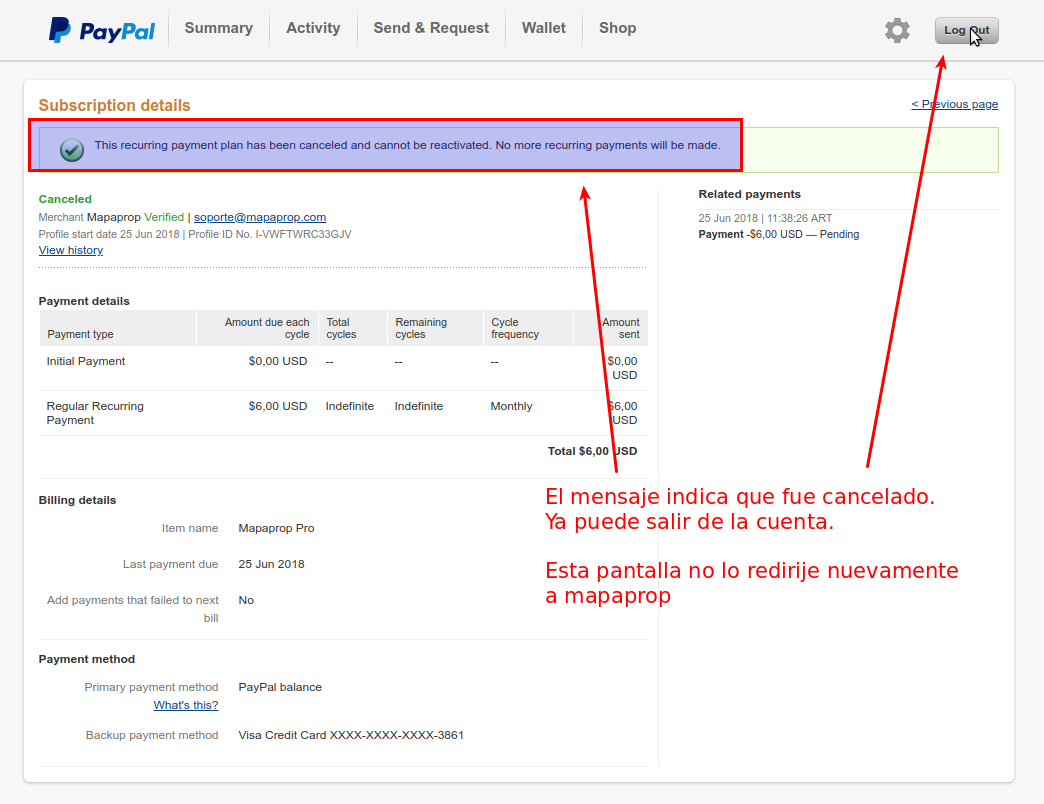
The next time you log in to Mapaprop, the service will no longer be active.