If you subscribed using your Mercadopago account, you can change the payment method following these instructions.
If instead you subscribed using your email but without logging in to Mercadopago, you will not be able to change the payment method. The only option will be to Cancel automatic debit subscription. from Services > Mapaprop Pro and then subscribe again.
To change your payment method in Mercadopago you must go to the "Your Profile" section > Subscriptions.

Here you will see several sections, you must click on the "Subscriptions" section and then "View your subscriptions"

You can also access directly via this link https://www.mercadopago.com.ar/subscriptions
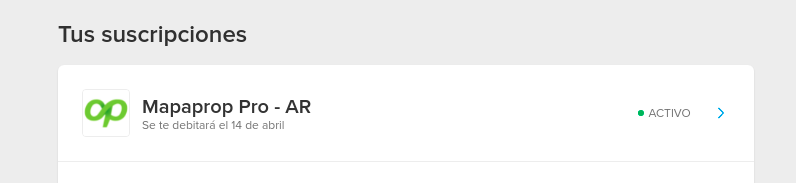
Here you will see all your subscriptions, click on the Mapaprop PRO subscription
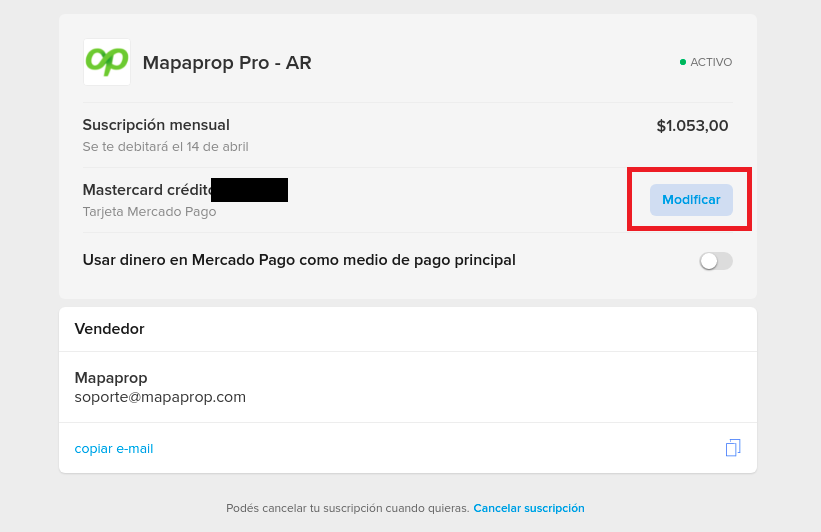
Once on this screen, you will see the current card details and a button that says "modify" (highlighted in red)
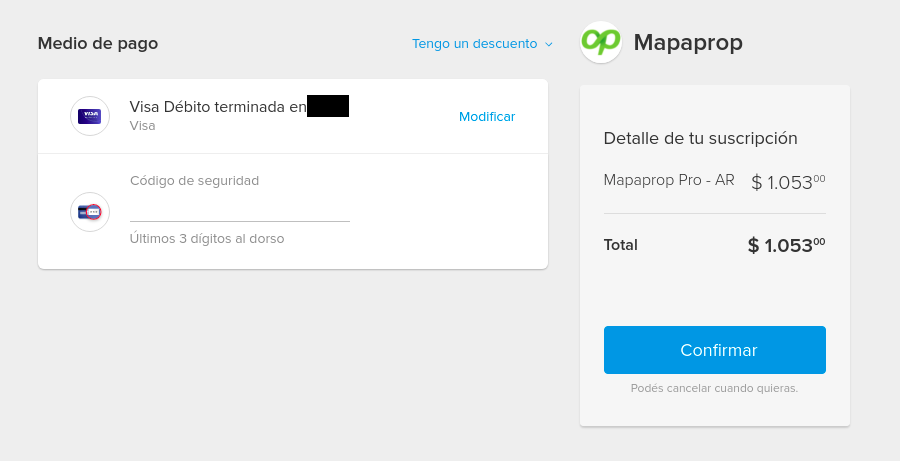
Here you can enter a new card and by clicking "confirm" your new payment method for the subscription will be available
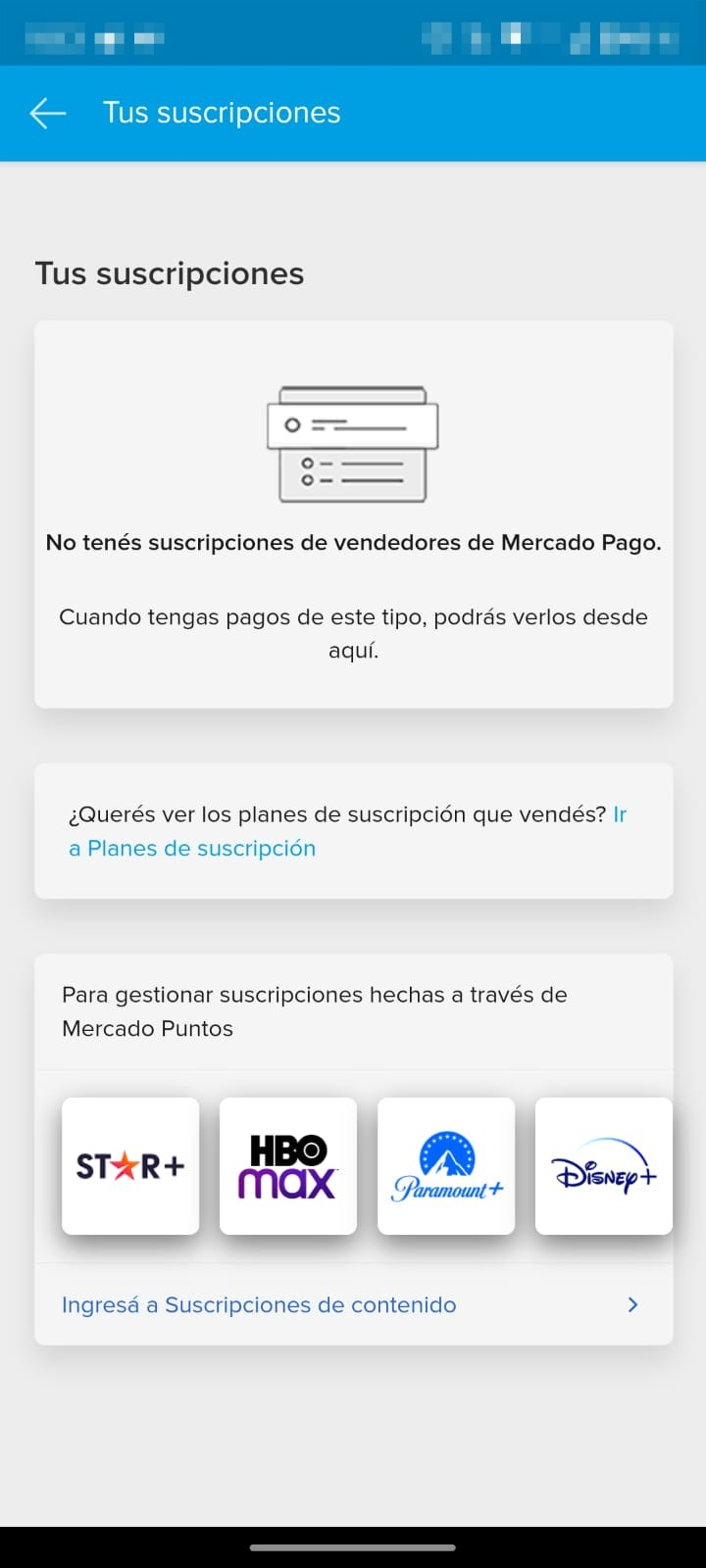
In the mobile app
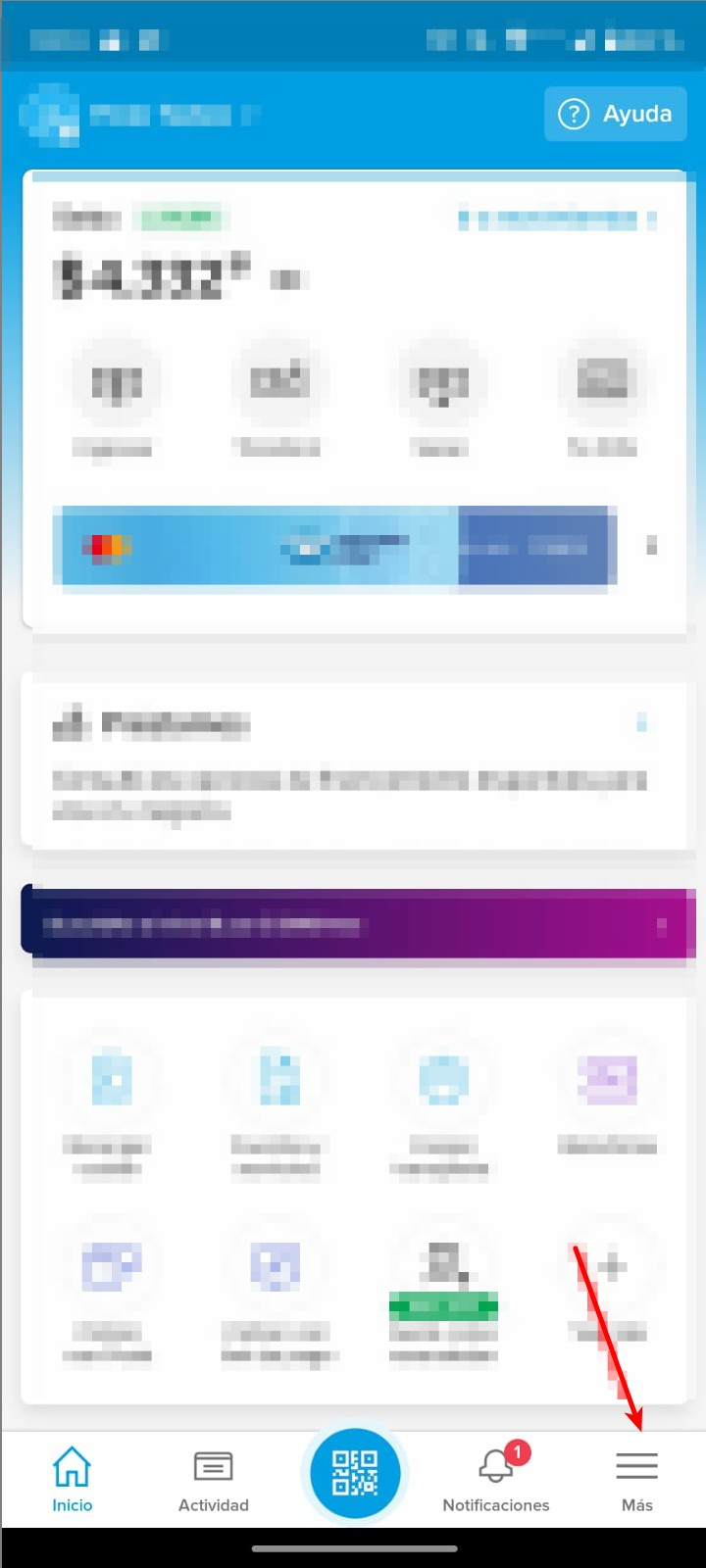
Click the "More" button to open the side menu
Then go to the "Subscriptions" section
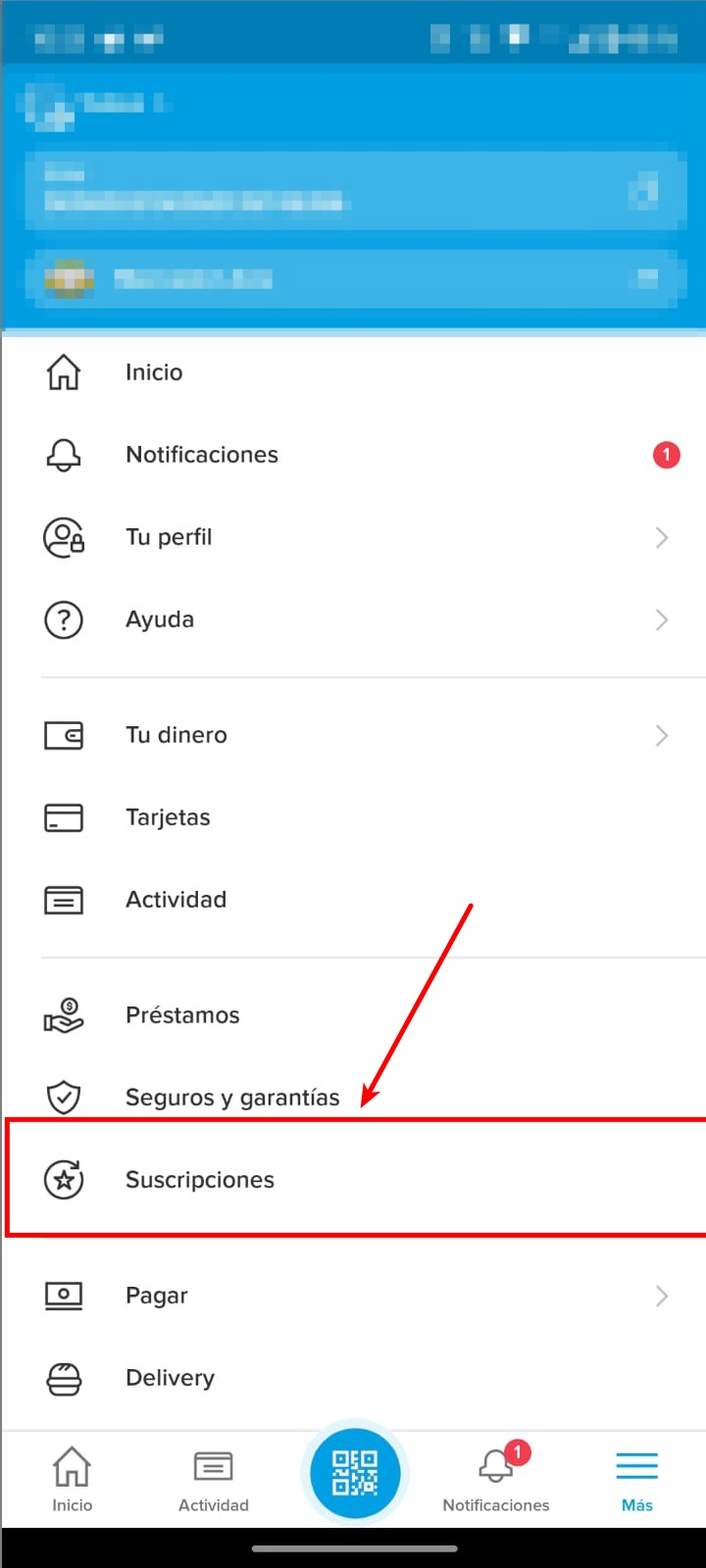
In that section you can see your active subscriptions and manage them