
Don't know what a QR Code is for? Watch this video
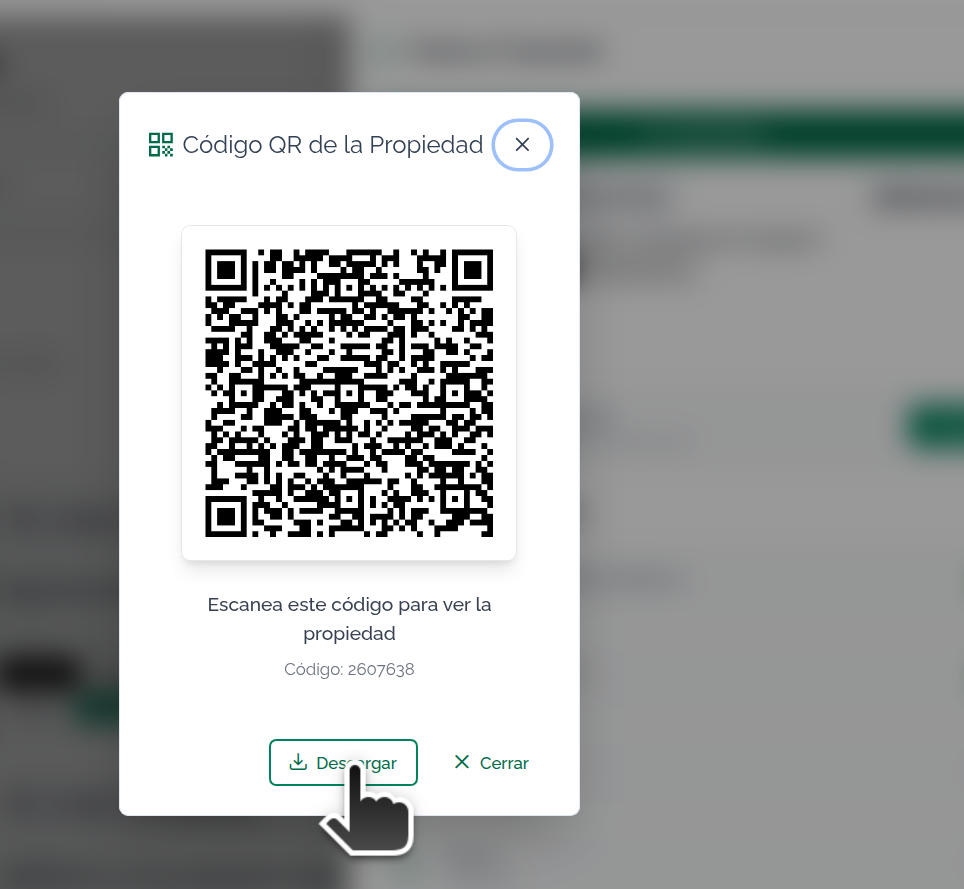
Usage guide for the QR code generated for each property in your account.
What is it for?
Every published property has a unique QR code that, when scanned with a phone camera, opens the property's detail page in the browser.
It's useful for:
- Printing on signage, brochures or flyers.
- Sticking on the real estate agency's storefront window.
- Sharing from your phone during meetings or visits.
- Attaching to presentations and proposals.
How do I generate it?
From the app, on a property's detail page (or on its card in the listing) there's a QR icon. Clicking it opens a window with the QR code ready to download.
You can:
- Download the QR as an image (PNG) to use wherever you want.
- Close the window if you only wanted to scan it.
Requirement to generate the QR
The property needs to be published. If it's in draft or unpublished, the window will ask you to publish it first.
This is intentional: we don't want QR codes circulating that lead to properties that aren't visible to the public.
Where does the QR lead when scanned?
It depends on what you have configured. The system follows this order:
1. If you loaded your own external URL on the property
The QR leads to that exact URL. Useful if you have a campaign landing page, a microsite, or any page of your own for that property.
2. If not, and you have a website on Mapaprop
The QR leads to your website, to that property's detail page within your domain.
3. If you have none of the above
The QR leads to Mapaprop's public portal, where the property is listed with the data you entered.
In other words: if you have your own website, the QRs bring traffic to your site. If not, they go to Mapaprop's public portal so the property can still be seen.
What if I change plans or add a website?
The QR is generated again every time you open the window, so:
- If you don't have a website today and sign up for one tomorrow, the QRs you generate from that point on will point to your site.
- If you add your own external URL, the next QR for that property will point to that URL.
Careful with QRs already printed: they keep the address they had when you printed them. If the destination still works, they keep scanning fine. If you stopped using a domain, the old QRs become unusable.
My account belongs to a Real Estate Network
If you work with a brand other than Mapaprop, the QR respects your brand: when you don't have your own website, the QR leads to your brand's portal, not to Mapaprop's.
This is automatic. There's nothing to configure.
Frequently asked questions
Can I customize the color or add my logo to the QR? Not today. QR codes are standard black and white, without a logo.
What's the minimum size I should use when printing? Minimum 2 cm x 2 cm so any phone can read it without trouble. For a storefront window or a large sign, 5 cm x 5 cm or more.
Does the QR expire? No. As long as the property exists and is published, the QR keeps working. If you unpublish or delete the property, whoever scans it will see an error page.
Can I make a QR for a property I haven't published yet? No. You need to publish it first.
What happens if my property's title or address changes? The QR keeps working. The system identifies the property by several pieces of data, not just the title, so renames don't break it.
Is there a QR for my general website (not for a property)? Yes, on the Website screen you can generate a QR for the whole domain. It works differently from the property QR: you choose which domain.
Does Mapaprop know how many times my QR was scanned? Not directly. We record when you generated it from the app, but we don't have visibility into when someone scans it (that depends on the device that scans it, not on us).
Can I change which URL a property's QR leads to? Yes. Edit the property and fill in the "External website URL" field with the address you want. That URL takes priority over any other.
Where to get the QR
- From the Properties list
- From a Property detail page
- From Network Property
- From Publication