
Note: You can click on the images at any time to view them enlarged
Connect with Google (experimental)
Connecting with Google provides experimental features, but it does not allow you to publish properties
Initially, you can connect with Google to import contacts from your Gmail account.
From Menu > My Real Estate Agency > Connected Accounts > Connect with Google to start the connection process.
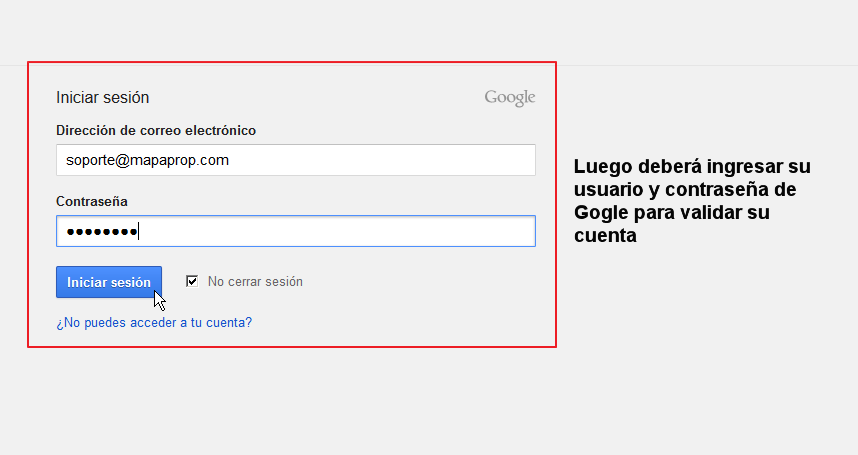
Enter your Google account credentials (username and password)
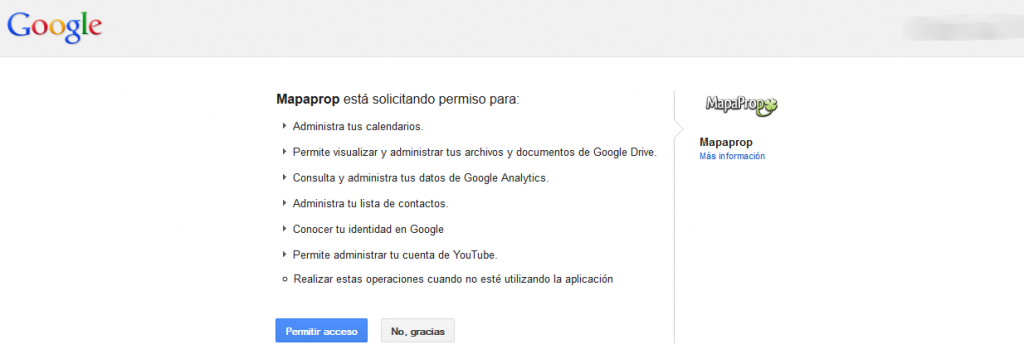
Accept the permissions Mapaprop requests
Features of the Google connection
- It is an experimental feature
- It does not publish properties
- It only works to import contacts from your Google (Gmail) account
Support
⚠ If you have difficulties with this help article, you can report an issue by clicking here
Mapaprop.com | All rights reserved | Follow us on Twitter