This help article will teach you how to search for properties within the Mapaprop Network and other Real Estate Networks / MLS
Access to Mapaprop Network and Real Estate Networks / MLS is a paid feature. To access it you must Change plan or cancel it from Subscription. Contact us with any questions.
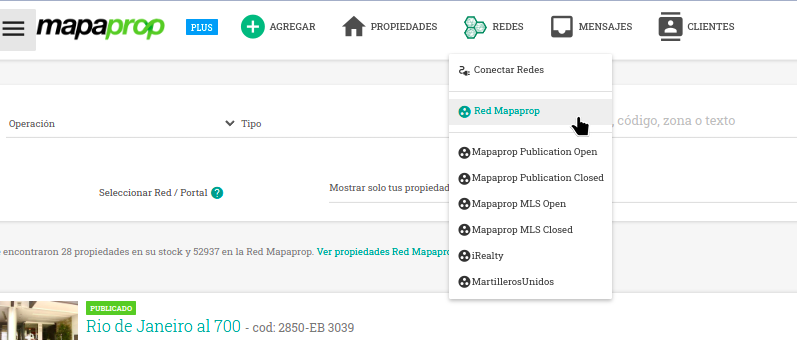
From Properties and from the menus you can access the Real Estate Networks

From the top menu
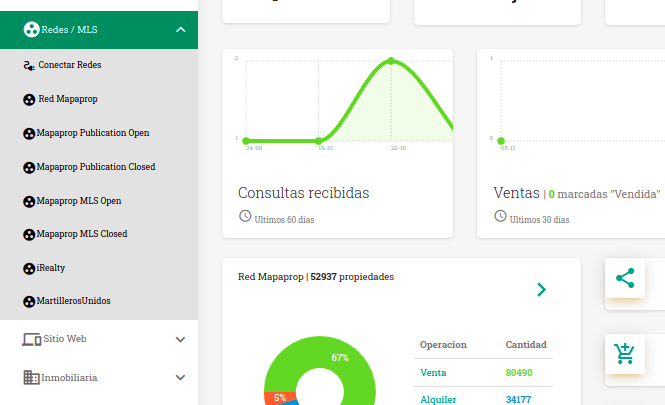
From the side menu
Accessing the Mapaprop Network
Mapaprop Network is a simple network built into the system. Searching for properties in the Mapaprop Network is accessible from the link that appears below the search bar or in various links throughout the system.
When you perform a search through Search Properties, the Network results matching your search parameters appear in the background. By clicking the View Mapaprop Network properties link, you will access the properties published by your colleagues.
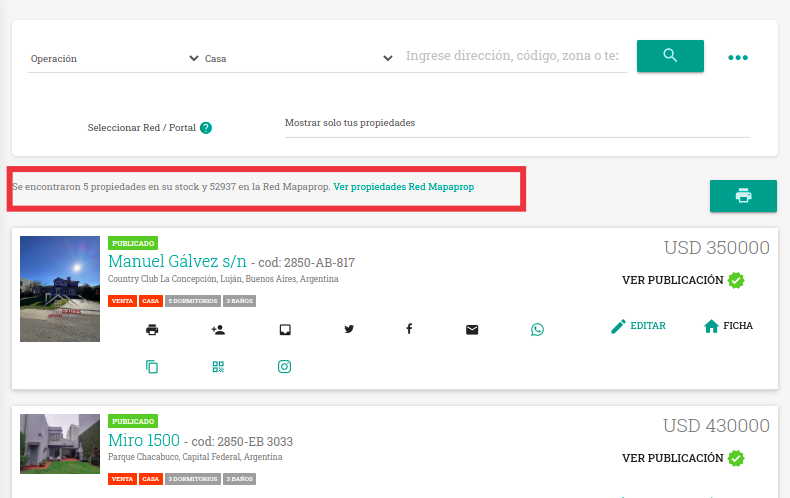
To access the Network results, you can click the View Properties Mapaprop Network link
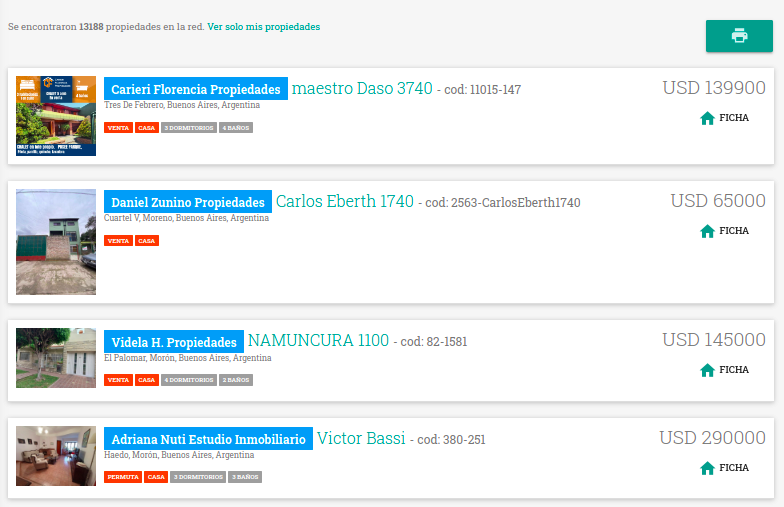
The search engine also has a more options feature, which will allow you to refine the results according to your criteria.
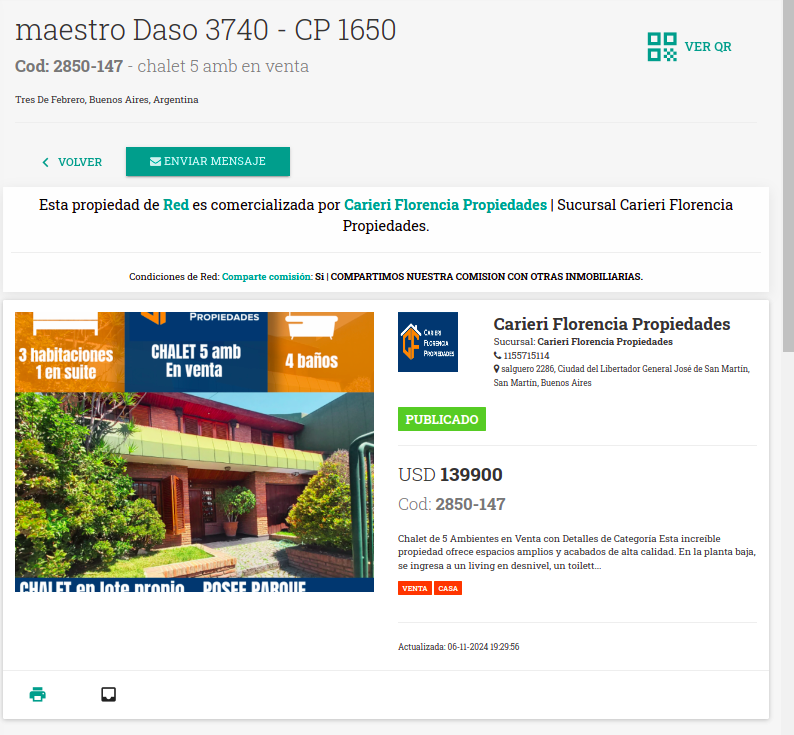
The list provides information about the marketing colleague. You can access the Network Property by clicking on Details
Accessing Real Estate Networks / MLS
If you are a member of a specific Network configured through Mapaprop (the types of networks are detailed in Real Estate Networks / MLS) you will be able to access it quickly from the Properties filter
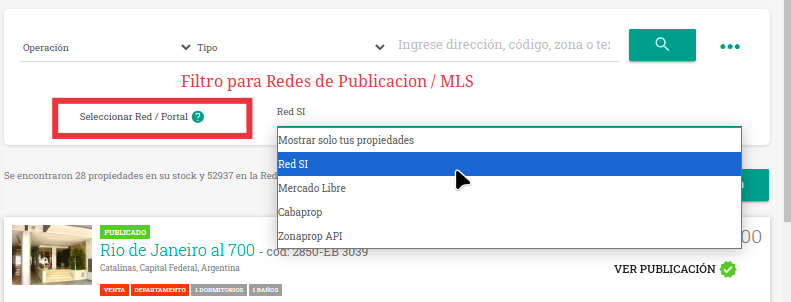
The results deliver your properties and the properties of your Network colleagues, all in the same listing
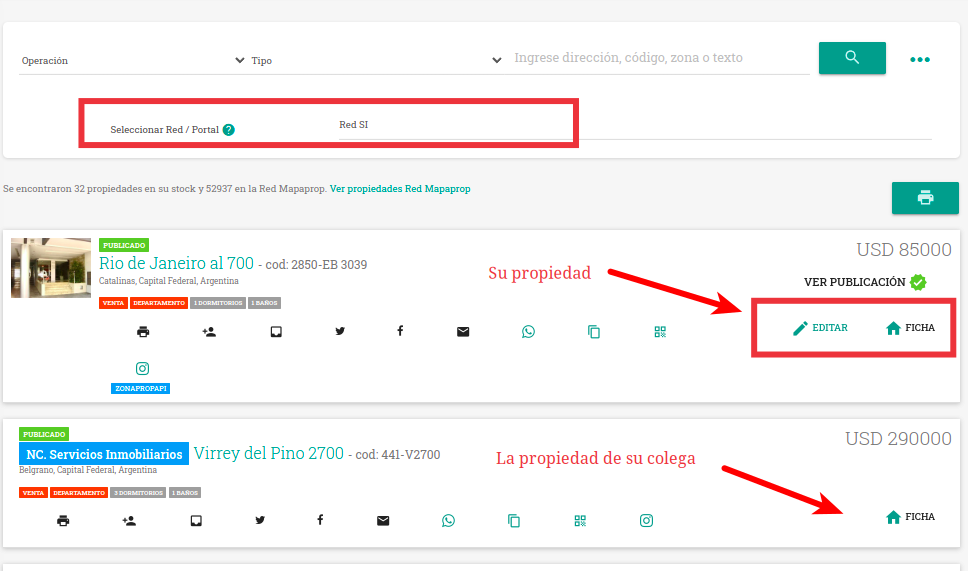
By clicking on Details, you can access the Property or Network Property record, depending on the case.
Accessing the Network Property
By clicking to access the Network record, you can see a record similar to that of a Property but with usage limits.