
This help article explains the publication features on doomos.com
Publication on doomos.com

Mapaprop publishes your properties on the doomos.com portal.
Publication and unpublication are automatic, you only need to load properties in Mapaprop
doomos.com is completely independent from Mapaprop, it has its own methods for interpreting information, its own terms of use and its own search systems.
Mapaprop only publishes and/or unpublishes your properties on doomos.com, granting doomos.com access to data marked as "public" that you yourself filled in on the property record. From that point on, Mapaprop has no intervention between the publication on doomos.com, the visitors of doomos.com and the doomos.com Portal.
Attention: The data published is only what is marked as public in Mapaprop.
- Mapaprop provides all the public information available for your published properties to doomos.com. The portal takes this information and distributes the properties on its website.
- Mapaprop provides portals with 2 connection methods for your properties (API or overnight production FEED via authentication). But the portal is responsible for taking your listings and publishing them. For any claim or omission of publications, you can contact the corresponding portal from the contact/support link located in this same article.
- Descriptions are put together automatically based on how you fill in the property's General Data record. It also includes the currency, price, seller and address of the property. It also includes a caption "Published through Mapaprop"
- Properties with SOLD, RENTED, SUSPENDED and/or RESERVED status are not published or stop being published.
Specific features:
| Feature | Detail |
|---|---|
| Publication type | Free and unlimited |
| Filters | --- |
| Connection type | API Feeds |
| Description provided | automatic |
| Reading period | daily |
| Inquiries | Come into Mapaprop |
| Communications | ----- |
| Countries | Argentina, Spain, Uruguay |
| Support | Send your inquiry from here |
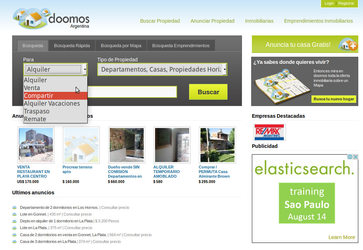
If you notice that doomos.com shows your properties outdated, or doesn't show all your properties, whether due to a missing "property type", "operation type" or any other reason, you can contact the portal directly by clicking here, and describe your problem or make your request. (E.g.: I don't see the Hotel listing or my properties are outdated