
Set up Google Analytics so your website has detailed traffic and user behavior statistics. Our system supports multiple implementation options:
Supported tag types
- Google Analytics 4 (GA4): The most recent version of Google Analytics, focused on events and user privacy. Uses the ID format: G-XXXXXXXX.
- Universal Analytics (UA): The previous version of Google Analytics, which will be fully discontinued. Uses the ID format: UA-XXXXXXXX-X.
- Google Tag Manager (GTM): A system for managing multiple tracking tags from a centralized interface. Uses the ID format: GTM-XXXXXX.
- Google Ads conversions: For tracking conversions specific to advertising campaigns. Uses the ID format: AW-XXXXXXXXX.
Setup process
The process is simple: just get your tracking ID from your Google Analytics/Google Tag Manager account and paste it into the corresponding field in our system. Once saved, our system will automatically insert the necessary code on all pages of your site.
Go to Branch Configuration on Website and look for the Google Analytics field
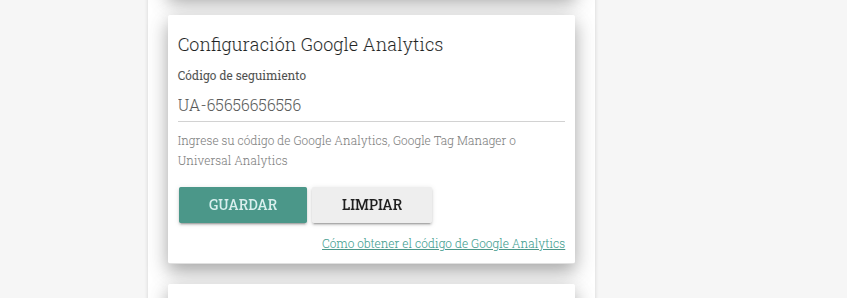
The configuration is instant. Save or clear.,
You can also watch the tutorial Google Analytics / Google Tag / Google Ads