
Our websites include search tools that are determined by the features of the Website system.
Depending on the number of search options, it is possible to create different types of designs on our Flex and Flex Light websites.

There are two types of search tools:
- general property search tool
Unified search: code or text in the same field
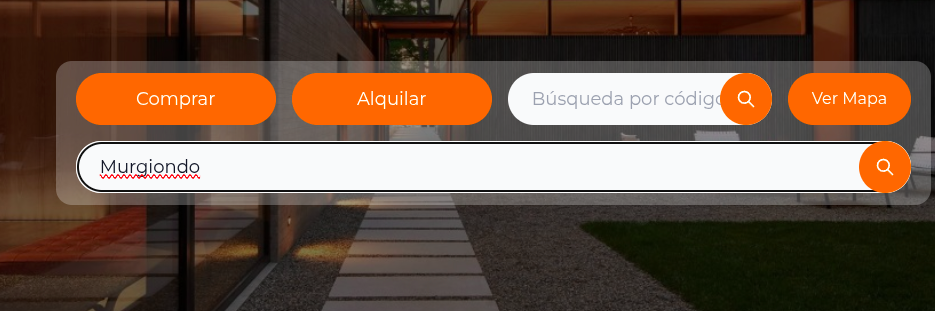
The search by code field now also understands free text. Your visitor types a single thing in the same field and the site decides what to show:
- If they type a property code, it goes straight to that property's listing page, with no intermediate steps (just as before).
- If they type text —a neighborhood, a street or any word— and it does not match any code, the site shows a listing with the properties that match.
This way the visitor does not have to decide in advance whether to search by code or by text: they type in a single field and the site resolves it.
In the designs that already include it, the field's placeholder text becomes "Code, neighborhood or address", to make it clear that it accepts both things.
Keep sharing the full code of your properties with your clients: it is the fastest way for them to reach the exact listing page. If instead they type a neighborhood or a street, they will get a listing to explore.
Search by code
The search by code is a quick-access feature to a property. You share the code with your clients and they can enter your website and access the property's listing page directly, with no intermediate pages.
Search-by-code fields are usually added in common areas of the website, to keep them visible on any page of the site.
The search tool accepts the code in any of these formats:
- Full code with prefix: for example
725-C0012(the code as shown on the property's listing page) - Code without prefix: for example
C0012
The search is not case-sensitive.
If your account is a member of a network or MLS and your website shows the network's properties, the search by code also finds the properties of the other members. In that case we recommend using the full code with prefix, which is unique across the entire system.
For more details see The code search shows no results.
General property search tool
General search tools can work with many or few filter options.
When the search button is pressed, property results will be shown, regardless of whether the visitor uses filters or not.
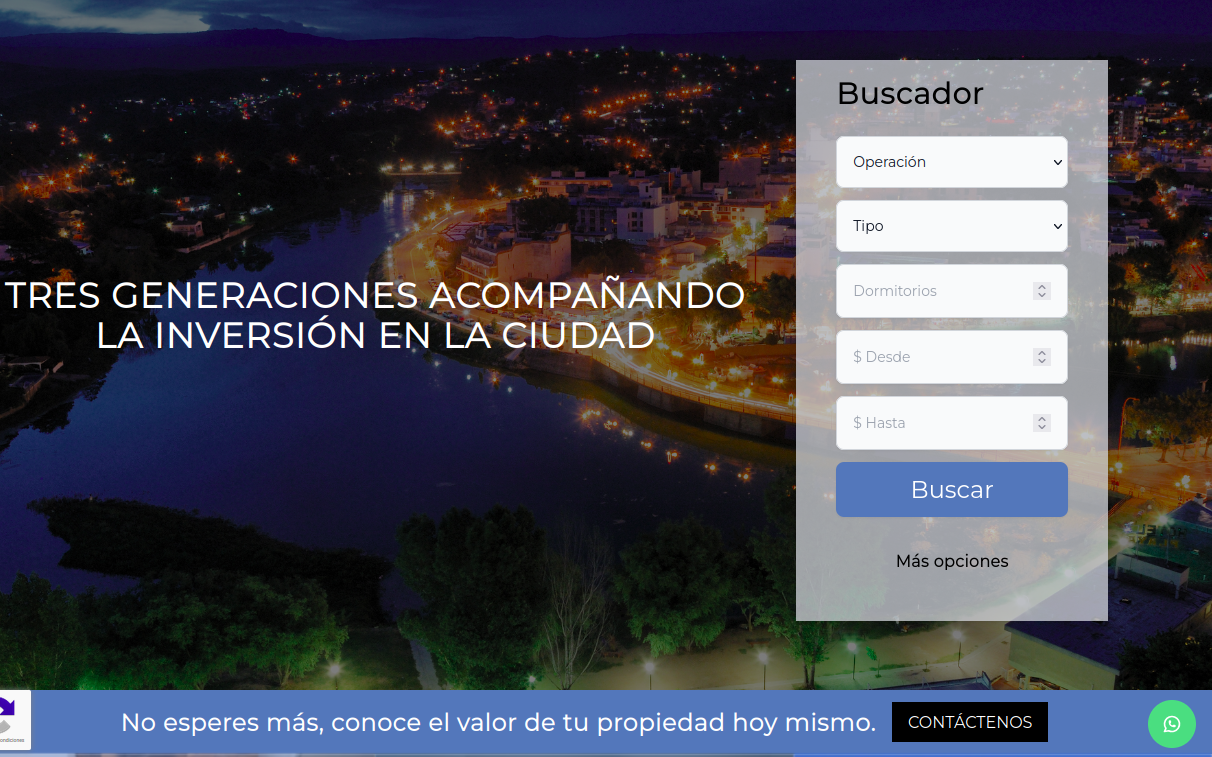
This search tool offers the following filtering options:
- Filter by zones with selection (lets you choose province, municipality and locality)
- Filter by zones with suggestions (shows options while the visitor types)
- Filter by operation
- Filter by property type
- Filter by currency
- Filter by amount (from/to)
- Filter by date (from/to)
- Filter by people
- Filter by bedrooms
All these filters are optional. On websites with custom design, you can choose which filters to keep or remove according to your needs or preferences.
The filters by property type and by zones offer only options with results: the types and zones where your catalog has properties. If your account is a member of a network or MLS and your website shows the network's properties, these filters also include the types and zones of the network's properties. Zones are shown in alphabetical order and types always with the names of your country.
Search by words
Optionally, our websites can include a property search tool by keywords.
How does it work?
This search tool allows visitors to enter words or phrases to find properties. The system looks for matches in five different fields:
- Zone
- Address
- Property title
- Code
- Description
Why isn't it offered by default?
This type of search is very broad and can generate confusing results for visitors.
Example: If a visitor searches for "Avenida San Martín", the system will find matches in:
- Zones: neighborhoods called "San Martín" or streets with "Avenida" in their name
- Addresses: all properties located on avenidas San Martín
- Titles: properties with "Avenida San Martín" in the title
- Descriptions: properties that mention being "near Avenida San Martín"
This can result in hundreds of properties without a clear relationship to what the visitor is really looking for.
Recommendation
For more precise searches, we recommend using the general property search tool with specific filters.
Search by address / street
Similar to the keyword search tool, this search tool allows specific searches in the address field of the properties.
How does it work?
The visitor can enter the name of a street or avenue, and the system will look for matches only in the "Address" field of the properties.
Example: If a visitor searches for "San Martín", the system will show all properties whose address contains those words, regardless of whether they have an accent or not.
Advantages over the search by words
Unlike the keyword search tool, this search tool is more specific since it only searches in addresses, avoiding confusing results coming from titles, descriptions or zone names.