
Note: At any time you can click on the images to view them enlarged
Improvmx.com is a system that lets you create email inboxes with your own domain as an ALIAS, which are forwarded to a Yahoo, Gmail or Outlook.com account
The process is simple
1 Go to improvmx.com
Add your internet domain, then enter the verification email inbox (gmail, yahoo, outlook, the one you will send and receive emails from with your own domain). Click the CREATE A FREE ALIAS button
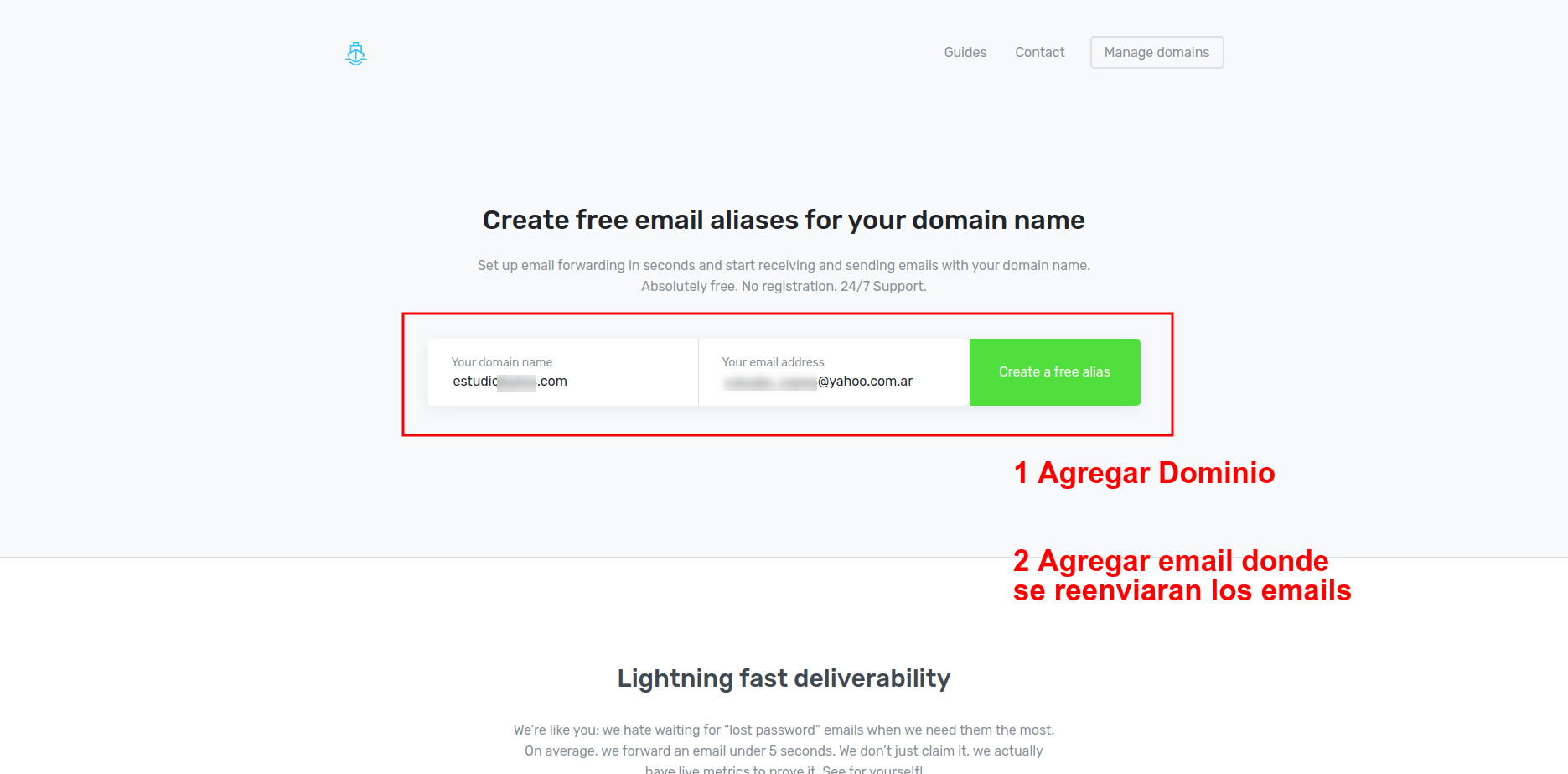
You will receive an email at the inbox you entered, validate your account by following the instructions
2 Ask websites@mapaprop.com to add the records to your hosting
Leave the screen active. Once they confirm the records were added, click the ALL GOOD, CONTINUE TO DASHBOARD button
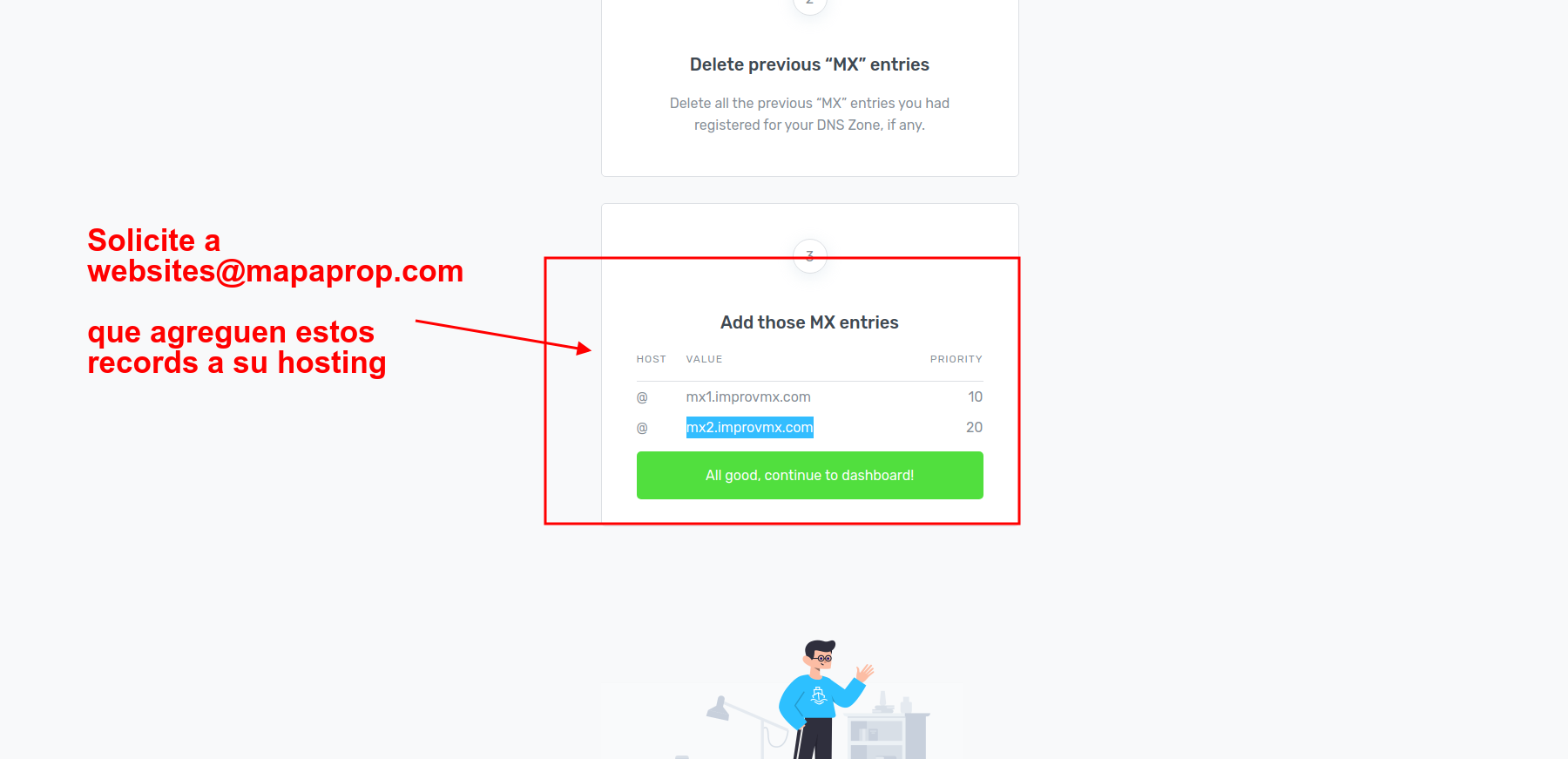
Request these records
# add mx to my domain
10 mx1.improvmx.com
20 mx2.improvmx.com

# add txt SPF record to my domain
v=spf1 include:spf.improvmx.com ~all
Then we recommend setting a password for your Improvmx.com account from this link https://app.improvmx.com/account/settings
3 Set up your email inboxes from the console
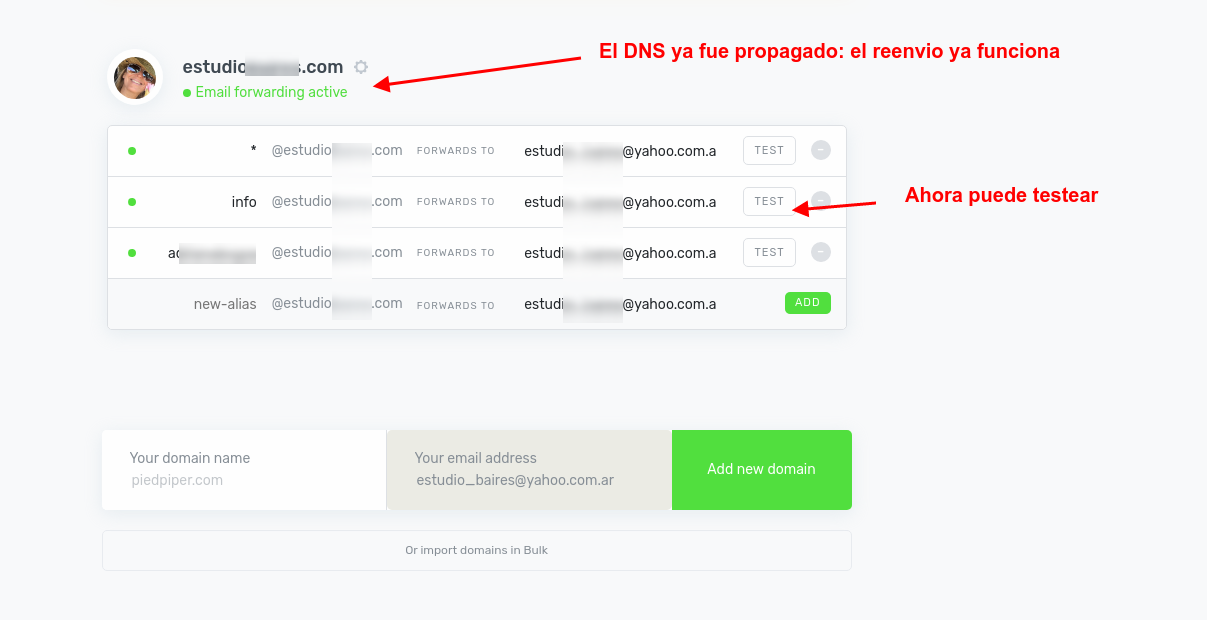
On the next screen, you can access the new console for your email. There you can start creating email accounts. The accounts you create are ALIASES, meaning they are accounts you can advertise, but that actually forward to the inbox
This system will make all emails to @yourdomain.com be redirected to the email inbox you entered in step 1. You can also create specific accounts, as ALIASES, which technically do not store the email in an inbox, but instead forward it to the email address you entered in step 1
Once the DNS has propagated, email forwarding will work automatically. You can test each inbox you created.
You will receive a test email at the inbox you entered in step 1, telling you everything is fine
4 Create aliases in your forwarding inbox
Whether in Gmail, Outlook, or Yahoo, you can add email addresses just for sending (as aliases)
Here is an example for Yahoo.
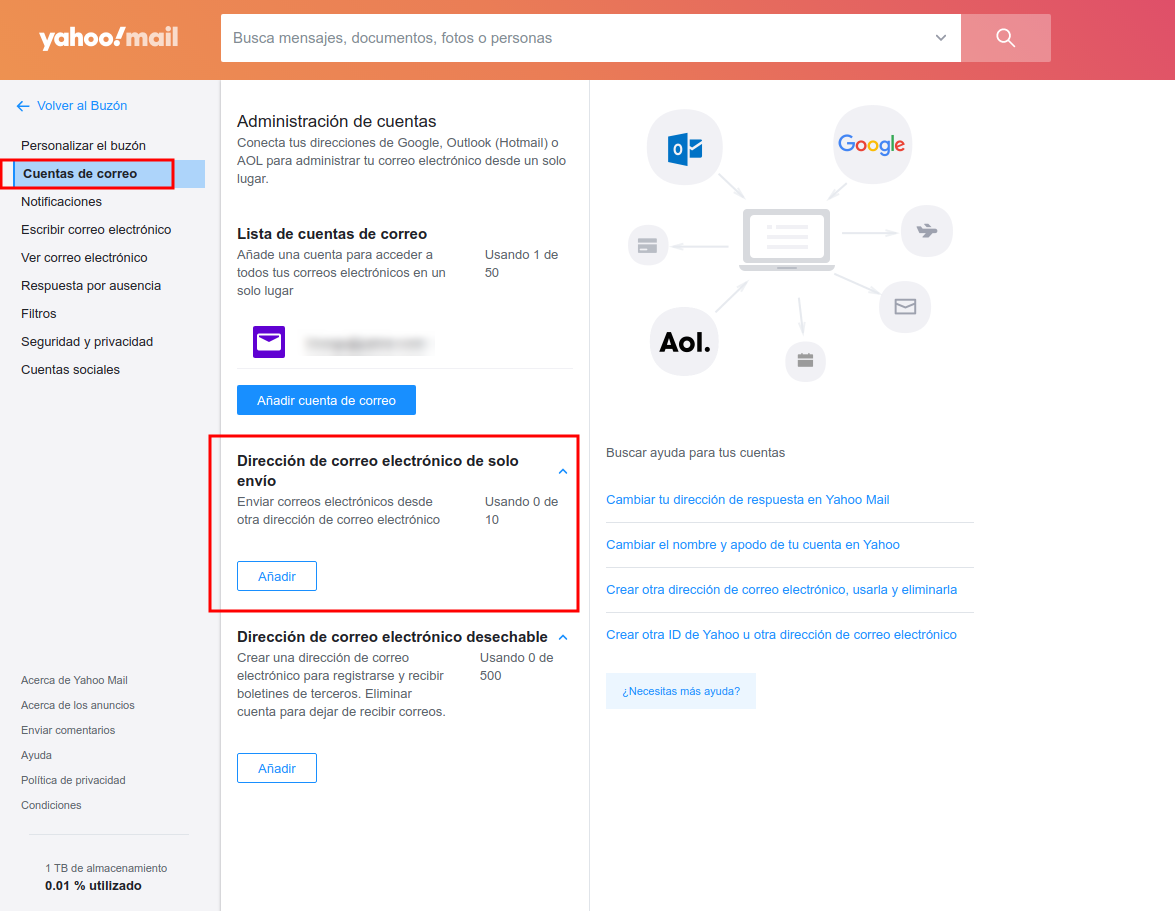
Follow the steps; you will need to verify the added inbox xxx@yourdomain.com with a code that will be sent to you by email. Since forwarding is already active, it will arrive at your own Yahoo inbox.
For Gmail, you need to follow these steps https://improvmx.com/guides/send-emails-using-gmail/
6 Manage your inboxes from improvmx.com
To access improvmx.com again, go to https://app.improvmx.com/login
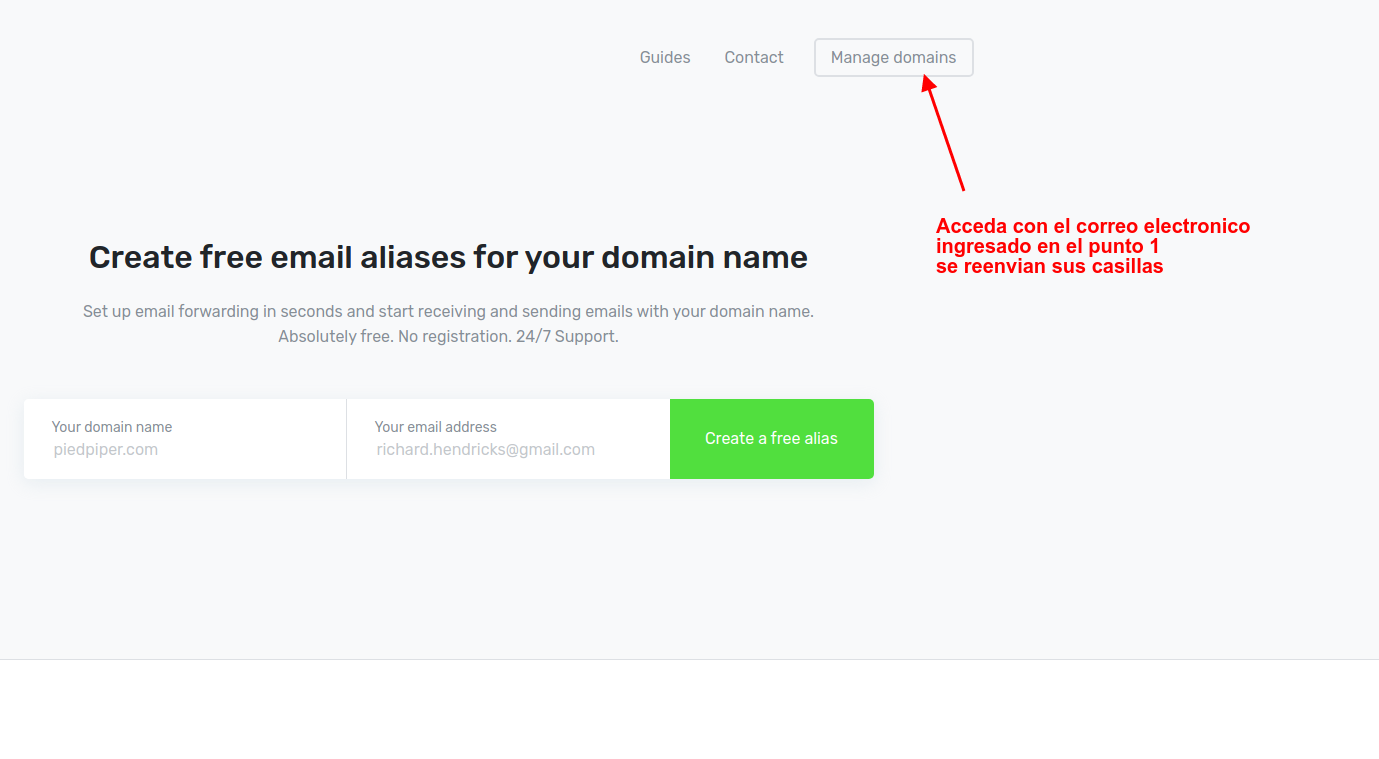
You will need to enter the initial email address from step 1 and they will send you an email with a link to access it.
Support
If you have difficulties with this help article, you can report a problem by clicking here