.
How to purchase Microsoft 365 for business
- The first thing you need to do is go to the Microsoft 365 for business page
https://www.microsoft.com/es-ar/microsoft-365/business
- Then start browsing until you find the following section:
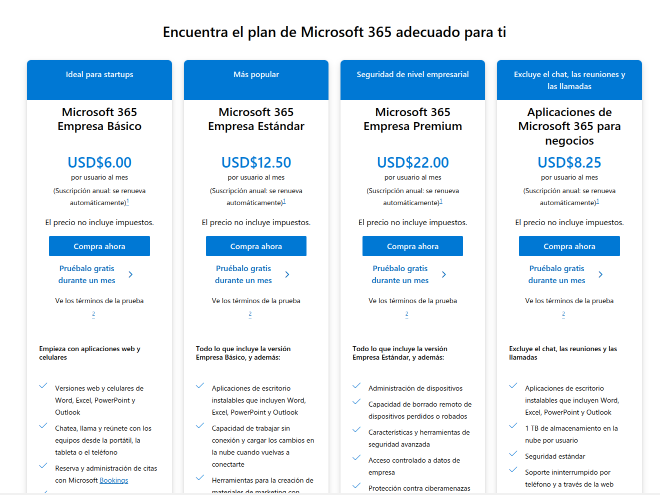
- Select the plan you want and you will be redirected to the following screen
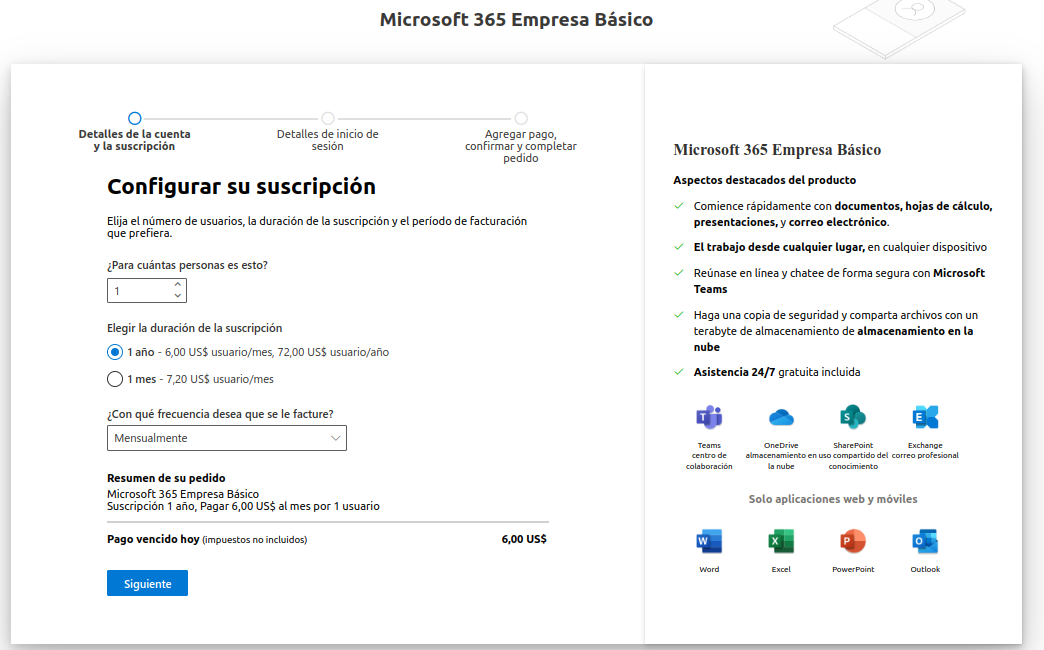
- Fill in the fields according to your preferences and press "next"
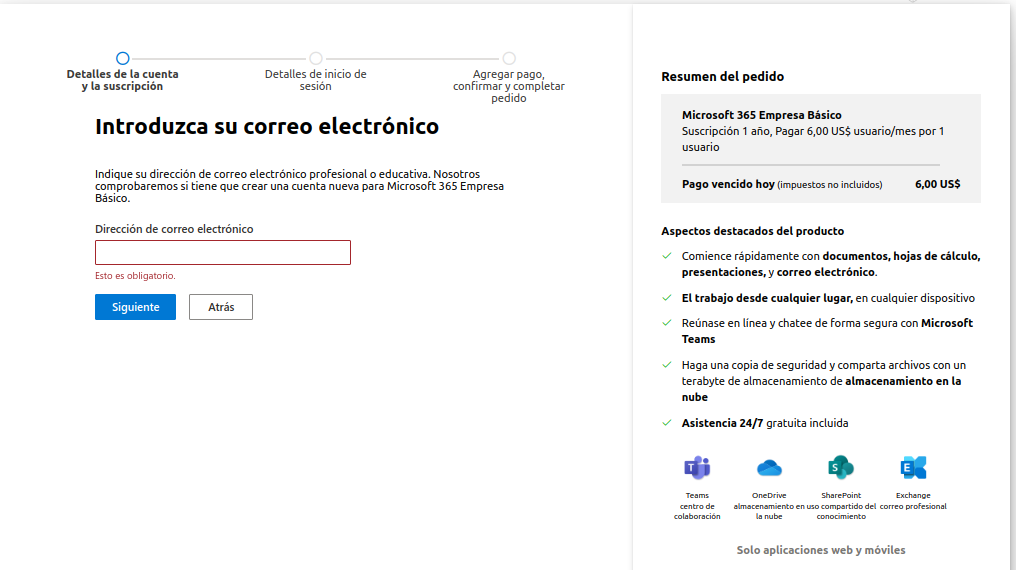
- On the next screen, enter your email and press "Next"
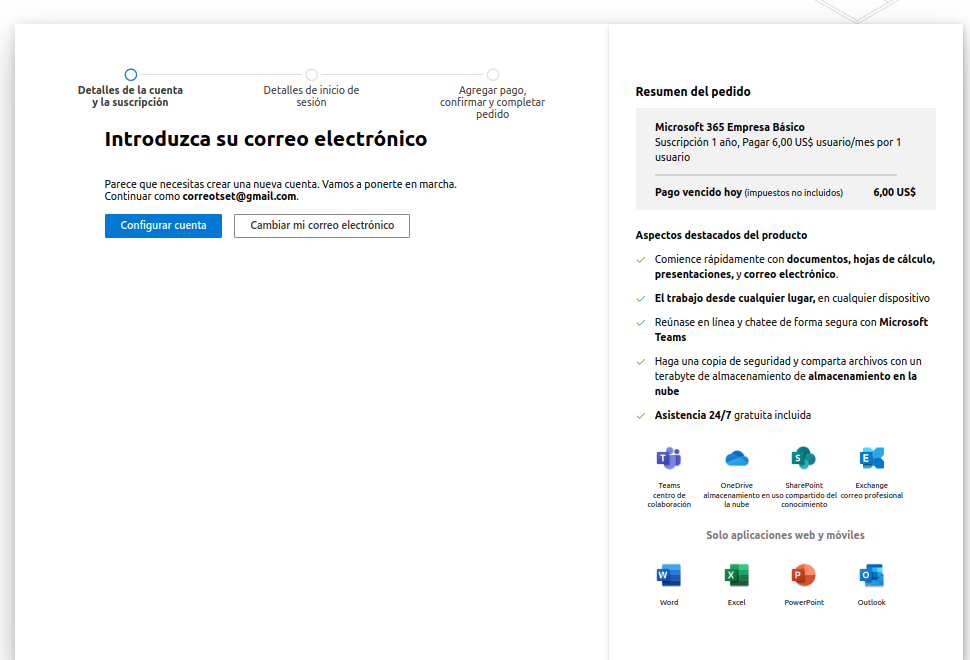
- Verify and confirm that your email is spelled correctly and press "Set up account"
- Next, fill in the required fields with your data and press "Next"
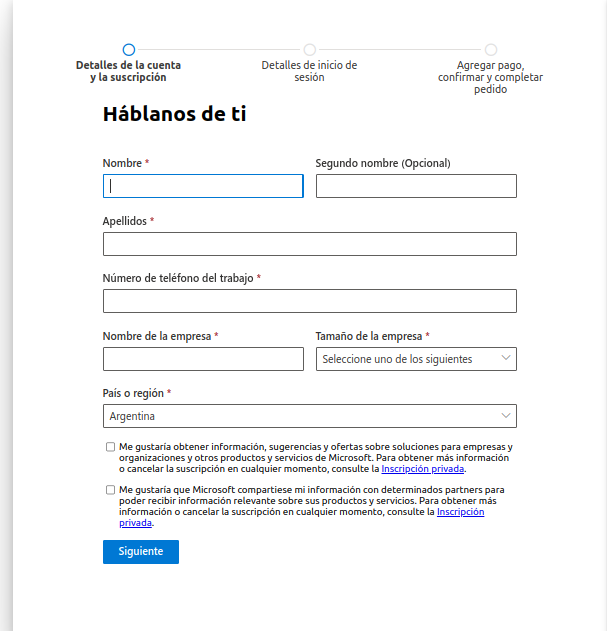
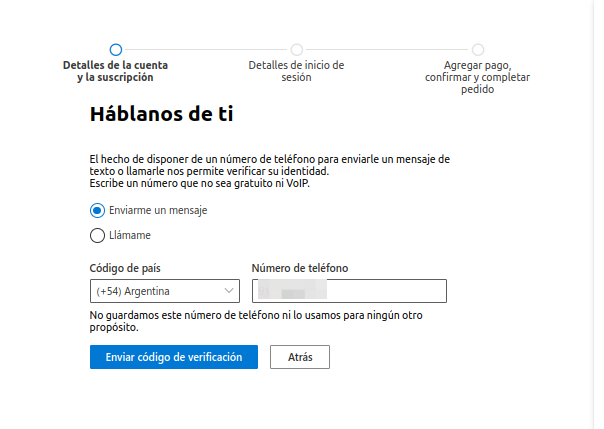
- Then enter your phone number and choose how you prefer to receive the verification code; once ready, press "Send verification code"
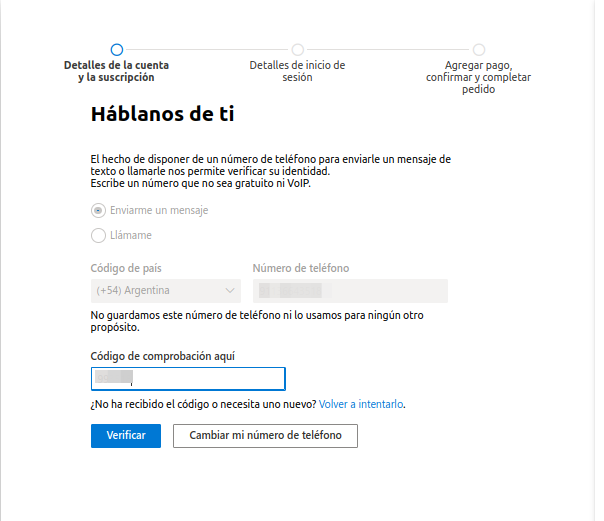
- Wait to receive the verification code and enter it, then press "Verify"
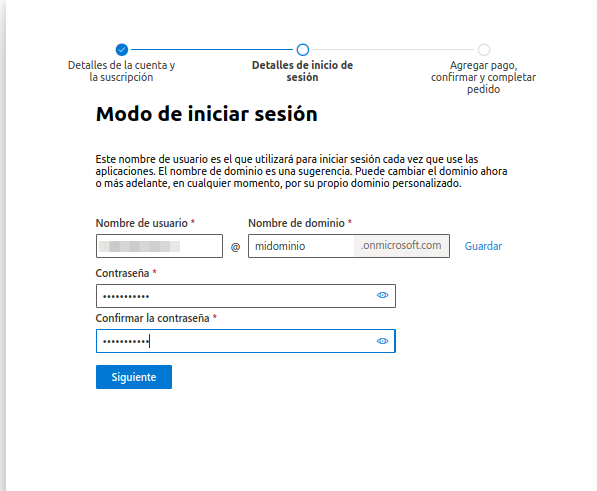
- Once the code is verified, fill in the following fields and press "next"
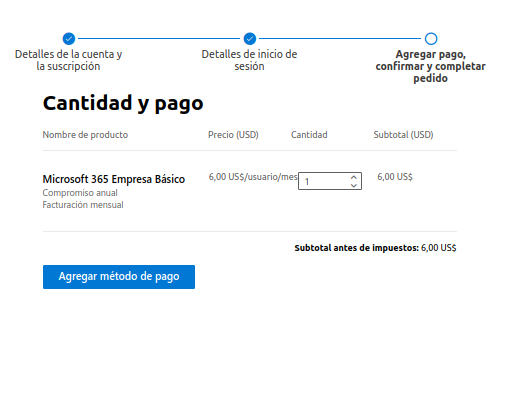
- Confirm the amount and press "Add payment method"
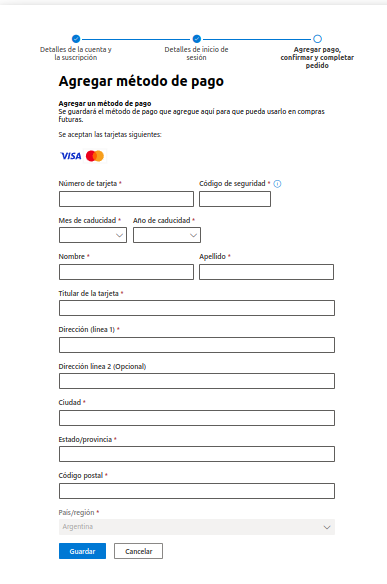
- Fill in the fields needed to make the payment and press "Save"
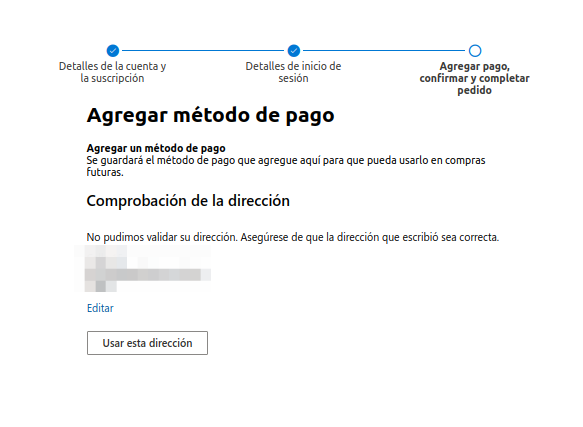
- Verify the address and press "Use this address"
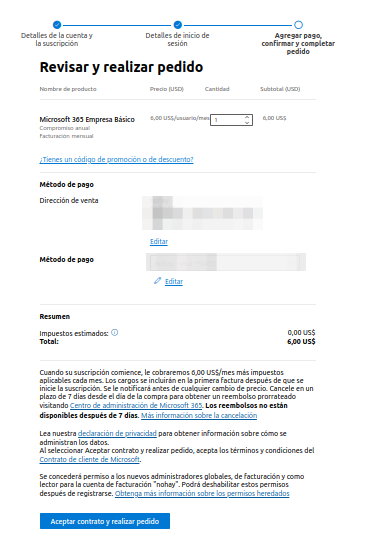
14 . Verify the data and complete the transaction by pressing "Accept agreement and place order"
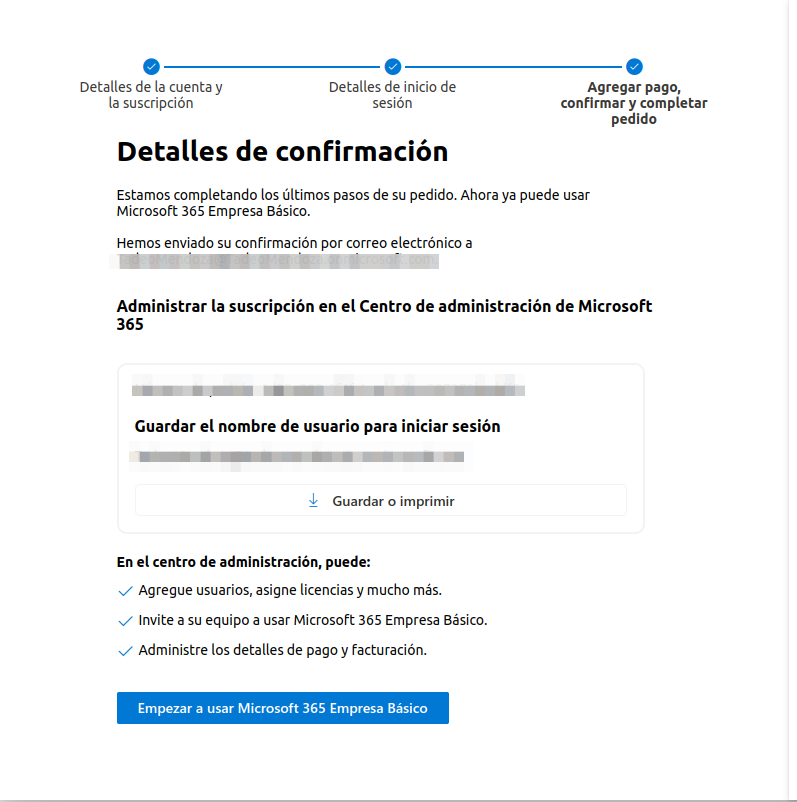
- You can now start using your Microsoft 365 account
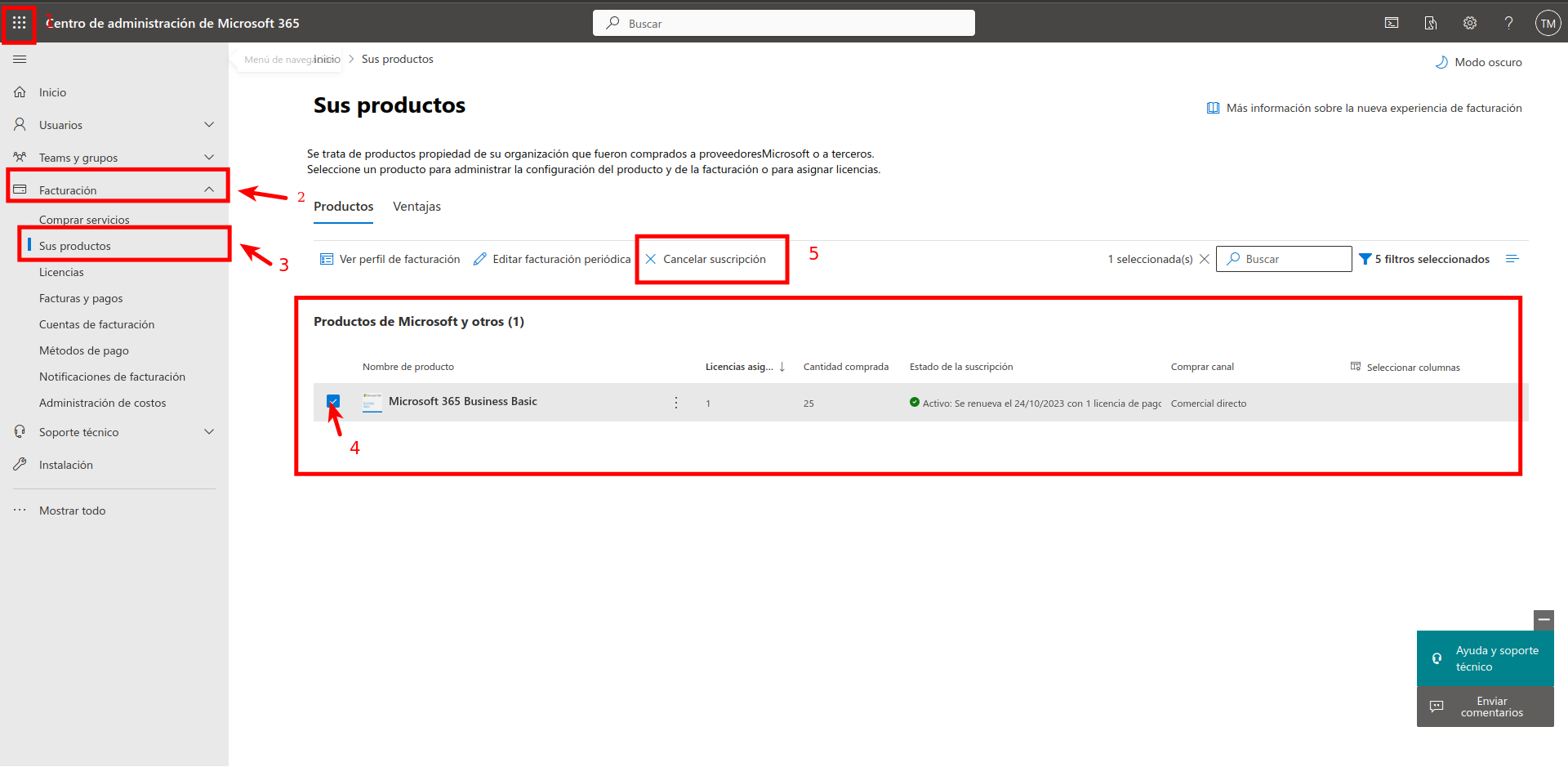
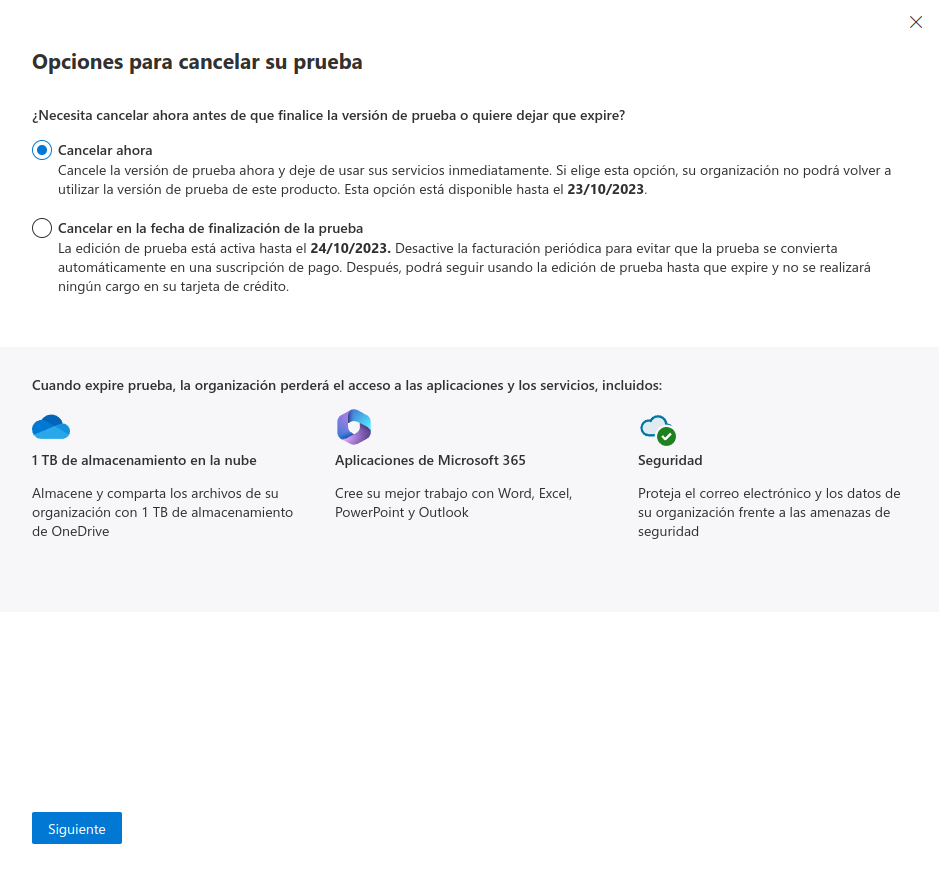
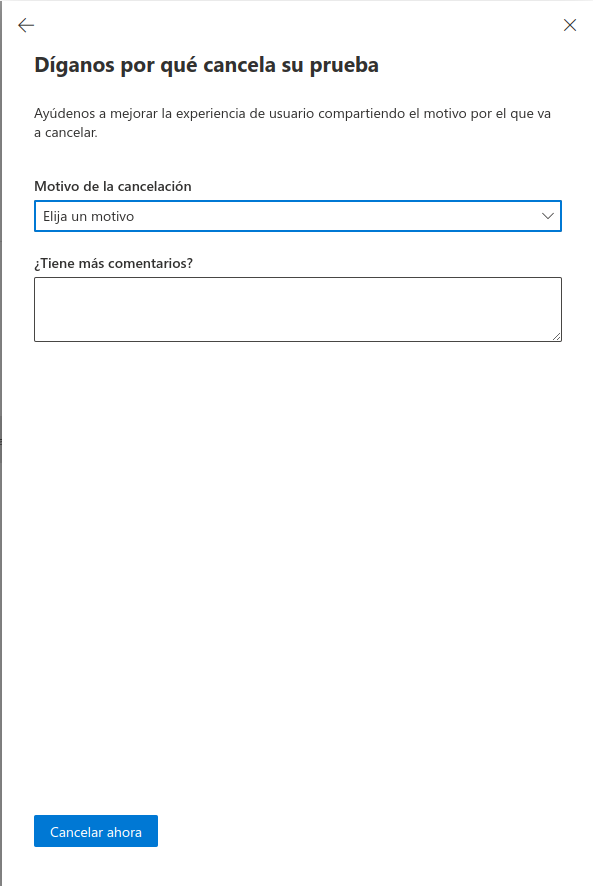
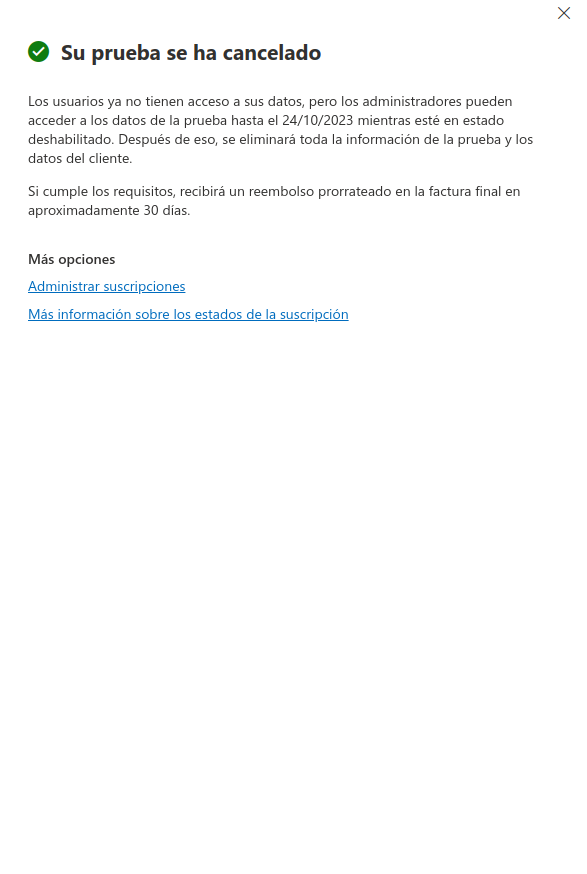
HOW TO CANCEL MICROSOFT 365