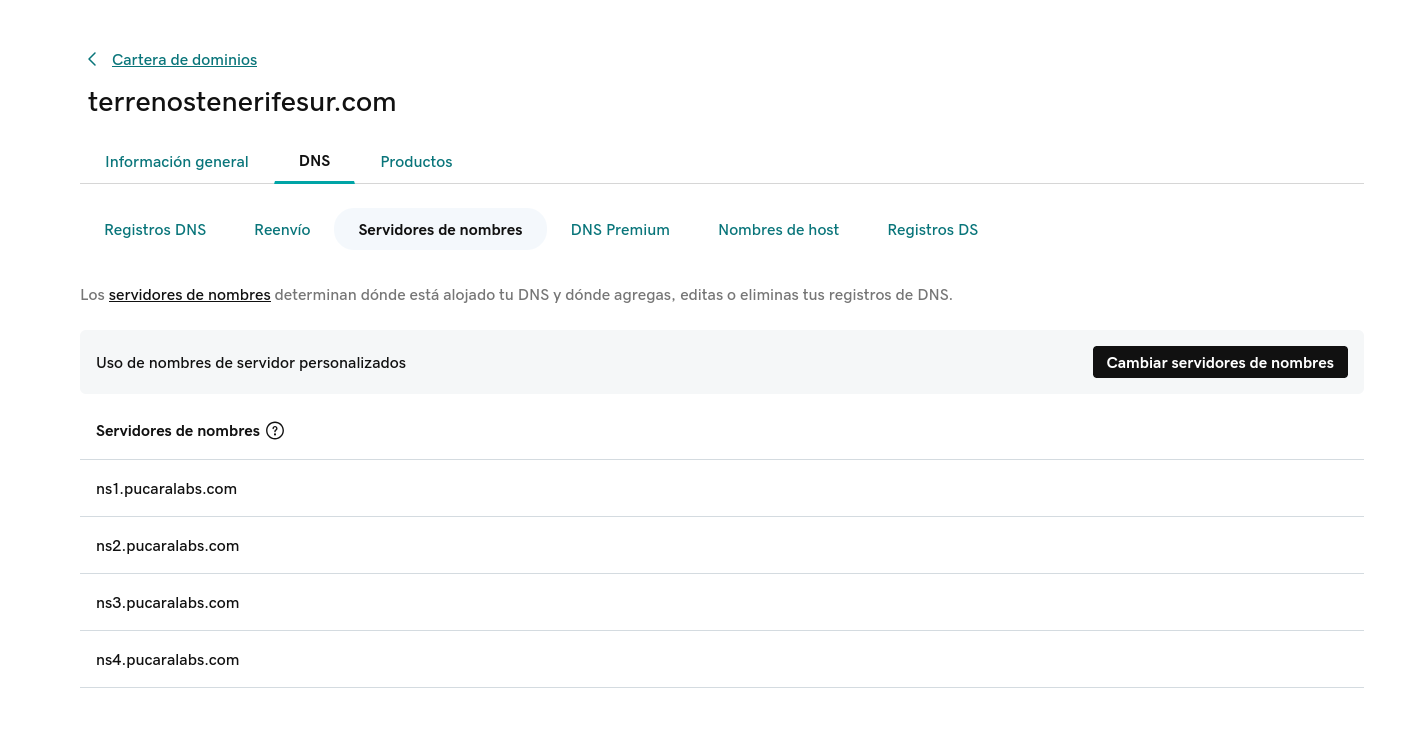
For your Mapaprop website to be visible, you must delegate your internet domain (URL) to the NS servers of PUCARALABS. The procedure is very simple.
Contents of this help:
What is domain delegation
Domain delegation is the process that links your internet domain with Mapaprop servers. It is done through DNS addresses that we provide in this same article. It is a simple and necessary procedure for your website to be visible.
As the owner of the internet domain (www.yourdomain.com) under which your website operates, you are the only one authorized to manage it, including delegation.
To point (delegate) your internet domain to our DNS, you must perform a simple procedure, first understanding that:
- you must access the "entity" where you registered the domain, with a username and password (for example Nic.ar, Donweb.com, Godaddy.com, etc)
- then you can perform the "delegation" to our DNS or edit the existing delegation.
Each domain registration system has its own interface and method to perform this action. Below we list the records.
Mapaprop DNS
The following DNS data is what you should enter in your domain registrar entity (whichever it may be) by accessing the DNS / DNSs / Nameservers / Hostname section:
**ns1.pucaralabs.com
ns2.pucaralabs.com
ns3.pucaralabs.com
ns4.pucaralabs.com**
Tutorials: Examples of how to delegate a domain.
Delegate a domain in nic.ar
- Delegate a domain to nic.ar
Follow these steps:
1- Access http://nic.ar with CUIT / CUIL and AFIP Level 3 tax key - See requirements. After the initial screens, press Start procedure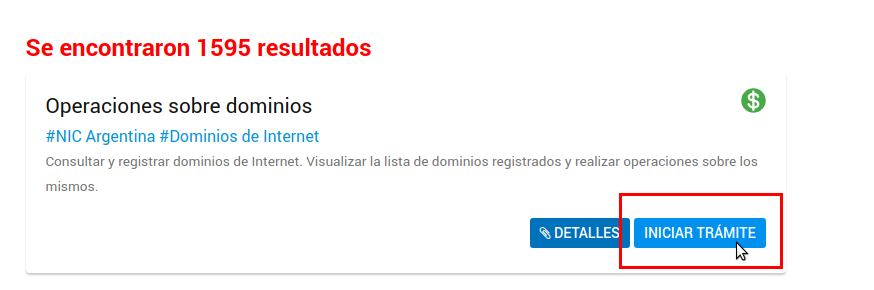
2- Since you already own a domain, you will see the screen that includes the domain and the Delegate option. Press DELEGATE to change the delegation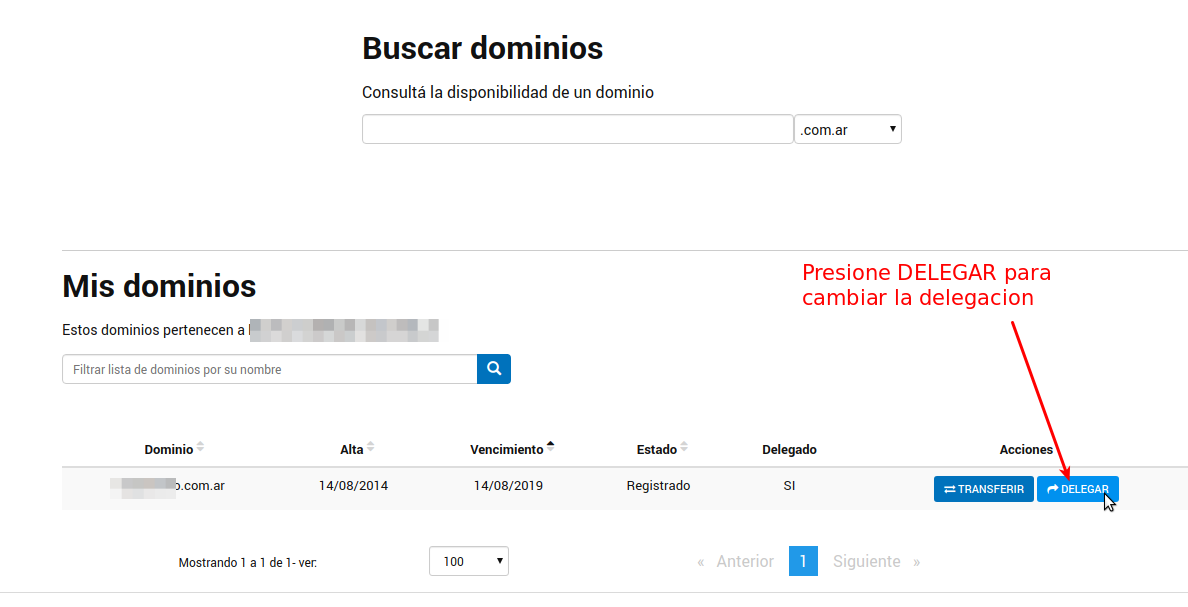
If the option does not work, use the top search: enter your domain name in Search Domains, select the ".com.ar" extension and press Search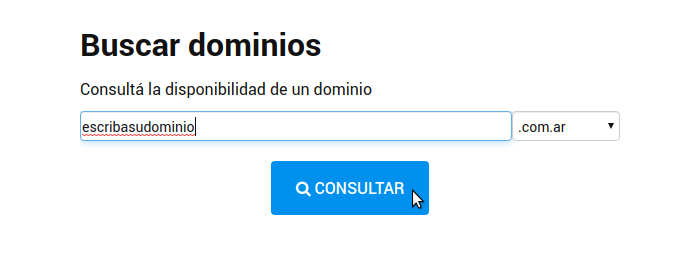
Then you will get a result, and the Delegate option. Press DELEGATE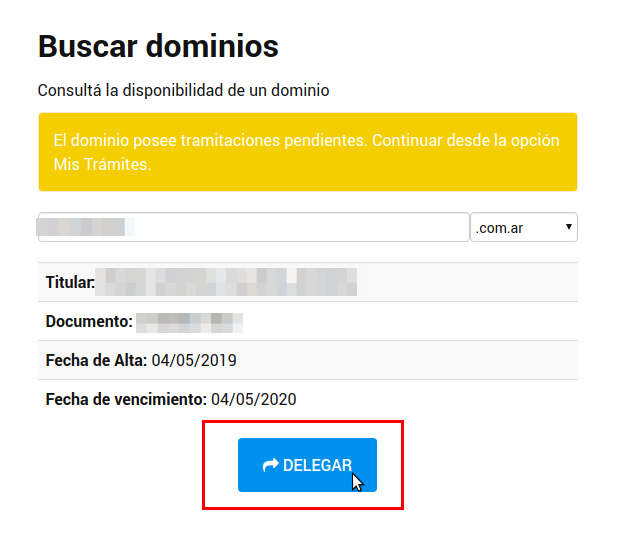
4- Now, you can Edit each of the records by pressing the pencil icon, or you can delete the existing ones and press + add new delegation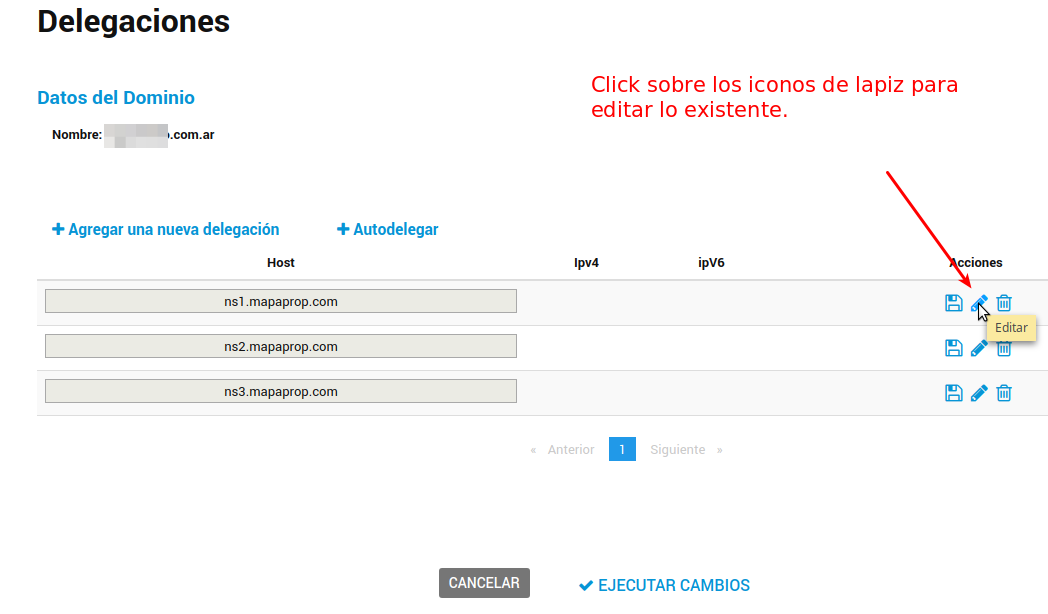
Enter the new value in each of the records and press the save icon.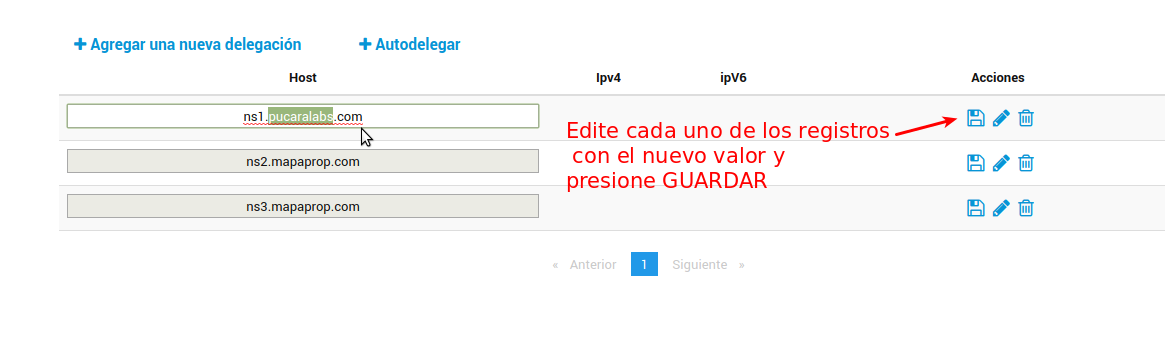
Then add the fourth record by pressing Add new delegation.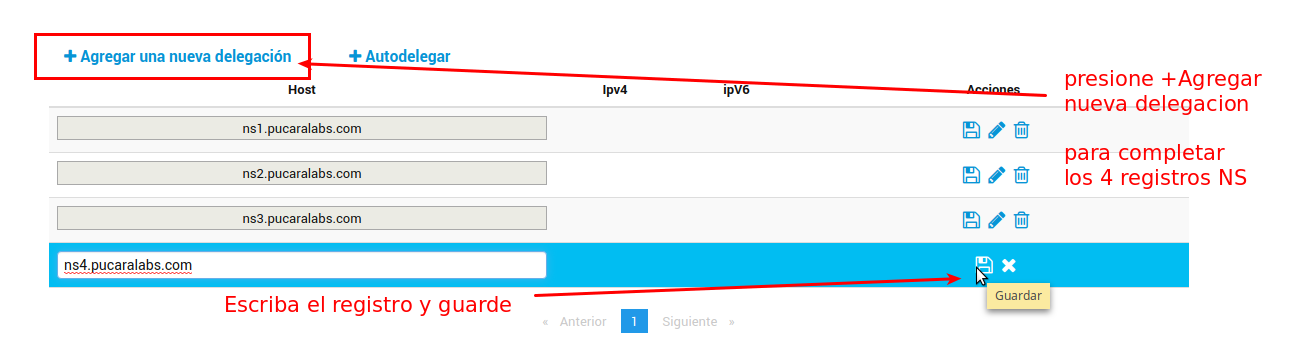
At the end, these 4 records should remain. Press Execute Changes.
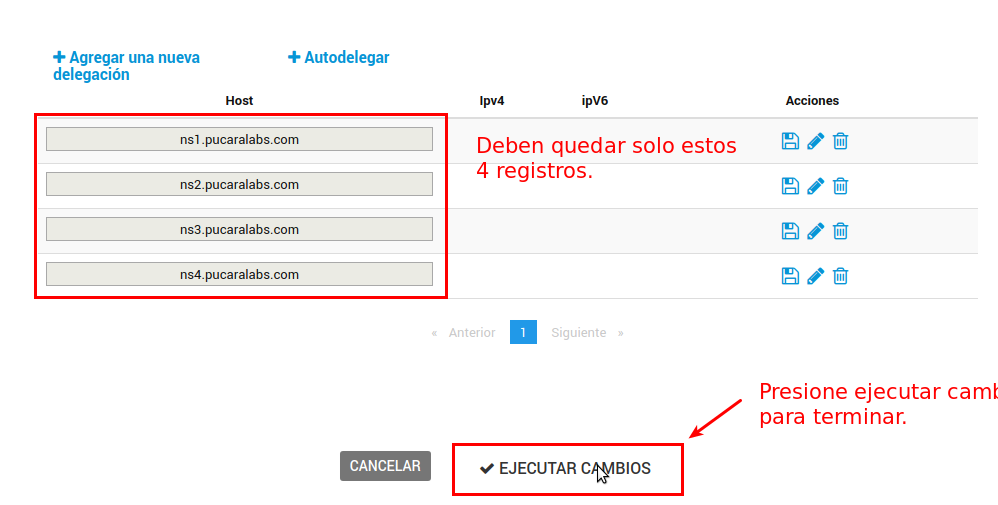
Keep in mind that you must add the 4 records

- [ns1.pucaralabs.com](http://ns1.pucaralabs.com/)
- [ns2.pucaralabs.com](http://ns2.pucaralabs.com/)
- [ns3.pucaralabs.com](http://ns3.pucaralabs.com/)
- [ns4.pucaralabs.com](http://ns4.pucaralabs.com/)

When the 4 records are ready, press **EXECUTE CHANGES**
ATTENTION! upon completing the operation, you must notify by email to websites@mapaprop.com that "the domain is already delegated",
Remember Renew a domain in nic.ar
Delegate a domain in Donweb.com
- Delegate a domain from Donweb.com
1-Go to the My services section, locate the domain service and click on Configuration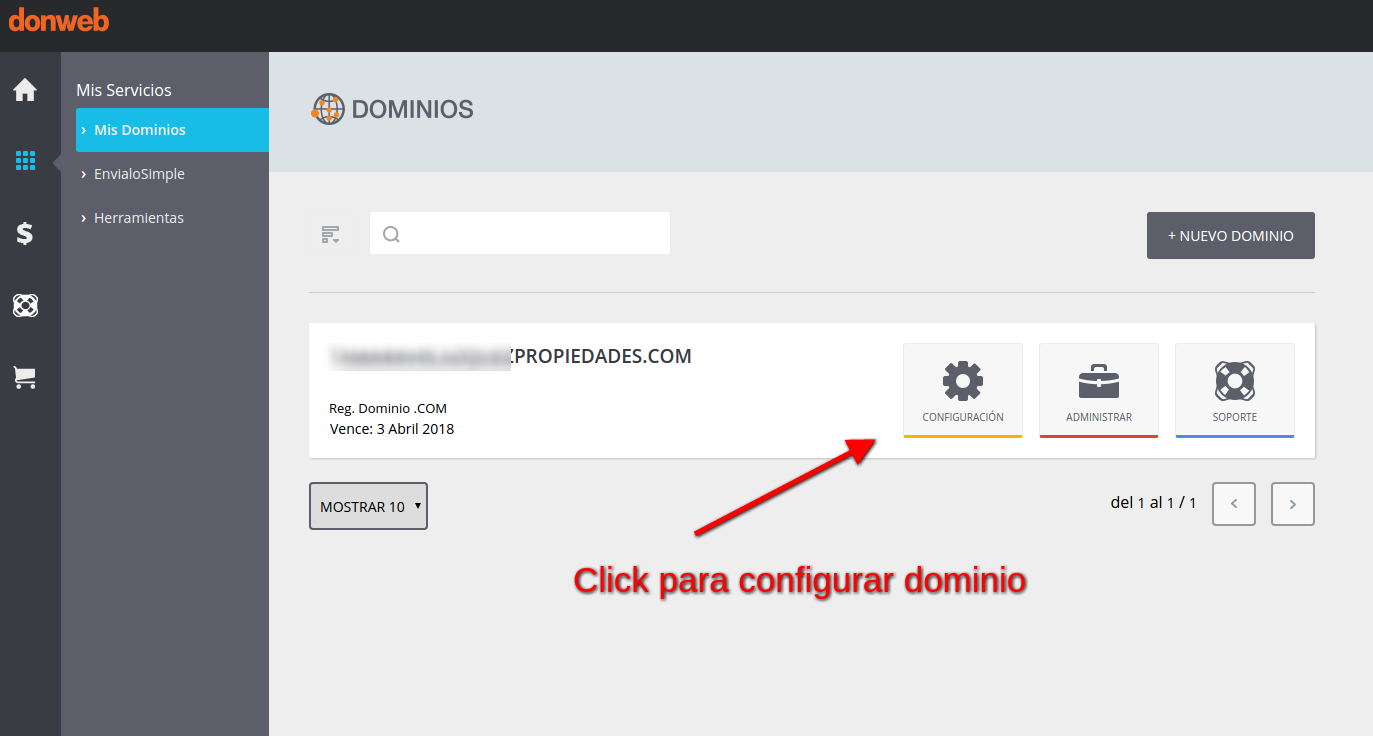
2-Access DNS Records and edit the records so that the following Domain servers appear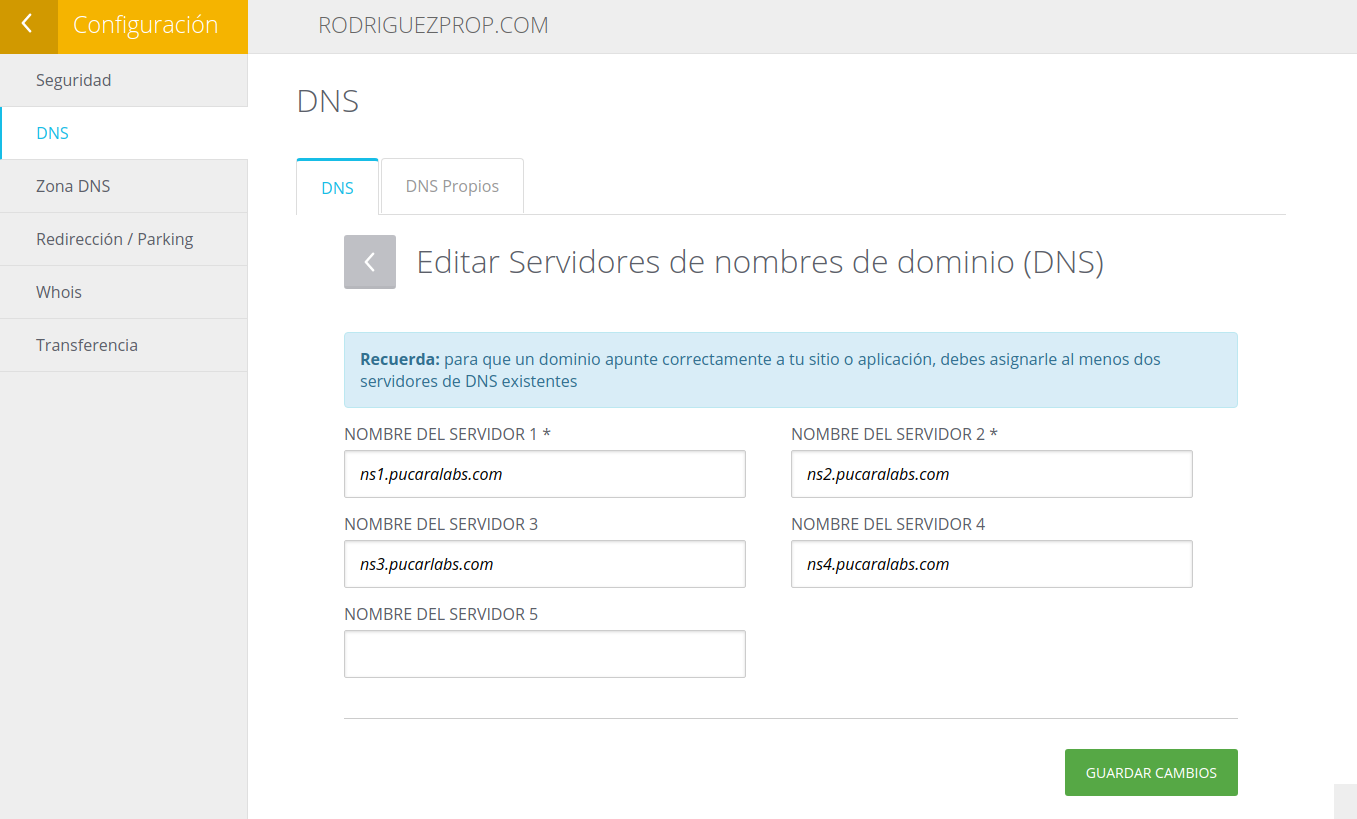
Keep in mind that you must add the 4 records
When the 4 records are ready, press EXECUTE CHANGES
Delegate a domain in Godaddy.com
- Delegate a domain from Godaddy.com
1 Access Domain portfolio, click on the domain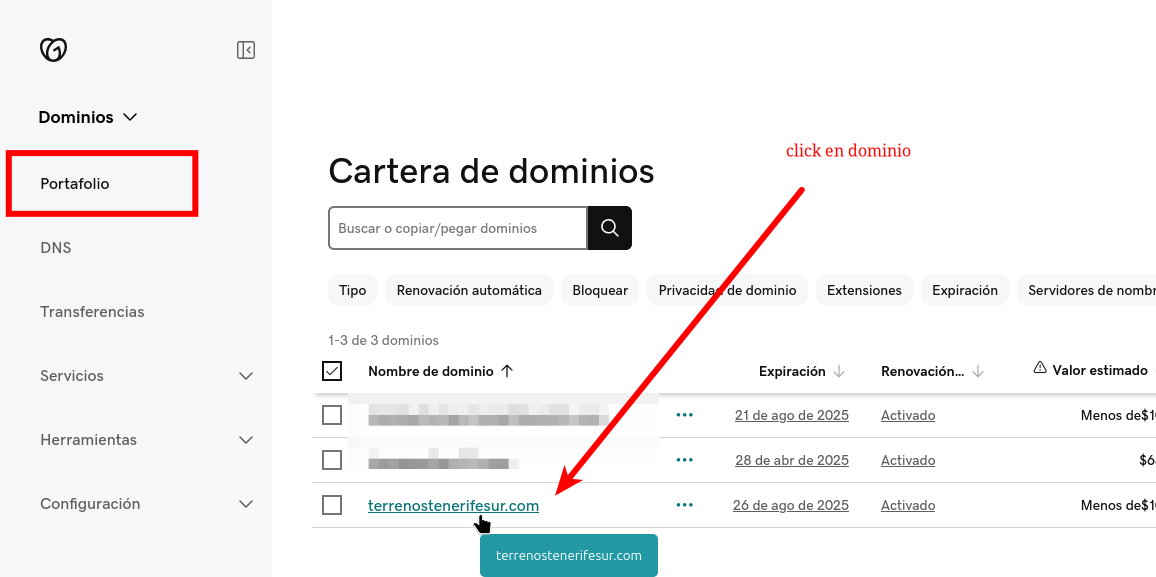
2 Upon accessing, click on DNS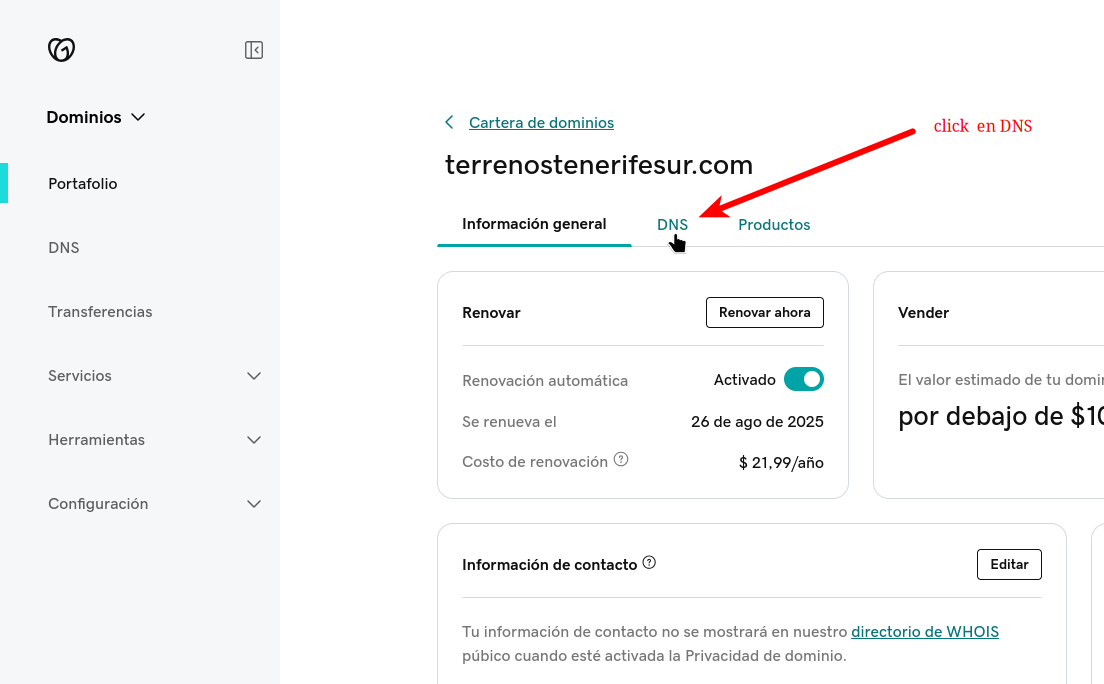
3 Click on Nameservers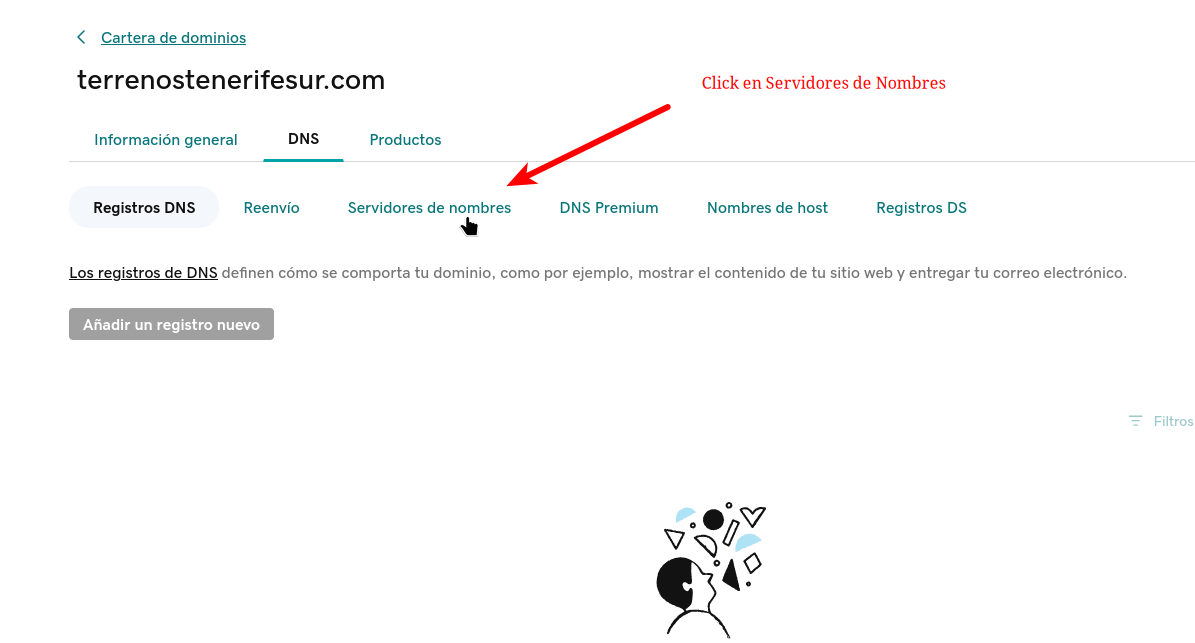
4 Click on change nameservers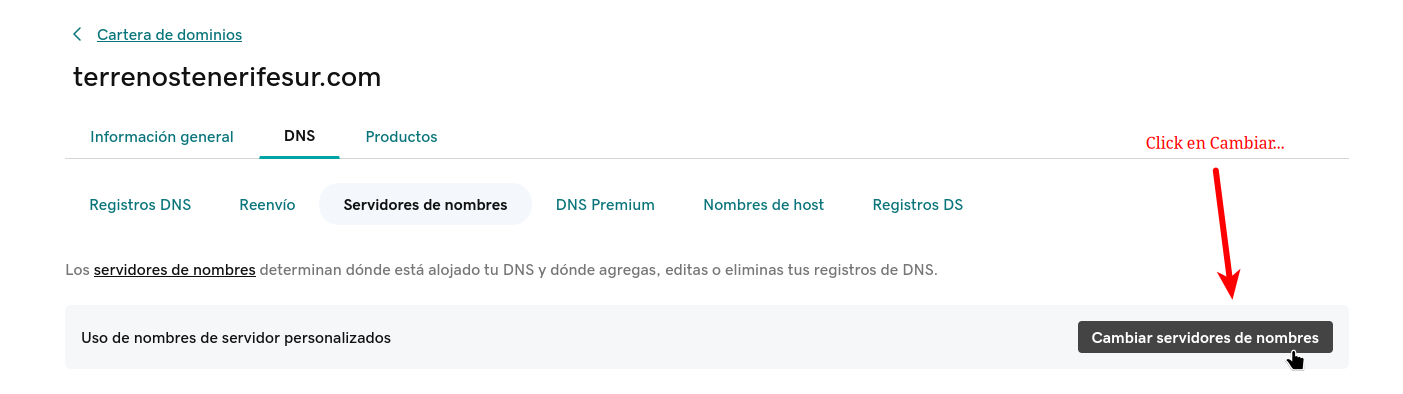
5 Add our recordsns1.pucaralabs.comns2.pucaralabs.comns3.pucaralabs.comns4.pucaralabs.com
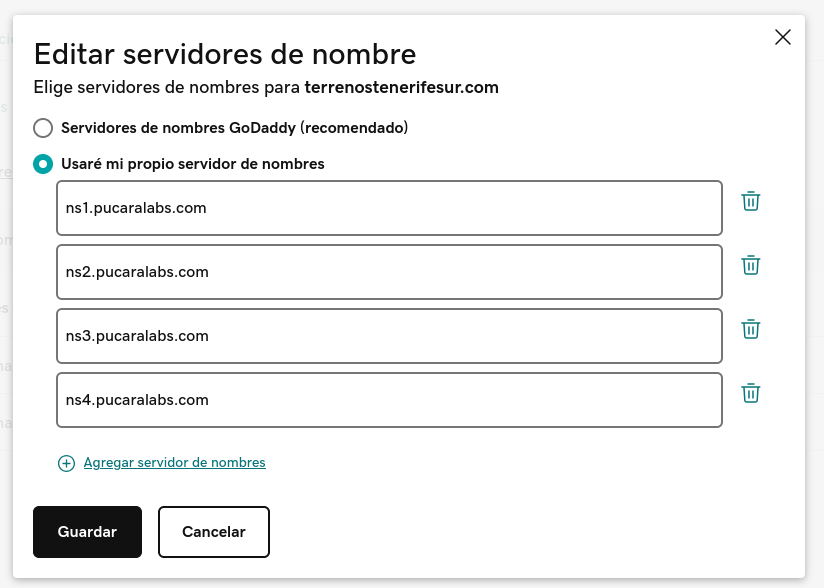
6 Then press SAVE and then CONTINUE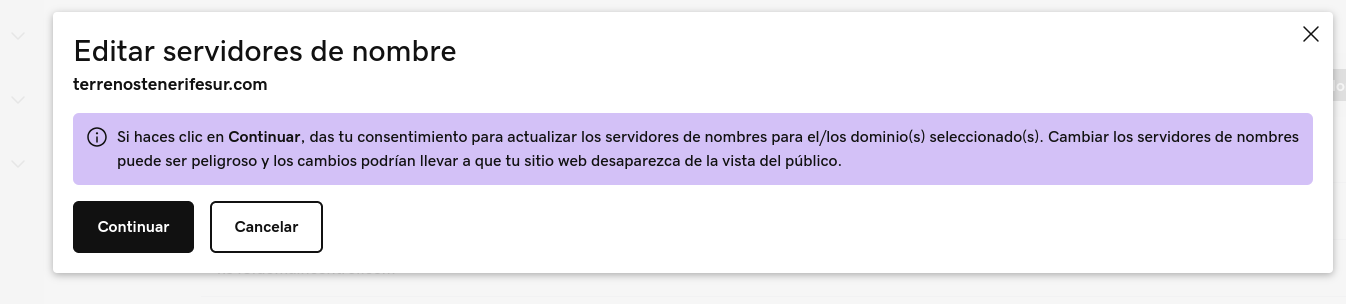
7 Finally the configuration will be as follows