
N
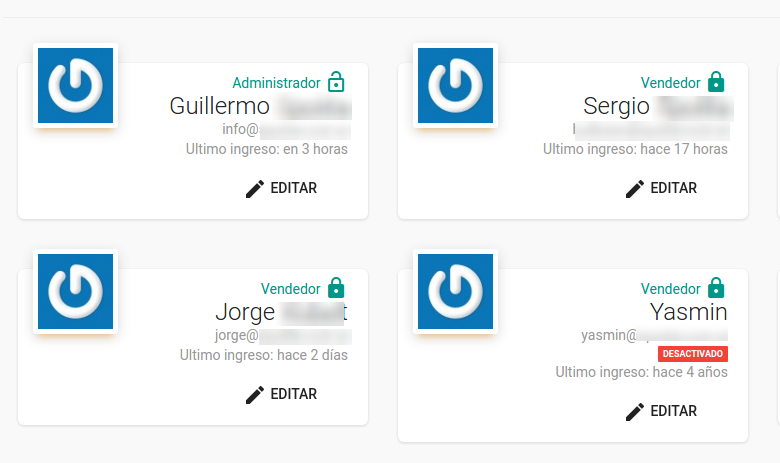
Mapaprop has a system of Users, Agents, Roles and Branches. There are Administrators and Salespeople.
If a message appears saying "Your user doesn't have enough permissions for this action, Contact the Administrator of your Mapaprop account," it means you need to reach out to one of the account's users, the one who originally registered the account, to be able to perform the action.
If you're not sure who the Administrator user is, go to Menu > Real Estate Agency > Users
There you'll be able to see the Administrator, and request that they perform the action you can't.
Support
⚠ If you have difficulties with this help article, you can report an issue by clicking here
Mapaprop.com | All rights reserved | Follow us on Twitter