
Historical article. This issue corresponds to the old "Connect with Facebook" connection, discontinued by Meta in January 2019. It doesn't apply to the current social media connection. To publish on your Facebook Page today, see Connect your account.
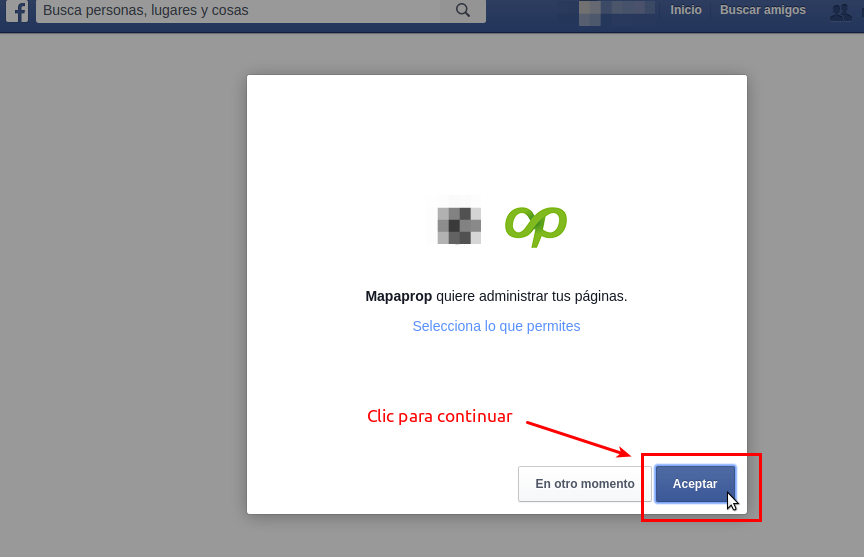
According to the help article for the Connect with Facebook screen, you should simply accept Mapaprop managing your pages. Facebook Apps have limits set by Facebook's development tools.
The help article Connect with Facebook said...
IMPORTANT: Do not change any permission in "Select what you allow", otherwise your page will never be able to connect with Mapaprop again. If this happens, we recommend connecting the page with another Facebook user who administers it, who accepts all the permissions
event=facebook-publishing-error , data[propertyId=***** , response={"error":{"message":"(#200) The user hasn't authorized the application to perform this action","type":"OAuthException","code":200,"fbtrace_id":"*/*********"}}] ,
You may also notice that, if you follow the steps in the Connect with Facebook help article, on REMOVE APP IN FACEBOOK and reconnecting, even if you accept all the permissions the error continues to exist.
This problem cannot be solved by Mapaprop; there is no documentation on Facebook's side regarding it. Facebook must store the permissions initially granted to Mapaprop, and no matter how much you change them in a new attempt to REMOVE MAPAPROP APP IN FACEBOOK and reconnect, it always takes the initial permissions you granted to Mapaprop
The only solution would be to try connecting Mapaprop with another Facebook user who administers the same page. Remember that this user should never have connected with Mapaprop and altered those permissions either.
⚠ If you have difficulties with this help article, you can report a problem by clicking here
Mapaprop.com | All rights reserved | Follow us on Twitter