
Historical article. These errors correspond to the old "Connect with Facebook" connection, discontinued by Meta in January 2019. They don't apply to the current social media connection. To publish on your Facebook Page today, see Connect your account.
These are some types of publication errors on Facebook. We'll show a list and, below, the only solution to the problem.
- Common problems
- Solution
If your case isn't described in this help article, Report a problem, providing precise details such as the Facebook URL, destination link, and property code.
"Service Under Maintenance" sign (for memudoya)
On some rare occasion, it's possible that the Facebook post contains a server or database error message, etc., without showing the property
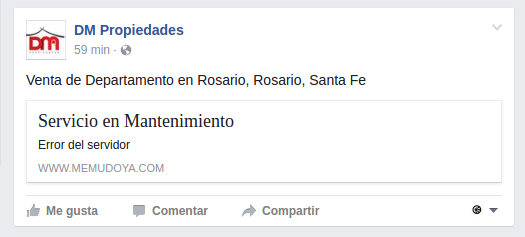
This type of error is very rare but possible, and can only occur on an account that doesn't have a website with Mapaprop. If at the exact moment you publish a property the Memudoya.com portal is under maintenance, the post will show an error. Memudoya.com being under maintenance means it's being updated or improved. The Solution ... at the end of this article
"Error 500" sign (for clients with a website)
Error 500 is a rare type of error caused by a brief database connection drop. During the day, servers can rarely suffer brief outages of a minute or less. If you published a property at that exact moment, you might see a sign like the following
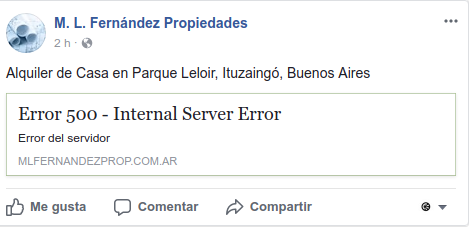
the Solution at the end of this article.
The post shows a search result instead of the listing (for clients with a website)
Another possible error is that the Facebook post shows a broken link to a property listing page instead of the property itself.
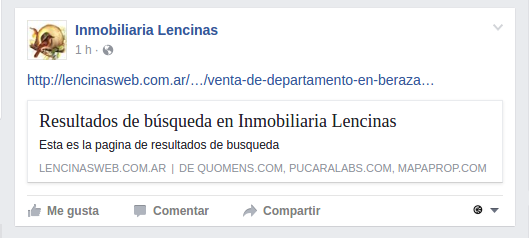
This error is caused by two things:
- The property includes unusual characters in the title and description, such as exclamation marks, quotation marks, and other non-standard characters. Mapaprop doesn't restrict such characters, but Facebook gives an error with them. The solution... at the end of this article,
- It can also be a type of error that occurs when the publication queue takes longer than usual. In other words: from the moment you publish to the actual publication of the property, it takes somewhat longer than it should, so Facebook fails to capture the property's final URL. The Solution, at the end of this article
The same error can occur along with a black image.
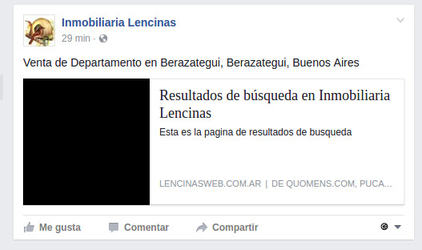
The Solution ... at the end of this article
Solution to Facebook post errors
Whatever the error, you should do the following:
- Delete the post from your Facebook wall
- Go to the property and unpublish it
- Clone / Duplicate the property from Property
- If you need to fix any unusual characters, do so.
- Save and publish
- Facebook will interpret the new property as a different one, since the URL where the property's page is located has changed.
- Delete the original property
Duplicating a property doesn't duplicate contacts, notes, signs, or any other relationship, so the only other option would be to change the property's zone, property type, or transaction type
Support
⚠ If you have any difficulties with this help article, you can report a problem by clicking here
Mapaprop.com | All rights reserved | Follow us on Twitter