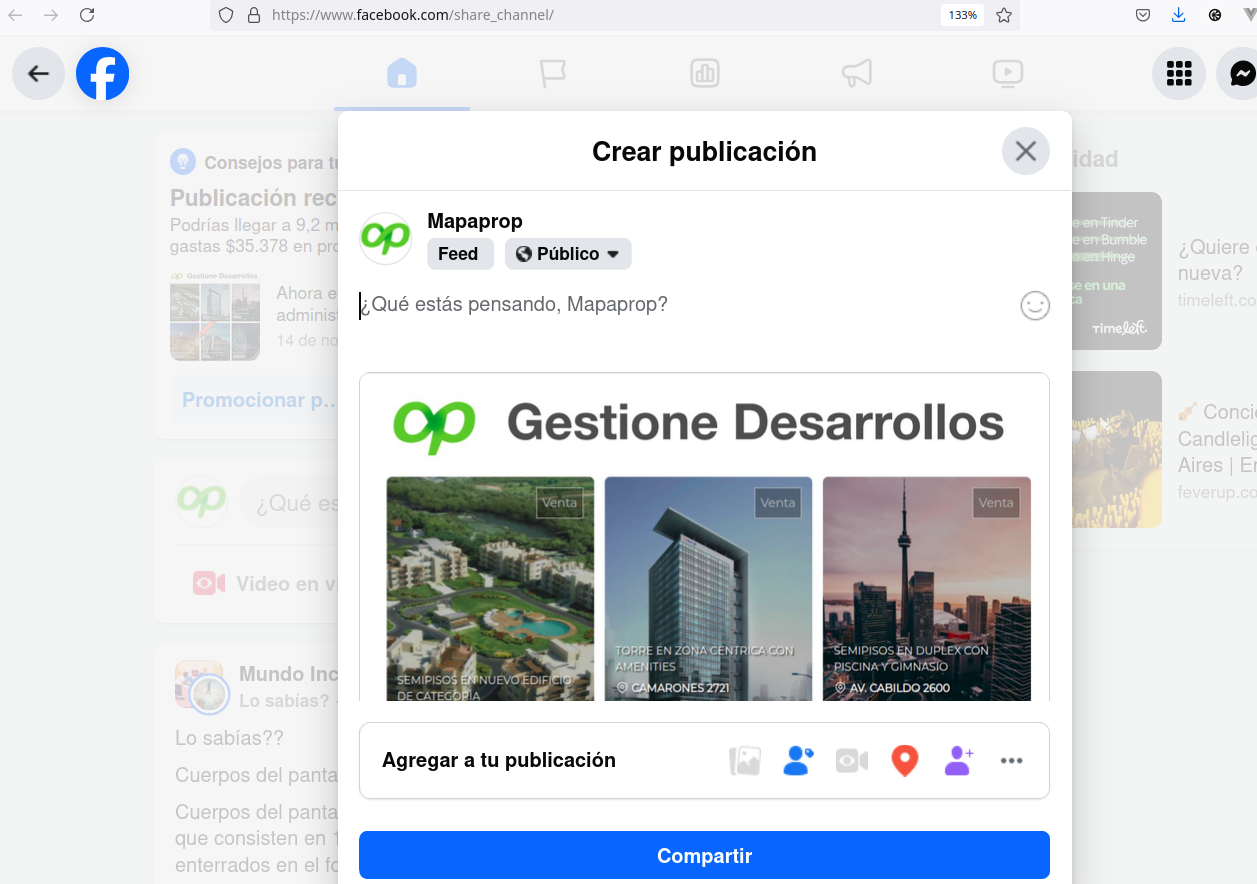
You can now publish directly to your Facebook Page from Mapaprop. When publishing a property, choose the "Facebook Only" or "Both Networks" option on the publishing screen. You just need to have your account connected as a Page administrator (see Connect with Meta).
In addition to the direct method, you can also publish indirectly through Instagram, as described below.
Publish to Instagram and from there to Facebook
From Mapaprop, you can connect an Instagram account, which will then let you Publish to Instagram individual images or galleries.
This feature is only available for Professional Instagram accounts linked to a Facebook page through Meta Business Suite. https://business.facebook.com/latest/home. We recommend carefully reading our help article on Connect with Instagram.
Starting from an Instagram post, you can create better posts for a Facebook page.
To do so, follow these steps:
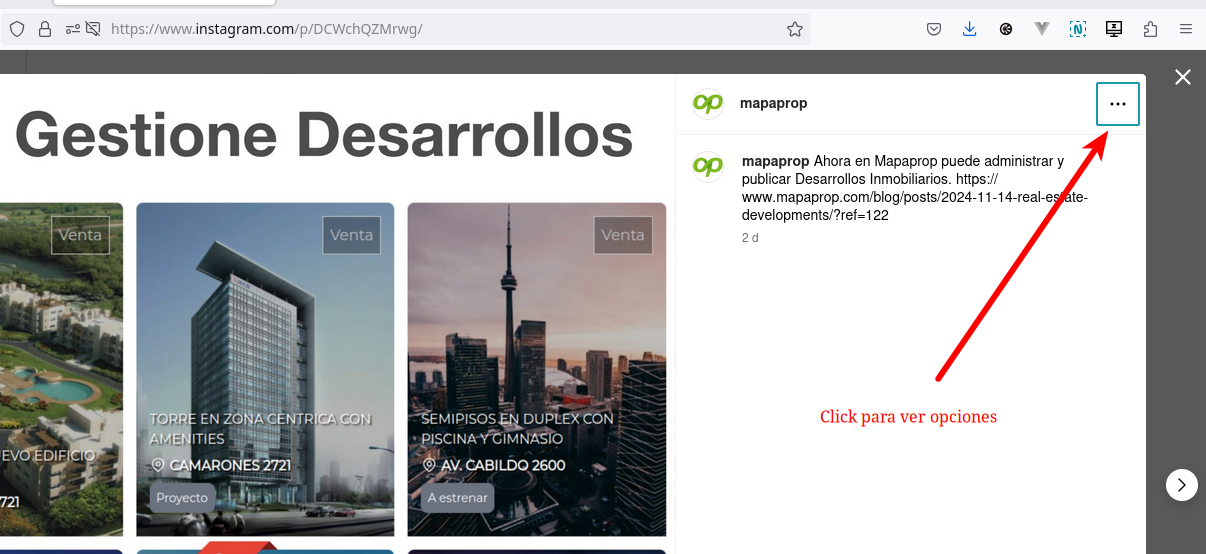
1. Click the options of the Instagram post
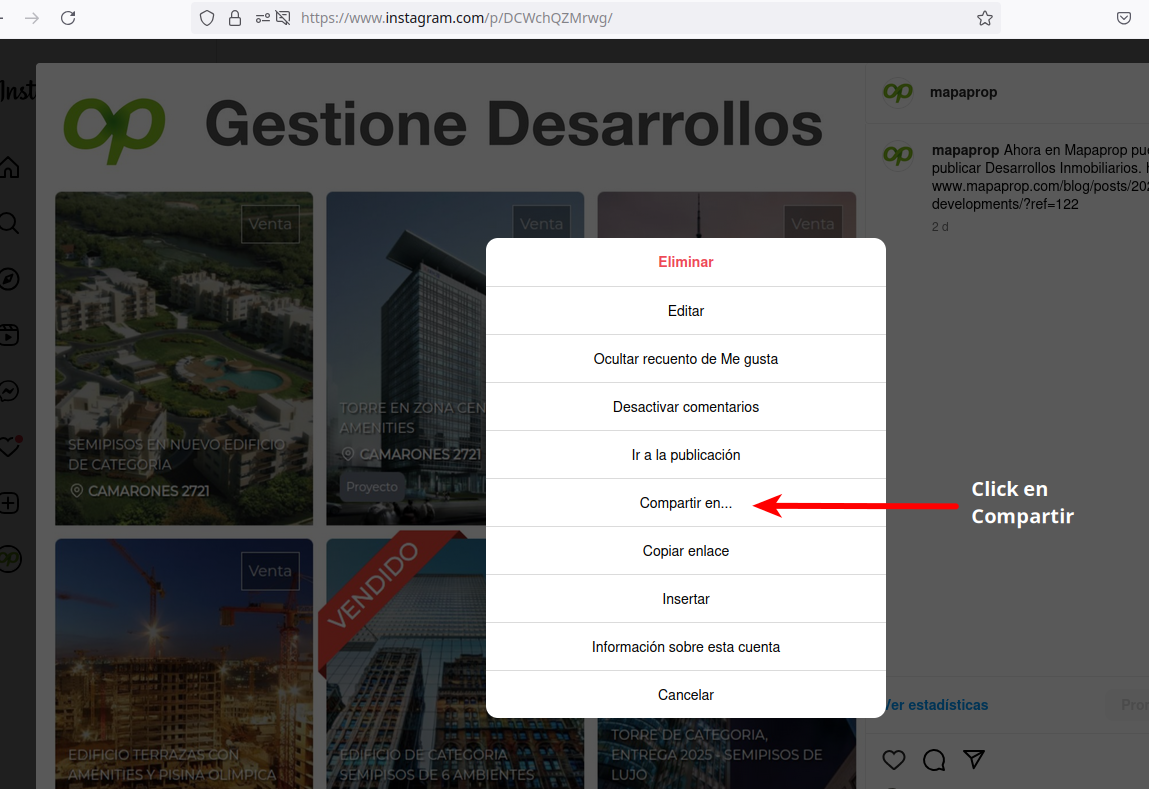
2. Click Share to…
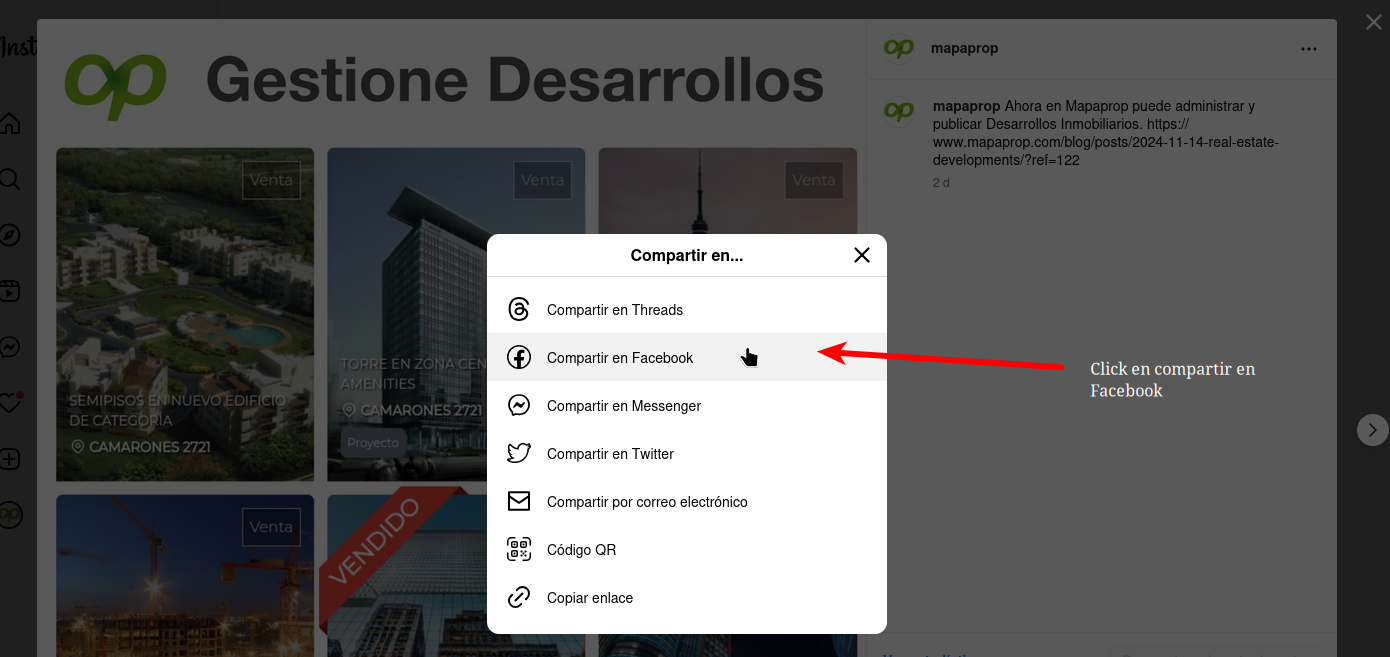
3. Click Share to Facebook
4. Now you can publish it directly to your linked Facebook page