
Attention: You can click on the images at any time to view them enlarged
Creating links
- Create links to navigate your website
- Create links to other websites
- Create links with search results
- Build a navigation system between pages
- You can also see Insert links in images (under HTML Editing)
To insert a link, use the add link button on the edit tab of your content
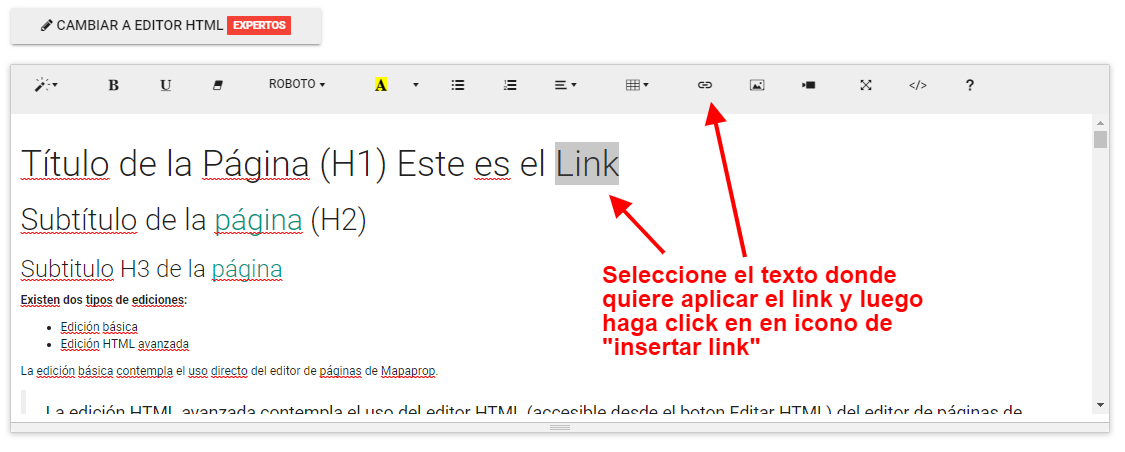
Select a text or an element, and click the Add Link button
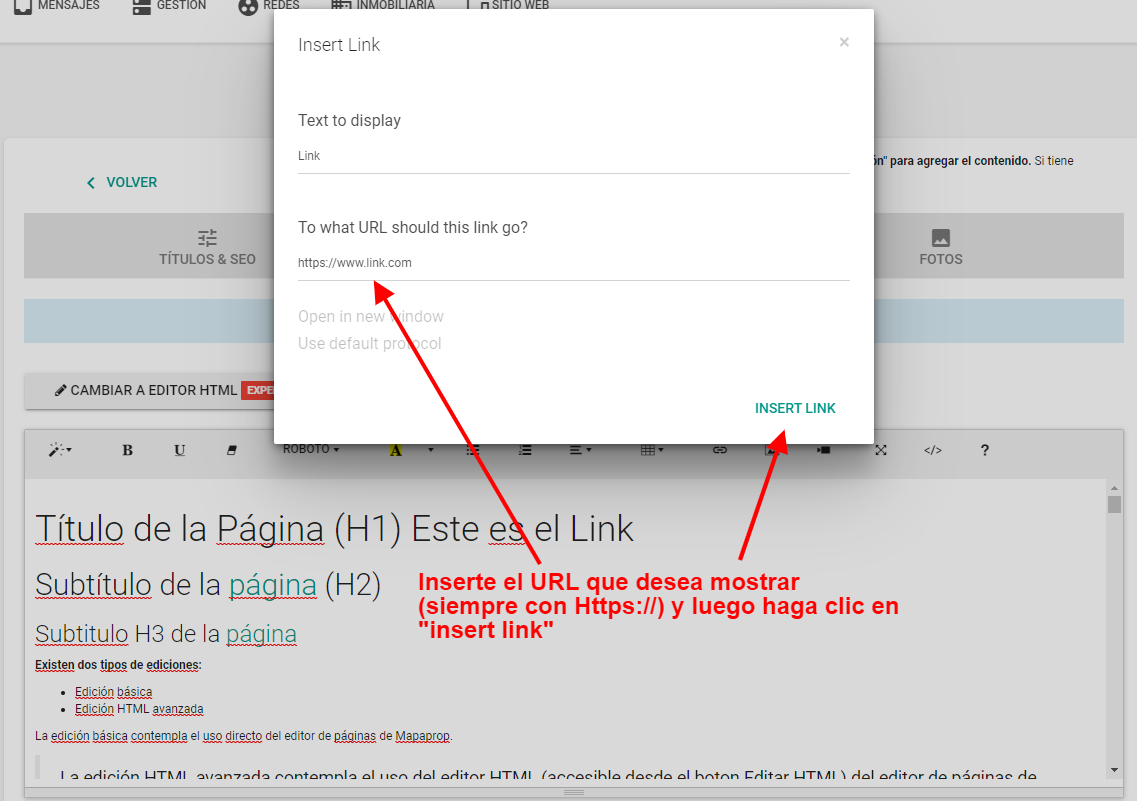
Enter the destination URL for the link. There are also other options, such as adding a title, which is a non-visible SEO function, or setting the link to open in a new window when clicked.
For creating advanced links, see HTML Editing
⚠ If you have trouble with this help article, you can report a problem by clicking here
Mapaprop.com | All rights reserved | Follow us on Twitter
Subpages
Create links to other websites
Create links with search results