
Note: You can click on the images at any time to see them enlarged
Create links to other sections of your website
To create a link to another section of your website, you need to know the url (web address) of that section. From Website > My pages / Blog you can get that information.
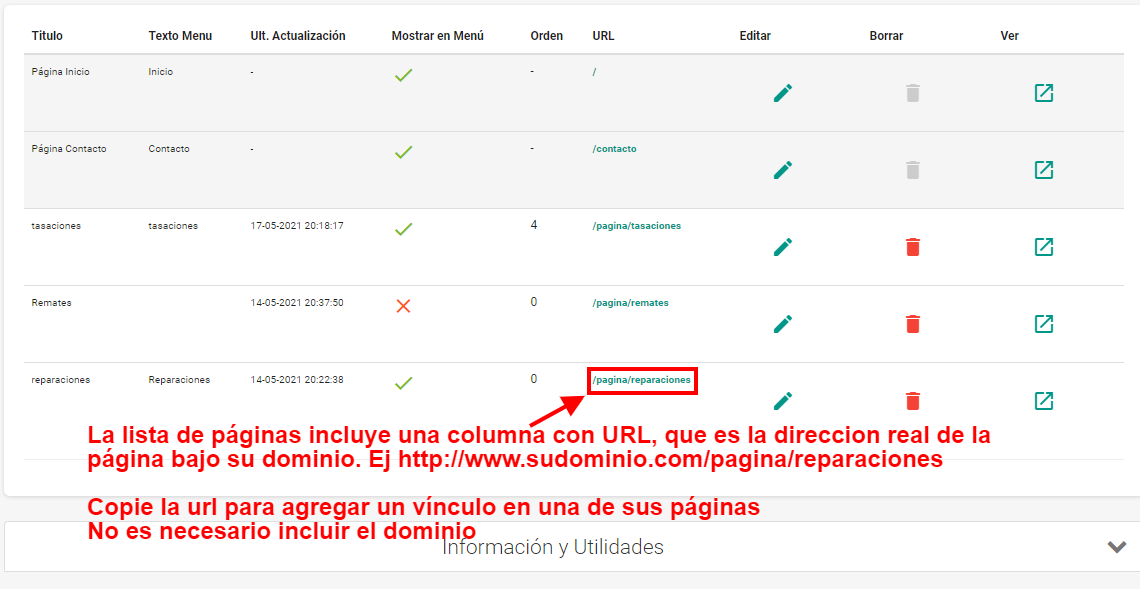
The page list includes a column showing the URL, which is the actual address of the post. It usually has the format "/publicacion/post-title". To create links, you need to copy the URL of the destination page and paste it into the edit view, using the add link button
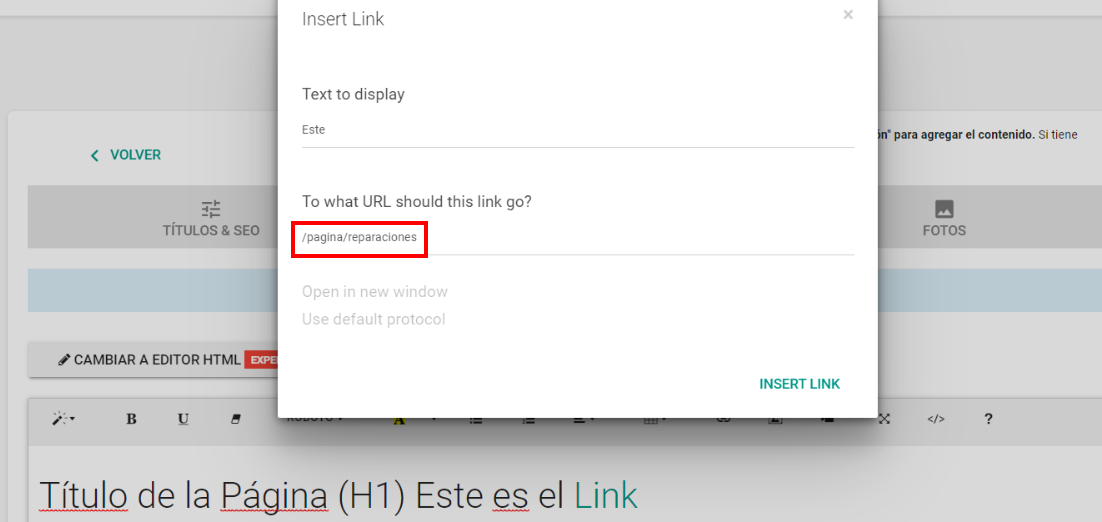
You don't need to add your website's domain within the url. Every link to a section must start with "/"
Some common links are:
| Link | Destination |
|---|---|
| / | Home page |
| /contacto | General contact form |
| /destacados | Featured properties section |
| /mapa/?view=map | Full property listing on a map |
You can also see Create links with search results advanced, or you can Learn how to build a navigation system between posts using links
⚠ If you have trouble with this help article, you can report a problem by clicking here
Mapaprop.com | All rights reserved | Follow us on Twitter