This help article will teach you how to duplicate an existing property.
Duplicate a property
The Clone Property feature lets you copy a property in full, except for certain related data such as contacts, guards, and signs.
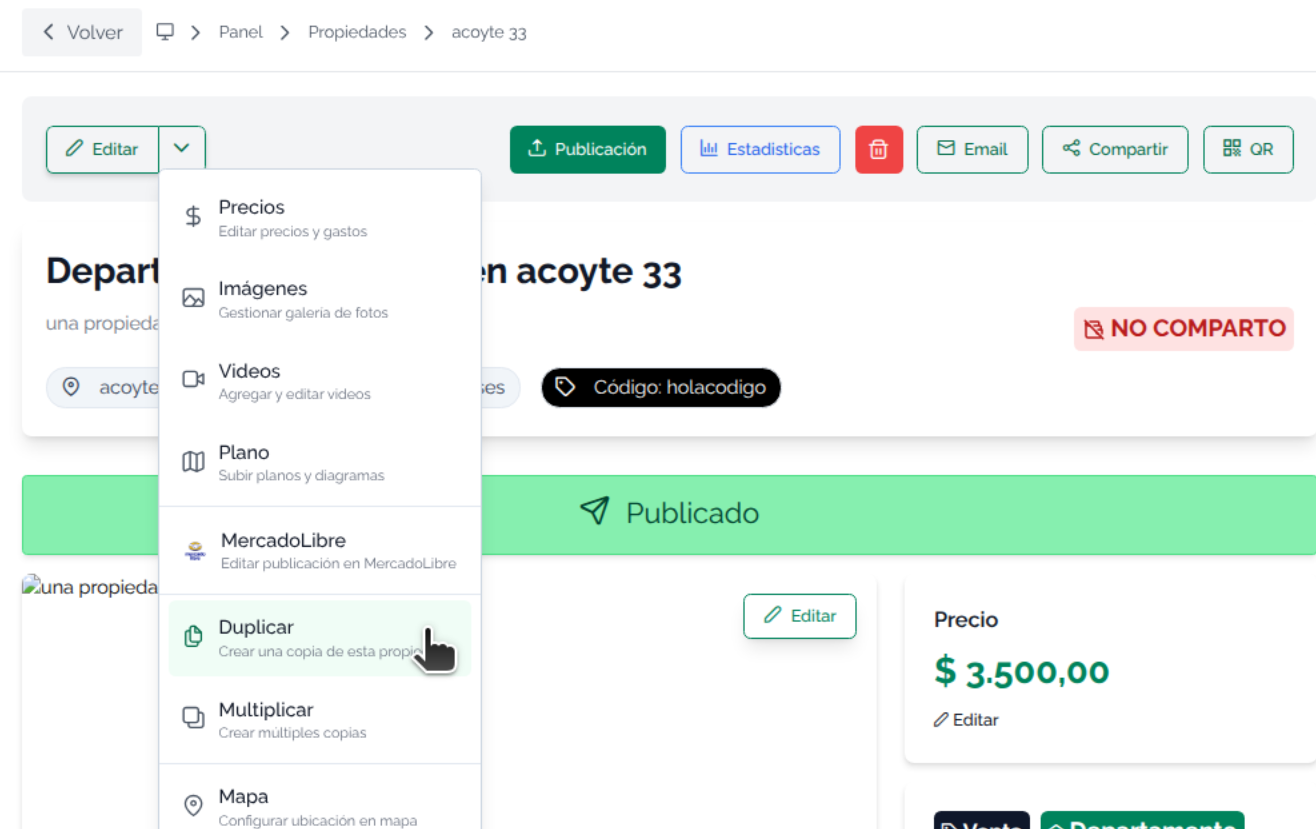
Go to Property > Edit button > Duplicate
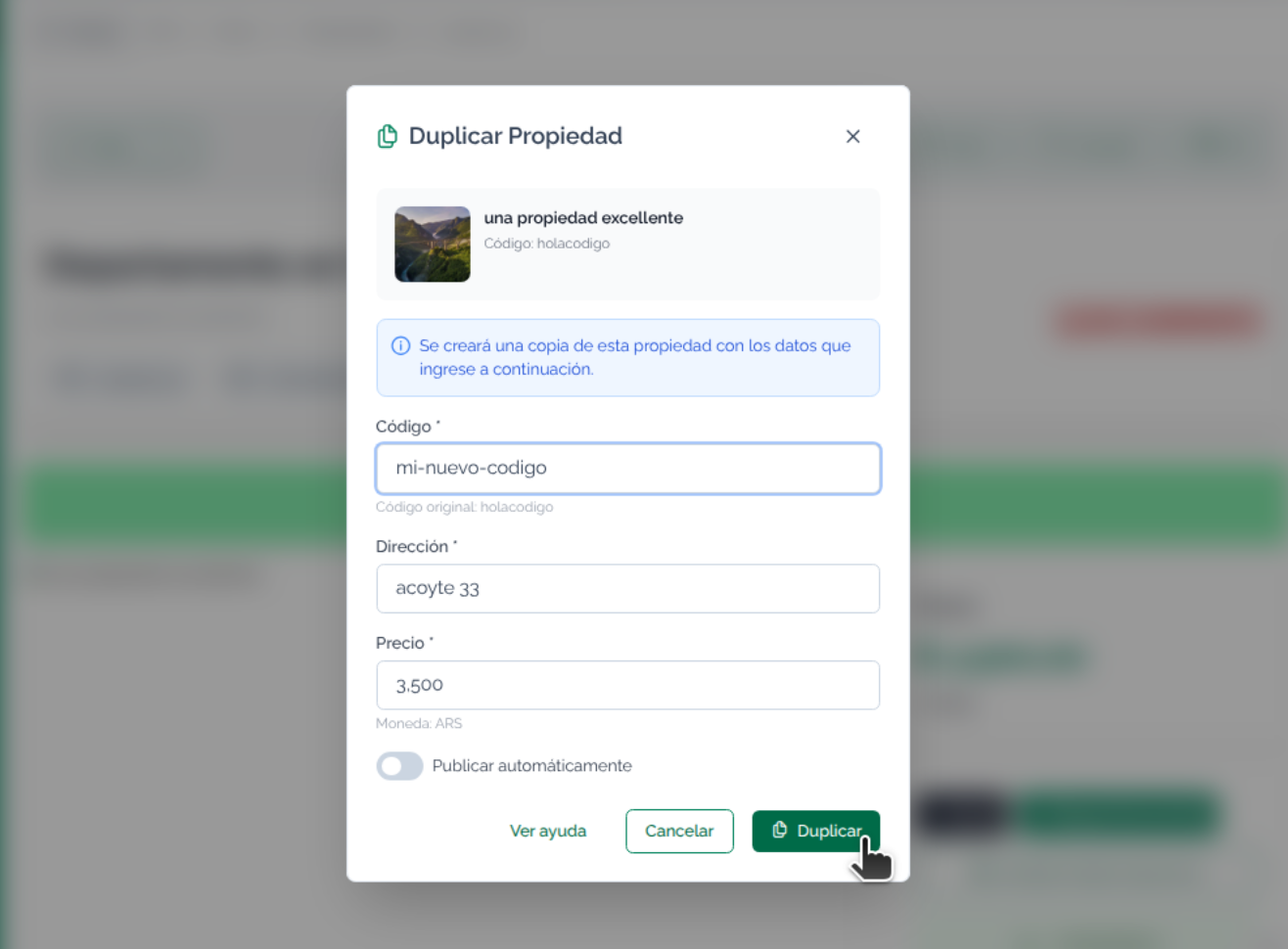
A menu opens for you to edit the new property code. It also includes the option to automatically publish the property.
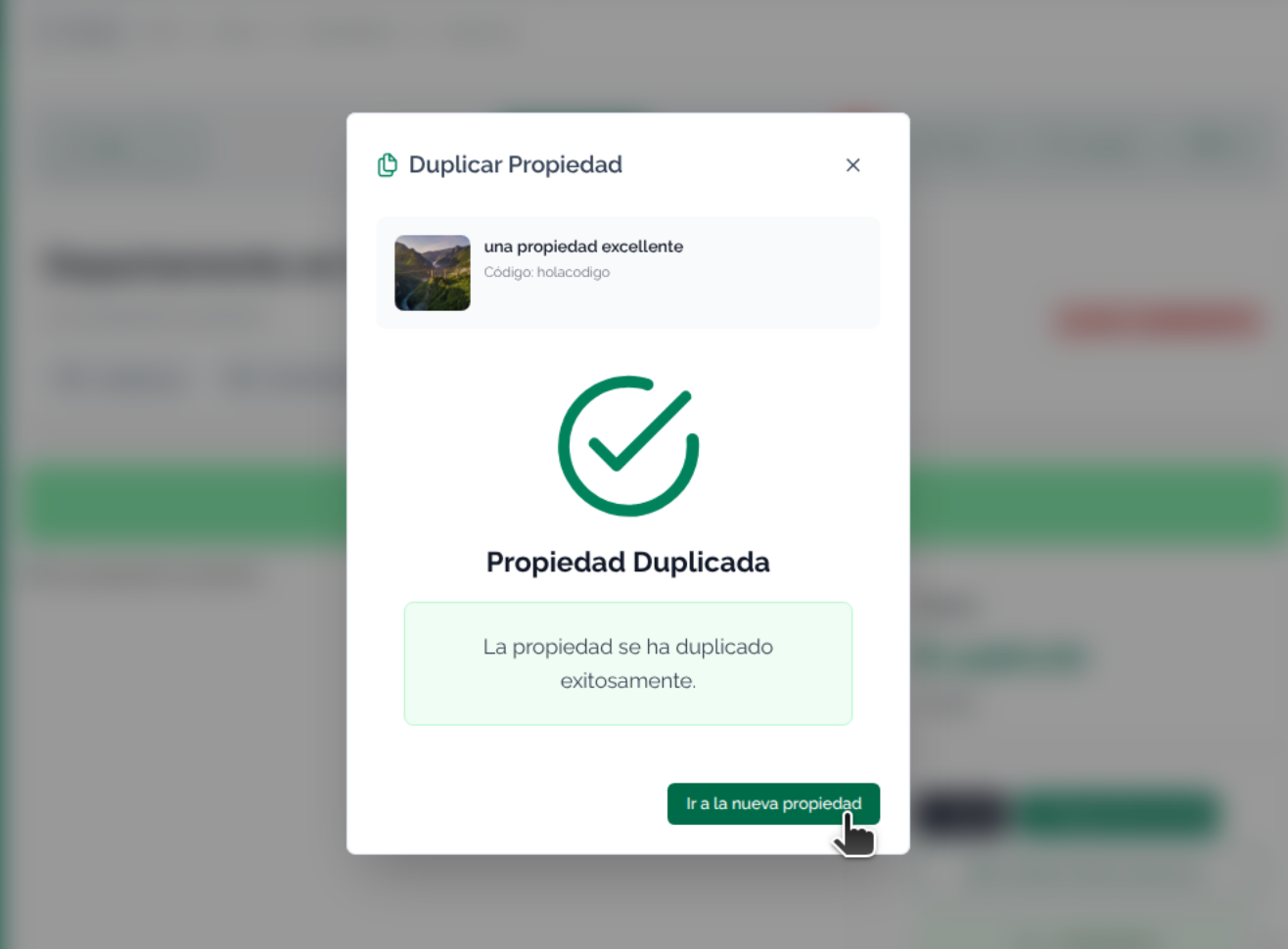
When you duplicate the property, you'll see a success message. From there you can go view the property to perform operations with it.