
This help article will teach you how to geolocate a property on a map
Geolocate a property
The Map screen lets you relocate the property's position.
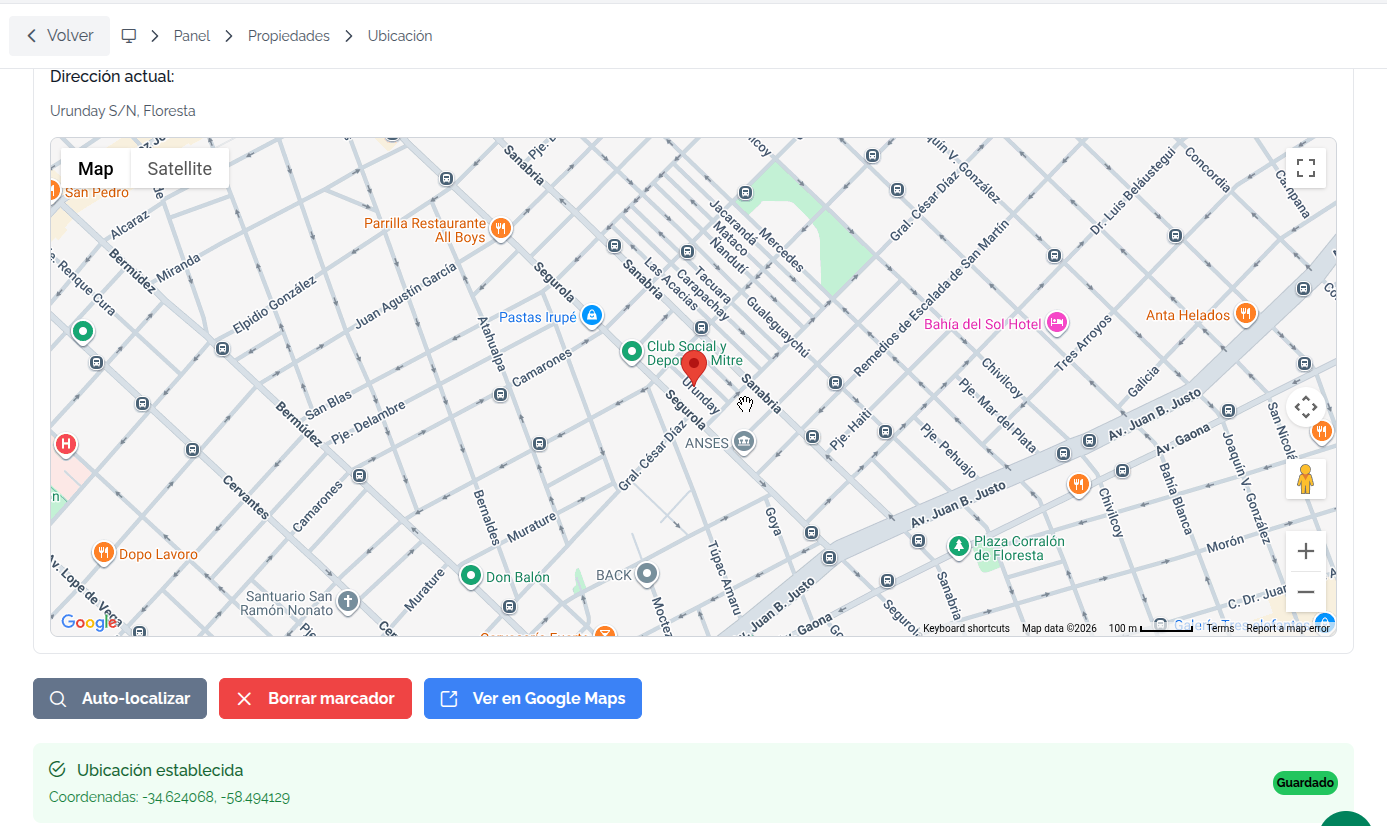
The process is very simple. When you click on any point on the map, the location icon moves to the clicked point, saving the new location right there.
If the result of the automatic geolocation is not satisfactory to you, you can try editing the address to run Auto-locate again on the property. If the result still isn't what you expected, you'll need to change the location manually, moving the icon by hand as shown in the image.
The property's location can be changed whenever you want using the Edit function