
Note: You can click on any image at any time to view it enlarged.
Public property sheet for printing and Share by email
The public print sheet has special characteristics that make it a central page of the system: it is a landing page for your property that, in addition to allowing you to obtain prints, will enable you to receive inquiries and share property information.
To access the print sheet, press the print buttons, located in the Properties listing or Property
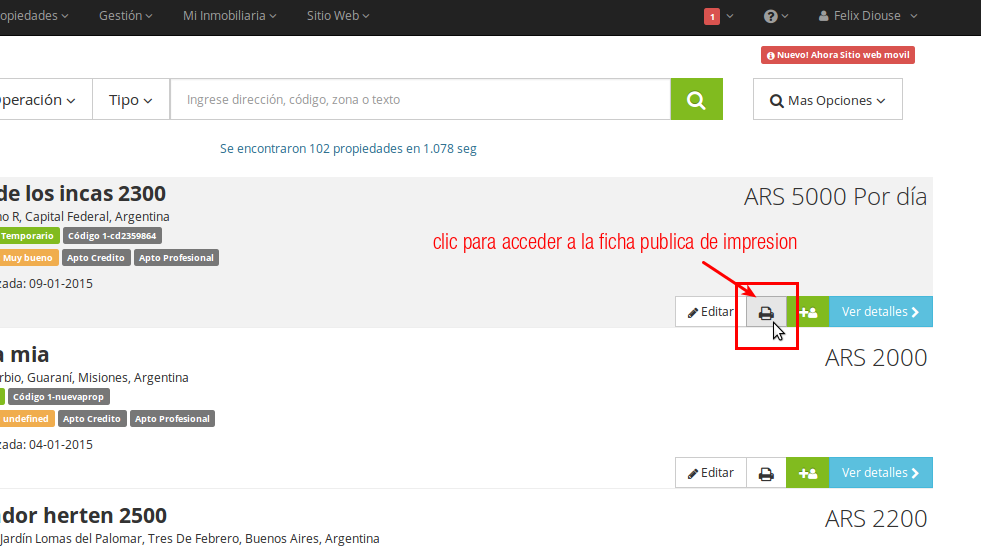
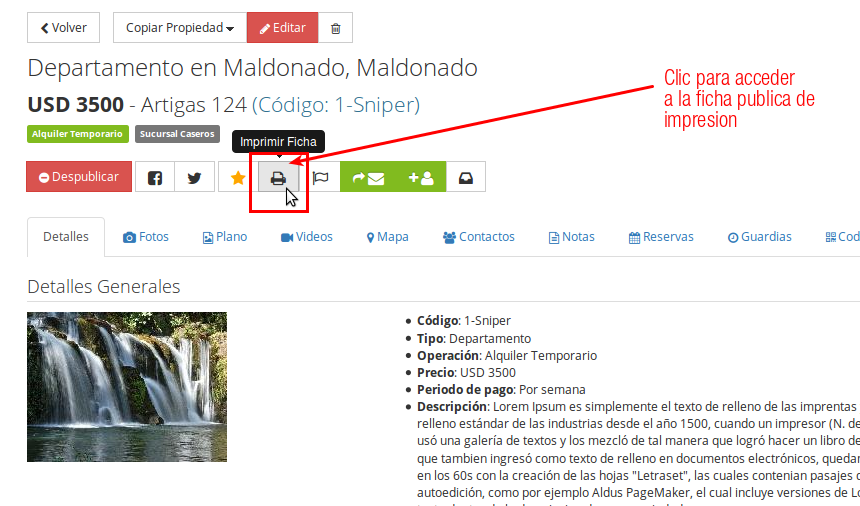
Once you press the print button, a new tab in your internet browser opens to display the information.
The print sheet is also the one your Share by email contacts access when you use the Share by email function.
Web View (landing page)
The web view (responsive and mobile-friendly) displays information and interaction characteristic of a landing page. The primary use for this view is to Share by email with your contacts. Contacts receive a Share by email that contains a public link allowing access to it. The view contains:
- Print button: activates printing instantly in your internet browser
- Call Us button: initiates a call action on mobile devices (calls Tel1 of the Branch related to the property)
- Header: displays your real estate agency information (logo, Branch data: name, address, phones, email) and property information (code, title, price, operation, address)
- Body: displays general property information (description, features, measurements, main image, conditions, map)
- Footer: displays your real estate agency information (logo, Branch data: name, address, phones, email)
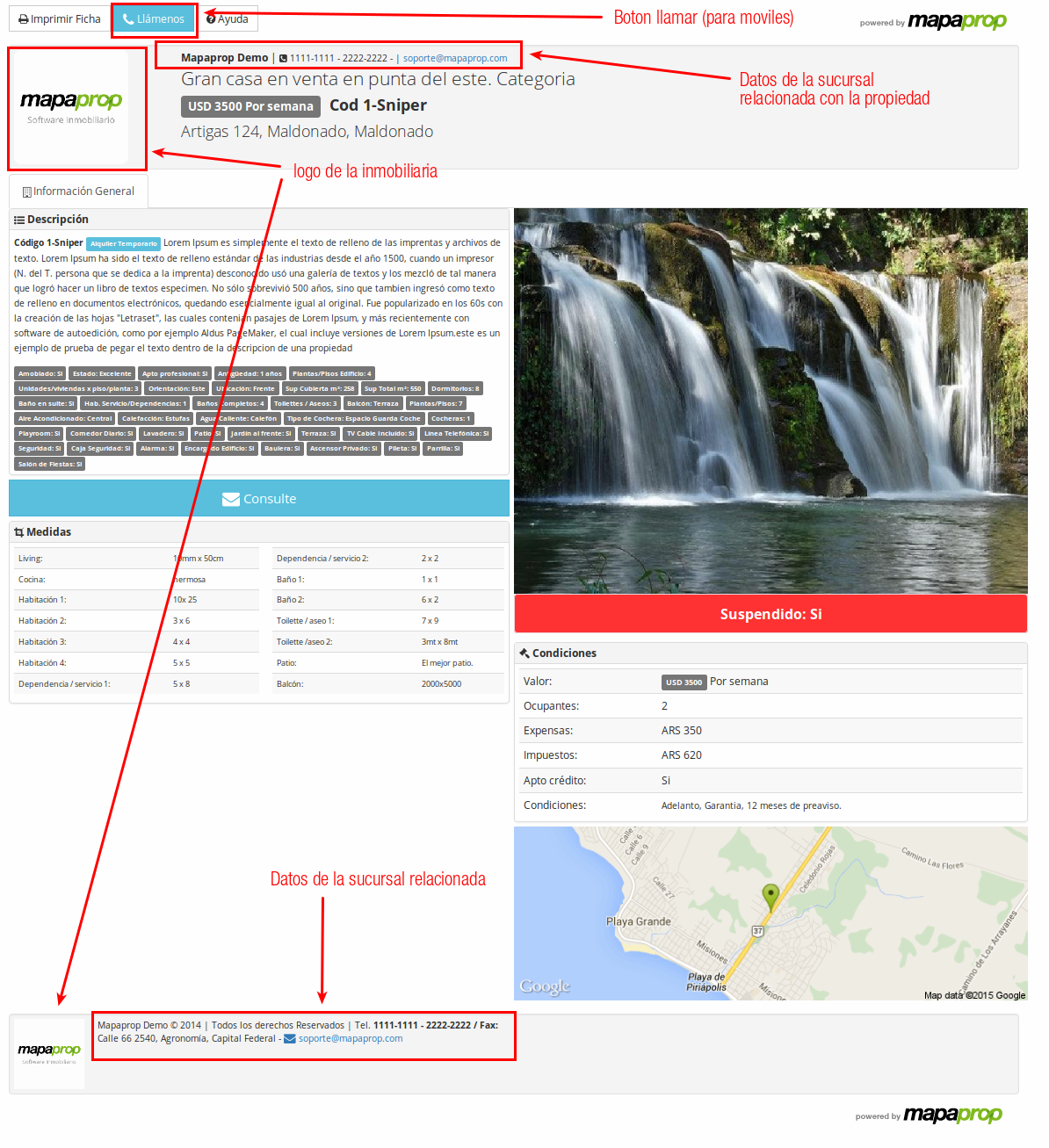
The view is responsive and includes the Call button, a specific function for mobile devices.
Print View
The print view displays information that only appears at the time of printing. For more options, it is always recommended to use a print preview in your internet browser. The view contains:
- Header: displays your real estate agency information (QR Code with links to MemudoYa.com or your Mapaprop Website, Branch data: name, address, phones, email) and property information (code, title, price, operation, address)
- Body: displays general property information (description, features, measurements, main image, conditions, map)
- Footer: displays your real estate agency information (Branch data: name, address, phones, email)
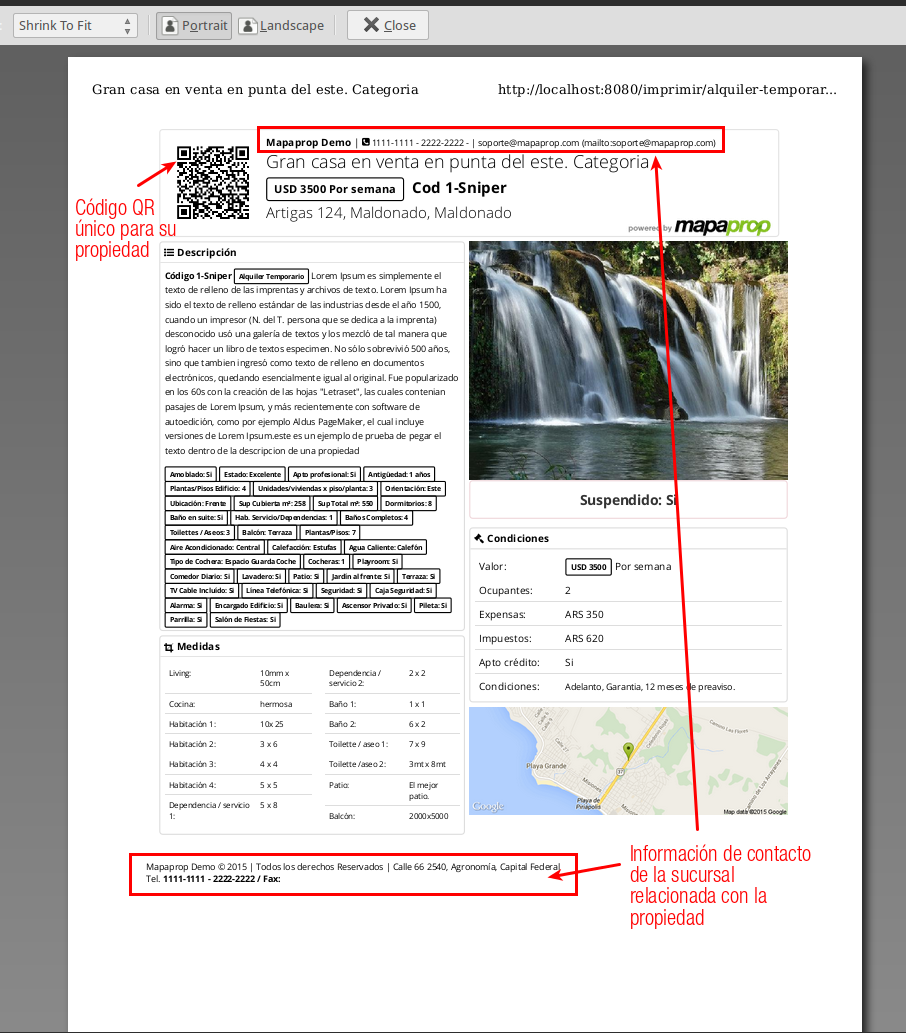
For greater control of printing, we suggest always using a print preview, available in your internet browser (we recommend using A4 Paper Format or Legal)