
When you create a New property or a New development / project, you must fill in basic data such as currency and price. Afterward you can change this information on the Prices screen. You can access it from Property, Edit property, or Edit development / project
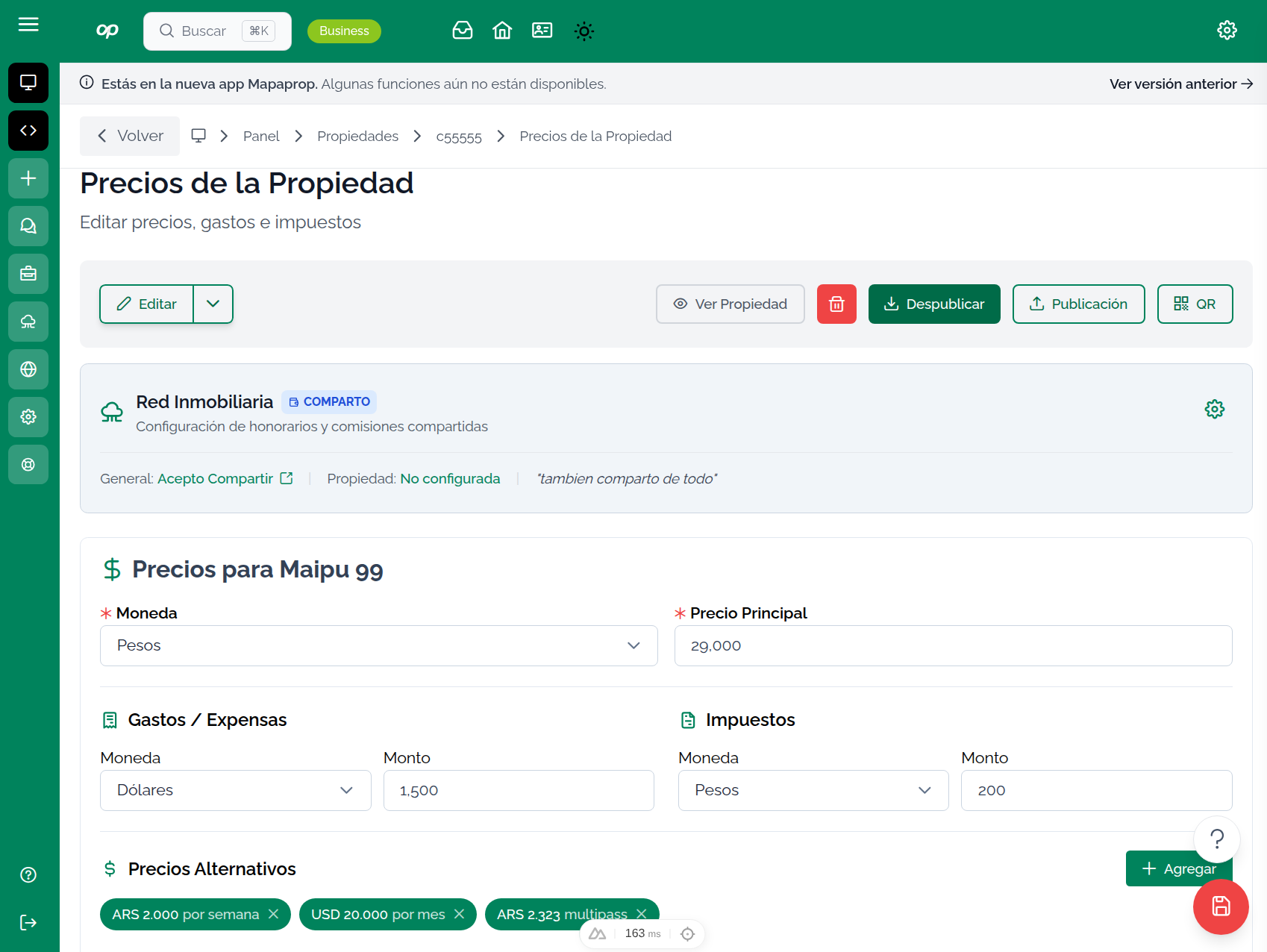
Overview
The Prices section lets you manage all the economic values of the property, including sale/rental price, common charges, and commercial conditions.
Price fields
Main price
| Field | Description |
|---|---|
| Currency | USD, ARS, or another configured currency |
| Price | Value of the transaction (sale or rental) |
| Price per m² | Calculated automatically if you enter the surface area |
Additional expenses
| Field | Description |
|---|---|
| Common charges | Monthly building maintenance costs |
| Taxes | Property tax, municipal fees, etc. |
| Other expenses | Any additional expense to report |
Rental conditions
If the property is for rent, you can configure:
- Deposit - Number of months required
- Advance - Months paid in advance
- Guarantee - Type of guarantee accepted (owner-backed, surety insurance, etc.)
- Requirements - Pay stub, references, etc.
Price history
The system keeps a history of price changes. This lets you:
- See how the price evolved over time
- Analyze adjustments made
- Compare with market values
Tips for setting prices
- Research the market - Compare with similar properties in the area
- Consider the condition - Adjust for condition and age
- Be competitive - The right price speeds up the transaction
- Update regularly - Review prices periodically
The system allows you to add alternate prices to a property. This feature is very useful if you need to communicate several alternate prices, for example for short-term rentals, where prices exist per day, per week, per fortnight, per month, etc. !CAUTION The Save buttons are only enabled if you make a change !TIP
- Edit Share commissions across the Network > Individual property configuration to share commissions in Real Estate Networks / MLS!WARNING If the property is linked to other Publication portals, such as Mercadolibre, Zonaprop, Cabaprop, etc., when you update the price the system will communicate the price update to those portals. !NOTE There are Information Systems linked to this feature, specifically the Historical Price Map and the Property record